This article was originally published at [https://gist.github.com/joepie91/8c2cba6a3e6d19b275fdff62bef98311](https://gist.github.com/joepie91/8c2cba6a3e6d19b275fdff62bef98311).
"State" is data that is associated with some part of a program, and that can be changed over time to change the behaviour of the program. It doesn't have to be changed by the user; it can be changed by *anything* in the program, and it can be *any* kind of data. It's a bit of an abstract concept, so here's an example: say you have a button that increases a number by 1 every time you click it, and the (pseudo-)code looks something like this: ```javascript let counter = 0; let increment = 1; button.on("click", () => { counter = counter + increment; }); ``` In this code, there are two bits of "state" involved: 1. **Whether the button is clicked:** This bit of data - specifically, the change between "yes" and "no" - is what determines when to increase the counter. The example code doesn't interact with this data directly, but the callback is called whenever it changes from "no" to "yes" and back again. 2. **The current value of the counter:** This bit of data is used to determine what the *next* value of the counter is going to be (the current value plus one), as well as what value to show on the screen. Now, you may note that we also define an `increment` variable, but that it isn't in the list of things that are "state"; this is because the `increment` value *never changes*. It's just a static value (`1`) that is always the same, even though it's stored in a variable. That means it's *not* state. You'll also note that "whether the button is clicked" isn't stored in any variable we have access to, and that we can't access the "yes" or "no" value directly. This is an example of what we'll call *invisible state* - data that *is* state, but that we cannot see or access directly - it only exists "behind the scenes". Nevertheless, it still affects the behaviour of the code through the event handler callback that we've defined, and that means it's still state.This article was originally published at [https://gist.github.com/joepie91/cd107b3a566264b28a3494689d73e589](https://gist.github.com/joepie91/cd107b3a566264b28a3494689d73e589).
### Presence[](https://gist.github.com/joepie91/cd107b3a566264b28a3494689d73e589#presence) - **exists -** The field must exist, and not be `undefined`. - **required -** The field must exist, and not be `undefined`, `null` or an empty string. - **empty -** The field must be some kind of "empty". Things that are considered "empty" are as follows: - `""` (empty string) - `[]` (empty array) - `{}` (empty object) - Other falsey values ### Character set[](https://gist.github.com/joepie91/cd107b3a566264b28a3494689d73e589#character-set) - **alpha -** `a-z`, `A-Z` - **alphaNumeric -** `a-z`, `A-Z`, `0-9` - **alphaUnderscore -** `a-z`, `A-Z`, `0-9`, `_` - **alphaDash -** `a-z`, `A-Z`, `0-9`, `_`, `-` ### Value[](https://gist.github.com/joepie91/cd107b3a566264b28a3494689d73e589#value) Length-related validators may apply to both strings and arrays. - **exactLength:`length`-** The value must have a length of exactly `length`. - **minLength:`length` -** The value must have a length of at least `length`. - **maxLength:`length` -** The value must have a length of at most `length`. - **contains:`needle` -** The value must contain the specified `needle` (applies to both strings and arrays). - **accepted -** Must be a value that indicates agreement - varies by language (defaulting to `en`): - **en, fr, nl -** `"yes"`, `"on"`, `"1"`, `1`, `"true"`, `true` - **es -** `"yes"`, `"on"`, `"1"`, `1`, `"true"`, `true`, `"si"` - **ru -** `"yes"`, `"on"`, `"1"`, `1`, `"true"`, `true`, `"да"` ### Value (numbers)[](https://gist.github.com/joepie91/cd107b3a566264b28a3494689d73e589#value-numbers) Note that "numbers" refers to both Number-type values, and strings containing numeric values! - **numeric -** Must be a finite numeric value of some sort. - **integer -** Must be an integer value (either positive or negative). - **natural -** Must be a natural number (ie. an integer value of 0 or higher). - **naturalNonZero -** Must be a natural number, but *higher* than 0 (ie. an integer value of 1 or higher). - **between:`min`:`max` -** The value must numerically be between the `min` and `max` values (exclusive). - **range:`min`:`max` -** The value must numerically be *within* the `min` and `max` values (inclusive). - **lessThan:`maxValue` -** The value must numerically be less than the specified `maxValue` (exclusive). - **lessThanEqualTo:`maxValue` -** The value must numerically be less than *or equal to* the specified `maxValue` (inclusive). - **greaterThan:`minValue` -** The value must numerically be greater than the specified `minValue` (exclusive). - **greaterThanEqualTo:`minValue` -** The value must numerically be greater than *or equal to* the specified `minValue` (inclusive). ### Relations to other fields[](https://gist.github.com/joepie91/cd107b3a566264b28a3494689d73e589#relations-to-other-fields) - **matchesField:`field` -** The value in this field must equal the value in the specified other `field`. - **different:`field` -** The value in this field must *not* equal the value in the specified other `field`. ### JavaScript types[](https://gist.github.com/joepie91/cd107b3a566264b28a3494689d73e589#javascript-types) - **NaN -** Must be `NaN`. - **null -** Must be `null` - **string -** Must be a `String`. - **number -** Must be a `Number`. - **array -** Must be an `Array`. - **plainObject -** Must be a plain `object` (ie. object literal). - **date -** Must be a `Date` object. - **function -** Must be a `Function`. - **regExp -** Must be a `RegExp` object. - **arguments -** Must be an `arguments` object. ### Format[](https://gist.github.com/joepie91/cd107b3a566264b28a3494689d73e589#format) - **email -** Must be a validly formatted e-mail address. - **luhn -** Must be a validly formatted creditcard number (according to a Luhn regular expression). - **url -** Must be a validly formatted URL. - **ipv4 -** Must be a validly formatted IPv4 address. - **ipv6 -** Must be a validly formatted IPv6 address. - **uuid -** Must be a validly formatted UUID. - **base64 -** Must be a validly formatted base64 string. # ES Modules are terrible, actuallyThis post was originally published at [https://gist.github.com/joepie91/bca2fda868c1e8b2c2caf76af7dfcad3](https://gist.github.com/joepie91/bca2fda868c1e8b2c2caf76af7dfcad3), which was in turn adapted from an earlier [Twitter thread](https://twitter.com/joepie91/status/1254368447250694146).
It's incredible how many collective developer hours have been wasted on pushing through the turd that is ES Modules (often mistakenly called "ES6 Modules"). Causing a big ecosystem divide and massive tooling support issues, for... well, no reason, really. There are no actual advantages to it. At all. It looks shiny and new and some libraries use it in their documentation without any explanation, so people assume that it's the new thing that must be used. And then I end up having to explain to them why, unlike CommonJS, it doesn't actually work everywhere yet, and may never do so. For example, you [can't import ESM modules from a CommonJS file](https://github.com/sindresorhus/p-defer/issues/7)! (Update: I've released a [module](https://www.npmjs.com/package/fix-esm) that works around this issue.) And then there's Rollup, which apparently requires ESM to be used, at least to get things like treeshaking. Which then makes people believe that treeshaking is not possible with CommonJS modules. Well, [it is](https://github.com/indutny/webpack-common-shake) - Rollup just chose not to support it. And then there's Babel, which tried to transpile `import`/`export` to `require`/`module.exports`, sidestepping the ongoing effort of standardizing the module semantics for ESM, causing broken imports and `require("foo").default` nonsense and spec design issues all over the place. And then people go "but you can use ESM in browsers without a build step!", apparently not realizing that that is an utterly useless feature because loading a full dependency tree over the network would be unreasonably and unavoidably slow - you'd need as many roundtrips as there are levels of depth in your dependency tree - and so you need some kind of build step anyway, eliminating this entire supposed benefit. And then people go "well you can statically analyze it better!", apparently not realizing that ESM doesn't actually change any of the JS semantics other than the `import`/`export` syntax, and that the `import`/`export` statements are equally analyzable as top-level `require`/`module.exports`. *"But in CommonJS you can use those elsewhere too, and that breaks static analyzers!"*, I hear you say. Well, yes, absolutely. But that is inherent in dynamic imports, which by the way, ESM also supports with its dynamic `import()` syntax. So it doesn't solve that either! Any static analyzer still needs to deal with the case of dynamic imports *somehow* - it's just rearranging deck chairs on the Titanic. And *then*, people go "but now we at least have a standard module system!", apparently not realizing that CommonJS was *literally that*, the result of an attempt to standardize the various competing module systems in JS. Which, against all odds, *actually succeeded*! ... and then promptly got destroyed by ESM, which reintroduced a split and all sorts of incompatibility in the ecosystem, rather than just importing some updated variant of CommonJS into the language specification, which would have sidestepped almost all of these issues. And while the initial CommonJS standardization effort succeeded due to none of the competing module systems being in particularly widespread use yet, CommonJS is so ubiquitous in Javascript-land nowadays that it will never fully go away. Which means that runtimes will forever have to keep supporting two module systems, and **developers will forever be paying the cost of the interoperability issues between them**. ### But it's the future Is it really? The vast majority of people who believe they're currently using ESM, aren't even actually doing so - they're feeding their entire codebase through Babel, which deftly converts all of those snazzy `import` and `export` statements back into CommonJS syntax. Which works. So what's the point of the new module system again, if it all works with CommonJS anyway? And it gets worse; `import` and `export` are designed as special-cased statements. Aside from the obvious problem of needing to learn a special syntax (which doesn't *quite* work like object destructuring) instead of reusing core language concepts, this is also a downgrade from CommonJS' `require`, which is a *first-class expression* due to just being a function call. That might sound irrelevant on the face of it, but it has very real consequences. For example, the following pattern is simply **not possible** with ESM: ```javascript const someInitializedModule = require("module-name")(someOptions); ``` Or how about this one? Also no longer possible: ```javascript const app = express(); // ... app.use("/users", require("./routers/users")); ``` Having language features available as a first-class expression is one of the most desirable properties in language design; yet for some completely unclear reason, ESM proponents decided to *remove* that property. There's just no way anymore to directly combine an `import` statement with some other JS syntax, whether or not the module path is statically specified. The only way around this is with `await import`, which would break the supposed static analyzer benefits, only work in async contexts, and even then require weird hacks with parentheses to make it work correctly. It also means that you now need to make a choice: do you want to be able to use ESM-only dependencies, or do you want to have access to patterns like the above that help you keep your codebase maintainable? ESM or maintainability, your choice! So, congratulations, ESM proponents. You've destroyed a successful userland specification, wasted many (hundreds of?) thousands of hours of collective developer time, many hours of my own personal unpaid time trying to support people with the fallout, and created ecosystem fragmentation that will never go away, in exchange for... fuck all. This is a disaster, and the only remaining way I see to fix it is to stop trying to make ESM happen, and deprecate it in favour of some variant of CommonJS modules being absorbed into the spec. It's not too late *yet*; but at some point it will be. # A few notes on the "Gathering weak npm credentials" articleThis article was originally published in 2017 at [https://gist.github.com/joepie91/828532657d23d512d76c1e68b101f436](https://gist.github.com/joepie91/828532657d23d512d76c1e68b101f436). Since then, npm has implemented 2FA support in the registry, and was acquired by Microsoft through Github.
Yesterday, [an article was released](https://github.com/ChALkeR/notes/blob/master/Gathering-weak-npm-credentials.md) that describes how one person could obtain access to enough packages on npm to affect 52% of the package installations in the Node.js ecosystem. Unfortunately, this has brought about some comments from readers that completely miss the mark, and that draw away attention from the real issue behind all this. To be very clear: **This (security) issue was caused by 1) poor password management on the side of developers, 2) handing out unnecessary publish access to packages, and most of all 3) poor security on the side of the npm registry.** With that being said, let's address some of the common claims. This is going to be slightly ranty, because to be honest I'm rather disappointed that otherwise competent infosec people distract from the underlying causes like this. All that's going to do is prevent this from getting fixed in *other* language package registries, which almost certainly suffer from the same issues. ### "This is what you get when you use small dependencies, because there are such long dependency chains"[](https://gist.github.com/joepie91/828532657d23d512d76c1e68b101f436#this-is-what-you-get-when-you-use-small-dependencies-because-there-are-such-long-dependency-chains) This is very unlikely to be a relevant factor here. Don't forget that a key part of the problem here is that publisher access is handed out unnecessarily; if the Node.js ecosystem were to consist of a few large dependencies (that everybody used) instead of many small ones (that are only used by those who actually need the entire dependency), you'd just end up with each large dependency being responsible for *a larger part of the 52%*. There's a potential point of discussion in that a modular ecosystem means that more different groups of people are involved in the implementation of a given dependency, and that this could provide for a larger (human) attack surface; however, *this is a completely unexplored argument for which no data currently exists*, and this particular article does not provide sufficient evidence to show it to be true. Perhaps not surprisingly, the "it's because of small dependencies" argument seems to come primarily from people who don't fully understand the Node.js dependency model and make a lot of (incorrect) assumptions about its consequences, and who appear to take every opportunity to blame things on "small dependencies" regardless of technical accuracy. **In short:** No, this is not because of small dependencies. It would very likely happen with large dependencies as well. ### "See, that's why you should always lock your dependency versions. This is why semantic versioning is bad."[](https://gist.github.com/joepie91/828532657d23d512d76c1e68b101f436#see-thats-why-you-should-always-lock-your-dependency-versions-this-is-why-semantic-versioning-is-bad) Aside from semantic versioning being a practice that's separate from automatically updating based on a semver range, preventing automatic updates isn't going to prevent this issue either. The problem here is with *publish access to the modules*, which is a completely separate concern from "how the obtained access is misused". In practice, most people who "lock dependency versions" seem to follow a practice of "automatically merge any update that doesn't break tests" - which really is no different from just letting semver ranges do their thing. Even if you *do* audit updates before you apply them (and let's be realistic, how many people *actually* do this for every update?), it would be trivial to subtly backdoor most of the affected packages due to their often aging and messy codebase, where one more bit of strange code doesn't really stand out. The chances of locked dependencies preventing exploitation are close to zero. Even if you *do* audit your updates, it's relatively trivial for a competent developer to sneak by a backdoor. At the same time, "people not applying updates" is a far bigger security issue than audit-less dependency locking will solve. All this applies to "vendoring in dependencies", too - vendoring in dependencies is no technically different from pinning a version/hash of a dependency. **In short:** No, dependency locking will not prevent exploitation through this vector. Unless you have a strict auditing process (which you should, but many do not), you **should not** lock dependency versions. ### "That's why you should be able to add a hash to your package.json, so that it verifies the integrity of the dependency.[](https://gist.github.com/joepie91/828532657d23d512d76c1e68b101f436#thats-why-you-should-be-able-to-add-a-hash-to-your-packagejson-so-that-it-verifies-the-integrity-of-the-dependency) This solves a completely different and almost unimportant problem. The only thing that a package hash will do, is assuring that everybody who installs the dependencies gets the exact same dependencies (for a locked set of versions). However, the npm registry *already does that* - it prevents republishing different code under an already-used version number, and even with publisher access you cannot bypass that. Package hashes also give you absolutely zero assurances about future updates; *package hashes are not signatures*. **In short:** This just doesn't even have anything to do with the credentials issue. It's totally unrelated. ### "See? This is why Node.js is bad."[](https://gist.github.com/joepie91/828532657d23d512d76c1e68b101f436#see-this-is-why-nodejs-is-bad) Unfortunately plenty of people are conveniently using this article as an excuse to complain about Node.js (because that's apparently the hip thing to do?), without bothering to understand what happened. Very simply put: **this issue is not in any way specific to Node.js.** The issue here is an issue of developers with poor password policies and poor registry access controls. It just so happens that the research was done on npm. As far as I am aware, this kind of research has not been carried out for *any* other language package registries - but many other registries appear to be similarly poorly monitored and secured, and are very likely to be subject to the exact same attack. If you're using this as an excuse to complain about Node.js, without bothering to understand the issue well enough to realize that it's a *language-independent issue*, then perhaps you should reconsider exactly how well-informed your point of view of Node.js (or other tools, for that matter) really is. Instead, you should take this as a lesson and *prevent this from happening in other language ecosystems*. **In short:** This has absolutely nothing to do with Node.js specifically. That's just where the research happens to be done. Take the advice and start looking at other language package registries, to ensure they are not vulnerable to this either. ### So then how should I fix this?[](https://gist.github.com/joepie91/828532657d23d512d76c1e68b101f436#so-then-how-should-i-fix-this) 1. Demand from npm Inc. that they prioritize implementing 2FA immediately, actively monitor for incidents like this, and generally implement all the mitigations suggested in [the article](https://github.com/ChALkeR/notes/blob/master/Gathering-weak-npm-credentials.md#how-things-could-be-further-improved-on-the-npm-side). It's really not reasonable how poorly monitored or secured the registry is, especially given that it's *operated by a commercial organization*, and it's been around for a *long* time. 2. If you have an npm account, follow the instructions [here](https://github.com/ChALkeR/notes/blob/master/Gathering-weak-npm-credentials.md#what-users-should-do-on-this). 3. Carry out or encourage the same kind of research on the package registry for *your* favorite language. It's very likely that other package registries are similarly insecure and poorly monitored. Unfortunately, as a mere consumer of packages, there's nothing you can do about this other than demanding that npm Inc. gets their registry security in order. This is fundamentally an infrastructure problem. # Node.js Things that are specific to Node.js. Note that things about Javascript in general, are found under their own "Javascript" chapter! # How to install Node.js applications, if you're not a Node.js developerThis article was originally published at [https://gist.github.com/joepie91/24f4e70174d10325a9af743a381d5ec6](https://gist.github.com/joepie91/24f4e70174d10325a9af743a381d5ec6).
While installing a Node.js application isn't difficult *in principle*, it may still be confusing if you're not used to how the Node.js ecosystem works. This post will tell you how to get the application going, what to expect, and what to do if it doesn't work. *Occasionally* an application may have custom installation steps, such as installing special system-wide dependencies; in those cases, you'll want to have a look at the install documentation of the application itself as well. However, *most of the time* it's safe to assume that the instructions below will work fine. If the application you want to install is available in your distribution's repositories, then install it through there instead and skip this entire guide; your distribution's package manager will take care of all the dependencies. ### Checklist[](https://gist.github.com/joepie91/24f4e70174d10325a9af743a381d5ec6#checklist) Before installing a Node.js application, check the following things: 1. **You're running a maintained version of Node.js.** You can find a list of current maintained versions [here](https://github.com/nodejs/Release#release-schedule). For minimal upgrade headaches, ensure that you're running an LTS version. If your system is running an *unsupported* version, you should install Node.js [from the Nodesource repositories](https://github.com/nodesource/distributions) instead. 2. **Your version of Node.js is a standard one.** In particular Debian and some Debian-based distributions have a habit of modifying the way Node.js works, leading to a lot of things breaking. Try running `node --version` - if that works, you're running a standard-enough version. If you can only do `nodejs --version`, you should install Node.js [from the Nodesource repositories](https://github.com/nodesource/distributions) instead. 3. **You have build tools installed.** In particular, you'll want to make sure that `make`, `pkgconfig`, GCC and Python exist on your system. If you don't have build tools or you're unsure, you'll want to install a package like `build-essential` (on Linux) or [look here for further instructions](https://github.com/nodejs/node-gyp#installation) (on other platforms, or unusual Linux distributions). 4. ***npm* works.** Run `npm --version` to check this. If the `npm` command doesn't exist, your distribution is probably shipping a weird non-standard version of Node.js; use [the Nodesource repositories](https://github.com/nodesource/distributions) instead. **Do not** install npm as a separate package, this will lead to headaches down the road. No root/administrator access, no repositories exist for your distro, can't change your system-wide Node.js version, need a really specific Node.js version to make the application work, or have some other sort of edge case? Then [nvm](https://github.com/creationix/nvm/blob/master/README.md) can be a useful solution, although keep in mind that it *will not* automatically update your Node.js installation. ### How packages work in Node.js[](https://gist.github.com/joepie91/24f4e70174d10325a9af743a381d5ec6#how-packages-work-in-nodejs) Packages work a little differently in Node.js from most languages and distributions. In particular, **dependencies are *not* installed system-wide**. Every project has its own (nested) set of dependencies. This solves a lot of package management problems, but it can take a little getting used to if you're used to other systems. In practice, this means that you should almost always do a regular `npm install` - that is, installing the dependencies locally into the project. The only time you need to do a 'global installation' (using `npm install -g packagename`) is when you're installing an *application* that is *itself* published on npm, and you want it to be available globally on your system. This also means that **you should *not* run npm as root** by default. This is a really important thing to internalize, or you'll run into trouble down the line. To recap: - Run npm under your own, unprivileged user - unless instructions *specifically* state that you should run it as root. - Run npm in 'local' mode, installing dependencies into the project folder - unless instructions *specifically* state that you should do a global installation. If you're curious about the details of packages in Node.js, [here](https://gist.github.com/joepie91/9b9dbd8c9ac3b55a65b2) is a developer-focused article about them. ### Installing an application from the npm registry[](https://gist.github.com/joepie91/24f4e70174d10325a9af743a381d5ec6#installing-an-application-from-the-npm-registry) Is the application published on the npm registry, ie. does it have a page on `npmjs.org`? Great! That means that installation is a single command. If you've installed Node.js through your distribution's package manager: `sudo npm install -g packagename`, where `packagename` is the name of the package on npm. If you've installed Node.js through `nvm` or a similar tool: `npm install -g packagename`, where `packagename` is the name of the package on npm. You'll notice that you need to run the command as root (eg. through `sudo`) when installing Node.js through your distribution's package manager, but not when installing it through `nvm`. This is because by default, Node.js will use a system-wide folder for globally installed packages; but under `nvm`, your entire Node.js installation exists in a subdirectory of your unprivileged user's home directory - including the 'global packages' folder. After following these steps, some new binaries will probably be available for you to use system-wide. If the application's documentation doesn't tell you what binaries are available, then you should find its code repository, and look at the `"bin"` key in its `package.json`; that will contain a list of all the binaries it provides. Running them with `--help` will probably give you documentation. You're done!**If you run into a problem:** Scroll down to the 'troubleshooting' section.
### Installing an application from a repository[](https://gist.github.com/joepie91/24f4e70174d10325a9af743a381d5ec6#installing-an-application-from-a-repository) Some applications are not published to the npm registry, and instead you're expected to install it from the code (eg. Git) repository. In those cases, start by looking at the application's install instructions to see if there are special requirements for cloning the repository, like eg. checking out submodules. If there are no special instructions, then a simple `git clone http://example.com/path/to/repository` should work, replacing the URL with the cloning URL of the repository. #### Making it available globally (like when installing from the npm registry) Enter the cloned folder, and then run: - If you installed Node.js from your distribution's repositories: `sudo npm install -g`, with no other arguments. - If you installed Node.js through `nvm` or a similar tool: `npm install -g`, with no other arguments. You're done!**If you run into a problem:** Scroll down to the 'troubleshooting' section.
#### Keeping it in the repository[](https://gist.github.com/joepie91/24f4e70174d10325a9af743a381d5ec6#keeping-it-in-the-repository) Sometimes you don't want to really install the application onto your system, but you rather just want to get it running locally from the repository. In that case, enter the cloned folder, and run: `npm install`, with no other arguments. You're done!**If you run into a problem:** Scroll down to the 'troubleshooting' section.
### Troubleshooting[](https://gist.github.com/joepie91/24f4e70174d10325a9af743a381d5ec6#troubleshooting) Sometimes, things still won't work. In most cases it'll be a matter of missing some sort of undocumented external dependency, ie. a dependency that npm can't manage for you and that's typically provided by the OS. Sometimes it's a version compatibility issue. Occasionally applications are just outright broken. When running into trouble with npm, try entering your installation output into [this tool](http://cryto.net/why-is-npm-broken/) first. It's able to (fully automatically!) recognize the most common issues that people tend to run into with npm. If the tool can't find your issue and it still doesn't work, then drop by the IRC channel (#Node.js on Libera, an online chat can be found [here](https://web.libera.chat/)) and we'll be happy to help you get things going! You do need to register your username to talk in the channel; you can get help with this in the #libera channel. # Getting started with Node.jsThis article was originally published at [https://gist.github.com/joepie91/95ed77b71790442b7e61](https://gist.github.com/joepie91/95ed77b71790442b7e61). Some of the links in it still point to Gists that I have written; these will be moved over and relinked in due time.
Some of the suggestions on this page have become outdated, and better alternatives are available nowadays. However, the suggestions listed here *should still work today* as they did when this article was originally written. You do not *need* to update things to new approaches, and sometimes the newer approaches actually aren't better either, they can even be worse!
*"How do I get started with Node?"* is a commonly heard question in #Node.js. This gist is an attempt to compile some of the answers to that question. It's a perpetual [work-in-progress](https://gist.github.com/joepie91/95ed77b71790442b7e61#future-additions-to-this-list). And if this list didn't quite answer your questions, I'm available for [tutoring and code review](http://cryto.net/~joepie91/code-review.html)! A [donation](http://cryto.net/~joepie91/donate.html) is also welcome :) ### Setting expectations[](https://gist.github.com/joepie91/95ed77b71790442b7e61#setting-expectations) Before you get started learning about JavaScript and Node.js, there's one very important article you need to read: [Teach Yourself Programming in Ten Years](https://web.archive.org/web/20161125182601/http://www.norvig.com/21-days.html). Understand that **it's going to take time** to learn Node.js, just like it would take time to learn any other specialized topic - and that you're not going to learn effectively just by reading things, or following tutorials or courses. **Get out there and build things!** Experience is by far the most important part of learning, and shortcuts to this simply *do not exist*. Avoid "bootcamps", courses, extensive books, and basically anything else that claims to teach you programming (or Node.js) in a single run. They all lie, and what they promise you simply isn't possible. That's also the reason this post is a *list of resources*, rather than a single book - they're references for when you need to learn about a certain topic at a certain point in time. Nothing more, nothing less. There's also no such thing as a "definitive guide to Node.js", or a "perfect stack". Every project is going to have different requirements, that are best solved by different tools. There's no point in trying to learn everything upfront, because *you can't know what you need to learn, until you actually need it*. In conclusion, the best way to get started with Node.js is to simply **decide on a project you want to build, and start working on it**. Start with the simplest possible implementation of it, and over time add bits and pieces to it, learning about those bits and pieces as you go. The links in this post will help you with that.You'll find a table of contents for this page on your left.
### Javascript refresher[](https://gist.github.com/joepie91/95ed77b71790442b7e61#javascript-refresher) Especially if you normally use a different language, or you only use Javascript occasionally, it's easy to misunderstand some of the aspects of the language. These links will help you refresh your knowledge of JS, and make sure that you understand the OOP model correctly. - **A whirlwind tour of the language:** [http://learnxinyminutes.com/docs/javascript/](http://learnxinyminutes.com/docs/javascript/) - **Javascript is asynchronous, through using an 'event loop'.** [This video](https://www.youtube.com/watch?v=8aGhZQkoFbQ) explains what an event loop *is*, and [this video](https://www.youtube.com/watch?v=cCOL7MC4Pl0) goes into more detail about how it works and how to deal with corner cases. If you're not familiar with the event loop yet, you should watch both. - **Javascript does automatic typecasting ("type conversion") in some cases.** [This](https://gist.github.com/joepie91/5fd8c58345998d4dec5b) shows how various values cast to a boolean, and [this](https://gist.github.com/joepie91/b207efcfc6ace64f0f41) shows how `null` and `undefined` relate to each other. - **In Javascript, braces are optional for single-line statements - however, you should *always* use them.** [This gist](https://gist.github.com/joepie91/203aaa8e36e1eb958fe7) demonstrates why. - **Asynchronous execution in Javascript is normally implemented using CPS.** This stands for "continuation-passing style", and [this](https://gist.github.com/joepie91/977c966cb0d6c15690b0) shows an example of how that works. - **However, in practice, you shouldn't use that, and you should use Promises instead.** Whereas it is very easy to mess up CPS code, that is not an issue with Promises - error handling is much more reliable, for example. [This guide](https://gist.github.com/joepie91/791640557e3e5fd80861) should give you a decent introduction. - **A callback should be either consistently synchronous, or consistently asynchronous.** You don't really have to worry about this when you're using Promises (as they ensure that this is consistent), but [this article](http://blog.izs.me/post/59142742143/designing-apis-for-asynchrony) still has a good explanation of the reasons for this. A simpler example can be found [here](https://gist.github.com/joepie91/98576de0fab7badec167). - **Javascript does not have classes, and constructor functions are a bad idea.** [This short article](https://hughfdjackson.com/javascript/prototypes-the-short(est-possible)-story/) will help you understand the prototypical OOP model that Javascript uses. [This gist](https://gist.github.com/joepie91/22fb5cd443517566412b) shows a brief example of what the `this` variable refers to. Often you don't need inheritance at all - [this gist](https://gist.github.com/joepie91/657f2b4b054d90aa0c87) shows an example of creating an object in the simplest possible way. - **In Javascript, closures are everywhere, by default.** [This gist](https://gist.github.com/joepie91/cb0e42c3562bc94e4491) shows an example. ### The Node.js platform[](https://gist.github.com/joepie91/95ed77b71790442b7e61#the-nodejs-platform) Node.js is not a language. Rather, it's a "runtime" that lets you run Javascript without a browser. It comes with some basic additions such as a TCP library - or rather, in Node.js-speak, a "TCP module" - that you need to write server applications. - **The easiest way to install Node.js on Linux and OS X, is to use `nvm`.** The instructions for that can be found [here](https://github.com/creationix/nvm/blob/master/README.markdown). Make sure you create a `default` alias (as explained in the documentation), if you want it to work like a 'normal' installation. - **If you are using Windows:** You can download an installer from [the Node.js website](https://nodejs.org/en/). You should consider using a different operating system, though - Windows is generally rather poorly suited for software development outside of .NET. Things will be a lot easier if you use Linux or OS X. - **The package manager you'll use for Node.js, is called NPM.** While it's very simple to use, it's not particularly well-documented. [This article](https://gist.github.com/joepie91/9b9dbd8c9ac3b55a65b2) will give you an introduction to it. - **Don't hesitate to add dependencies, even small ones!** Node.js and NPM are specifically designed to make this possible without running into issues, and you will get big benefits from doing so. [This post](https://github.com/sindresorhus/ama/issues/10#issuecomment-117766328) explains more about that. - **The module system is very simple.** [The Node.js documentation explains this further.](https://nodejs.org/api/modules.html) - **MongoDB is commonly recommended and used with Node.js. It is, however, extremely poorly designed - and you shouldn't use it.** [This article](http://cryto.net/~joepie91/blog/2015/07/19/why-you-should-never-ever-ever-use-mongodb/) goes into more detail about *why* you shouldn't use it. If you're not sure what to use, use [PostgreSQL](http://www.postgresql.org/). - The rest of the documentation for all the modules included with Node.js, can be found [here](https://nodejs.org/api/). ### Setting up your environment[](https://gist.github.com/joepie91/95ed77b71790442b7e61#setting-up-your-environment) - **To be able to install "native addons" (compiled C++ modules), you need to take some additional steps.** If you are on Linux or OS X, you likely already have everything you need - however, on Windows you'll have to install a few additional pieces of software. The instructions for all of these platforms can be found [here](https://github.com/nodejs/node-gyp#installation). **Do not skip this step.** Installing pure-Javascript modules is not always a viable solution, especially where it concerns cryptography-related modules such as `scrypt` or `bcrypt`. - **If you're running into issues on Windows,** try [these instructions](https://github.com/Microsoft/nodejs-guidelines/blob/master/windows-environment.md#compiling-native-addon-modules) from Microsoft. - **There are a lot of build tools for helping you manage your code.** It can get a bit confusing, though - there are a lot of articles that just tell you to combine a pile of different tools, without ever explaining what they're for. [This](https://gist.github.com/joepie91/3381ce7f92dec7a1e622538980c0c43d) is a hype-free overview of different kinds of build tools, and what they may be useful for. ### Functional programming[](https://gist.github.com/joepie91/95ed77b71790442b7e61#functional-programming) Javascript has part of its roots in functional programming languages, which means that you can use some of those concepts in your own projects. They can be greatly beneficial to the readability and maintainability of your code. - [This article](http://cryto.net/~joepie91/blog/2015/05/04/functional-programming-in-javascript-map-filter-reduce/) gives an introduction to `map`, `filter` and `reduce` - three functional programming operations that help a *lot* in writing maintainable and predictable code. - [This gist](https://gist.github.com/joepie91/34742045a40f7c48430e) shows an example of using those with Bluebird, the Promises library that I recommended in the Promises Reading Guide. - [This slide deck](http://slides.com/gsklee/functional-programming-in-5-minutes) demonstrates currying in Javascript, another functional programming technique - think of them as "partially executed functions". ### Module patterns[](https://gist.github.com/joepie91/95ed77b71790442b7e61#module-patterns) To build "configurable" modules, you can use a pattern known as "parametric modules". [This gist](https://gist.github.com/joepie91/83a8e03ad931e696df22) shows an example of that. [This](https://gist.github.com/joepie91/9b1ca2392a72e82b44fb) is another example. A commonly used pattern is the `EventEmitter` - this is exactly what it sounds like; an object that emits events. It's a very simple abstraction, but helps greatly in writing [loosely coupled](https://en.wikipedia.org/wiki/Loose_coupling) code. [This gist](https://gist.github.com/joepie91/82df4eff6956089e3fbf) illustrates the object, and the full documentation can be found [here](https://nodejs.org/api/events.html). ### Code architecture[](https://gist.github.com/joepie91/95ed77b71790442b7e61#code-architecture) The 'design' of your codebase matters a lot. Certain approaches for solving a problem work better than other approaches, and each approach has its own set of benefits and drawbacks. Picking the right approach is important - it will save you hours (or days!) of time down the line, when you are maintaining your code. I'm still in the process of writing more about this, but so far, I've already written an article that explains the difference between monolithic and modular code and why it matters. You can read it [here](https://gist.github.com/joepie91/7f03a733a3a72d2396d6). ### Express[](https://gist.github.com/joepie91/95ed77b71790442b7e61#express) If you want to build a website or web application, you'll probably find [Express](http://expressjs.com/) to be a good framework to start with. As a framework, it is *very* small. It only provides you with the basic necessities - everything else is a plugin. If this sounds complicated, don't worry - things almost always work "out of the box". Simply follow the `README` for whichever "middleware" (Express plugin) you want to add. To get started with Express, simply follow the below articles. Whatever you do, don't use the Express Generator - it generates confusing and bloated code. Just start from scratch and follow the guides! - [Installing Express](http://expressjs.com/en/starter/installing.html) (some of this was already covered in the NPM guide above) - [A Hello World example](http://expressjs.com/en/starter/hello-world.html) - [Routing](http://expressjs.com/en/guide/routing.html) - [Using template engines](http://expressjs.com/en/guide/using-template-engines.html) - [Writing Middleware](http://expressjs.com/en/guide/writing-middleware.html) - [Using Middleware](http://expressjs.com/en/guide/using-middleware.html) - [Static File Handling](http://expressjs.com/en/starter/static-files.html) (this is middleware, too!) - [Error Handling](http://expressjs.com/en/guide/error-handling.html) - [Debugging](http://expressjs.com/en/guide/debugging.html) To get a better handle on how to render pages server-side with Express: - [Rendering pages server-side with Express (and Pug)](https://gist.github.com/joepie91/c0069ab0e0da40cc7b54b8c2203befe1) (a step-by-step walkthrough, work in progress) Some more odds and ends regarding about Express: - [Some FAQs](http://expressjs.com/en/starter/faq.html) (don't use MVC, however - [this is why](http://aredridel.dinhe.net/2015/01/30/why-mvc-does-not-fit-the-web/).) - [Express Behind Proxies](http://expressjs.com/en/guide/behind-proxies.html) - [The full Express API documentation](http://expressjs.com/en/4x/api.html) Some examples: - [Making something "globally available" in an Express application](https://gist.github.com/joepie91/a8270b0b7a1a433032a2) - [Writing configurable middleware](https://gist.github.com/joepie91/7f531cc7fa7245e68cc8) (using the same technique as the parametric modules I showed earlier) Combining Express and Promises: - [A short article explaining how to use `express-promise-router`](http://cryto.net/~joepie91/blog/2015/05/14/using-promises-bluebird-with-express/) - [An example](https://gist.github.com/joepie91/e4cd0f2c84ea2f303bb2), also explaining what would happen if you didn't handle errors. Some common Express middleware that you might want to use: - **Sessions:** [express-session](https://www.npmjs.com/package/express-session), with [connect-session-knex](https://www.npmjs.com/package/connect-session-knex) if you are using Knex. - **Message flashing:** [connect-flash](https://www.npmjs.com/package/connect-flash) - **Handling request payloads ("form/POST data"):** [body-parser](https://www.npmjs.com/package/body-parser) - **Handling uploads and other multipart data:** [multer](https://www.npmjs.com/package/multer) if you want it written to disk like PHP would do, or [connect-busboy](https://www.npmjs.com/package/connect-busboy) if you want to interact with the upload stream directly. - **Access logs:** [morgan](https://www.npmjs.com/package/morgan) - **OAuth/OpenID integration:** [Passport](http://passportjs.org/) ### Coming from other languages or platforms[](https://gist.github.com/joepie91/95ed77b71790442b7e61#coming-from-other-languages-or-platforms) - **If you are used to PHP or similar:** Contrary to PHP, Node.js does *not* use a CGI-like model (ie. "one pageload is one script"). Instead, it is a persistent process - your code *is* the webserver, and it handles many incoming requests at the same time, for as long as the process keeps running. This means you can have persistent state - [this gist](https://gist.github.com/joepie91/bf0813626e6568e8633b) shows an example of that. - **If you are used to synchronous platforms:** [This gist](https://gist.github.com/joepie91/dc67316d2a22f321d1a1) illustrates the differences between a (synchronous) PHP script and an (asynchronous) Node.js application. ### Security[](https://gist.github.com/joepie91/95ed77b71790442b7e61#security) Note that this advice isn't necessarily complete. It answers some of the most common questions, but your project might have special requirements or caveats. When in doubt, you can always ask in the #Node.js channel! Also, keep in mind the golden rule of security: humans *suck* at repetition, regardless of their level of competence. **If a mistake *can* be made, then it *will* be made.** Design your systems such that they are hard to use incorrectly. - **Sessions:** Use something that implements session cookies. If you're using Express, [express-session](https://www.npmjs.com/package/express-session) will take care of this for you. Whatever you do, **don't use JWT for sessions**, even if many blog posts recommend it - it will cause security problems. [This article](http://cryto.net/~joepie91/blog/2016/06/13/stop-using-jwt-for-sessions/) goes into more detail. - **Password hashing:** Use `scrypt`. [This wrapper module](https://www.npmjs.com/package/scrypt-for-humans) will make it easier to use. - **CSRF protection:** You need this if you are building a website. Use [csurf](https://www.npmjs.com/package/csurf). - **XSS:** Every good templater will escape output by default. **Only** use templaters that do this (such as [Jade](http://jade-lang.com/) or [Nunjucks](https://mozilla.github.io/nunjucks/))! If you need to explicitly escape things, you should consider it insecure - it's too easy to forget to do this, and is practically guaranteed to result in vulnerabilities. - **SQL injection:** Always use parameterized queries. When using MySQL, use the `node-mysql2` module instead of the `node-mysql` module - the latter doesn't use real parameterized queries. Ideally, use something like [Knex](http://knexjs.org/), which will also prevent many other issues, and make your queries much more readable and maintainable. - **Random numbers and values:** Generating unpredictable random numbers is a lot harder than it seems. `Math.random()` will generate numbers that may *seem* random, but are actually quite predictable to an attacker. If you need random values, read [this article](https://gist.github.com/joepie91/7105003c3b26e65efcea63f3db82dfba) for recommendations. It also goes into more detail about the types of "randomness" that exist. - **Cryptography:** Follow the suggestions in [this gist](https://gist.github.com/tqbf/be58d2d39690c3b366ad). Whatever you do, **do not use the `crypto` module directly**, unless you really have no other choice. Never use pure-Javascript reimplementations - always use bindings to the original implementation, where possible (in the form of native addons). - **Vulnerability advisories:** The Node Security Project keeps track of [known vulnerabilities](https://nodesecurity.io/advisories) in Node.js modules. Services like [VersionEye](https://www.versioneye.com/) will e-mail you, if your project uses a module that is found vulnerable. ### Useful modules:[](https://gist.github.com/joepie91/95ed77b71790442b7e61#useful-modules) This is an incomplete list, and I'll probably be adding stuff to it in the future. - **Determining the type of a value:** [type-of-is](https://www.npmjs.com/package/type-of-is) - **Date/time handling:** [Moment.js](http://momentjs.com/) - **Making HTTP requests:** [bhttp](https://www.npmjs.com/package/bhttp) - **Clean debugging logs:** [debug](https://www.npmjs.com/package/debug) - **Cleaner stacktraces and errors:** [pretty-error](https://www.npmjs.com/package/pretty-error) - **Markdown parsing:** [marked](https://www.npmjs.com/package/marked) - **HTML parsing:** [cheerio](https://www.npmjs.com/package/cheerio) (has a jQuery-like API) - **WebSockets:** [ws](https://www.npmjs.com/package/ws) ### Deployment[](https://gist.github.com/joepie91/95ed77b71790442b7e61#deployment) - **Don't run Node.js as root, ever!** If you want to expose your service at a privileged port (eg. port 80), and you probably do, then you can use [authbind](https://thomashunter.name/blog/using-authbind-with-node-js/) to accomplish that safely. ### Distribution - **Your project is ready for release!** But... you should still pick a license. [This article](http://cryto.net/~joepie91/blog/2013/03/21/licensing-for-beginners/) will give you a very basic introduction to copyright, and the different kind of (common) licenses you can use. ### Scalability[](https://gist.github.com/joepie91/95ed77b71790442b7e61#scalability) **Scalability is a result of your application architecture, not the technologies you pick.** Be wary of anything that claims to be "scalable" - it's much more important to write loosely coupled code with small components, so that you can split out responsibilities across multiple processes and servers. ### Troubleshooting[](https://gist.github.com/joepie91/95ed77b71790442b7e61#troubleshooting) Is something not working properly? Here are some resources that might help: - Is `npm install` causing an error? Use [this error explaining tool](http://cryto.net/why-is-npm-broken/) to find out what's wrong. - `DeprecationWarning: Using Buffer without `new` will soon stop working.` - the solution for this can be found [here](https://gist.github.com/joepie91/a0848a06b4733d8c95c95236d16765aa). ### Optimization[](https://gist.github.com/joepie91/95ed77b71790442b7e61#optimization) The first rule of optimization is: **do not optimize.** The correct order of concerns is security first, then maintainability/readability, and *then* performance. Optimizing performance is something that you shouldn't care about, until you have *hard metrics* showing you that it is needed. If you can't show a performance problem in numbers, it doesn't exist; while it is easy to optimize readable code, it's much harder to make optimized core more readable. There is one exception to this rule: *never* use any methods that end with `Sync` - these are blocking, synchronous methods, and will block your event loop (ie. your entire application) until they have completed. They may look convenient, but they are not worth the performance penalty. Now let's say that you *are* having performance issues. Here are some articles and videos to learn more about how optimization and profiling works in Node.js / V8 - they are going to be fairly in-depth, so you may want to hold off on reading these until you've gotten some practice with Node.js: - [Common causes of deoptimization](https://github.com/petkaantonov/bluebird/wiki/Optimization-killers) - [Monomorphism, and why it is important](http://mrale.ph/blog/2015/01/11/whats-up-with-monomorphism.html) - [Tuning Node.js](https://www.youtube.com/watch?v=FXyM1yrtloc) - [A tour of V8: object representation](http://jayconrod.com/posts/52/a-tour-of-v8-object-representation) - [Node.js in flames](http://techblog.netflix.com/2014/11/nodejs-in-flames.html) - [Realtime Node.js App: A Stress Testing Story (using Socket.IO)](https://bocoup.com/weblog/node-stress-test-analysis) - A bigger list of resources about V8 optimization and internals can be found [here](http://mrale.ph/v8/resources.html). If you're seeing memory leaks, then these may be helpful articles to read: - [Three kinds of memory leaks](https://blog.nelhage.com/post/three-kinds-of-leaks/) These are some modules that you may find useful for profiling your application: - **[node-inspector](https://www.npmjs.com/package/node-inspector):** Based on Chrome Developer Tools, this tool gives you many features, including CPU and heap profiling. Also useful for debugging in general. **Since Node.js v6.3.0, you can also [connect directly](https://www.reddit.com/r/node/comments/4yoane/in_case_you_have_missed_it_node_v630_came_out/) using Chrome Developer Tools.** - **[heapdump](https://www.npmjs.com/package/heapdump):** On-demand heap dumps, for later analysis. Usable from application code *in production*, so very useful for making a heap dump the moment your application goes over a certain heap size. - **[memwatch-next](https://www.npmjs.com/package/memwatch-next):** Provides memory leak detection, and heap diffing. ### Writing C++ addons[](https://gist.github.com/joepie91/95ed77b71790442b7e61#writing-c-addons) You'll usually want to avoid this - C++ is not a memory-safe language, so it's much safer to just write your code in Javascript. V8 is rather well-optimized, so in most cases, performance isn't a problem either. That said, sometimes - eg. when writing bindings to something else - you just *have* to write a native module. These are some resources on that: - [The addon documentation](https://nodejs.org/api/addons.html) - [`nan`, an abstraction layer for making your module work across Node.js versions](https://www.npmjs.com/package/nan) (you should absolutely use this) - [`node-gyp`, the build tool you will need for this purpose](https://github.com/nodejs/node-gyp) - [V8 API documentation for every supported Node.js version](http://v8dox.com/) ### Writing Rust addons[](https://gist.github.com/joepie91/95ed77b71790442b7e61#writing-rust-addons) Neon is a new project that lets you write **memory-safe compiled extensions** for Node.js, using Rust. It's still pretty new, but quite promising - an introduction can be found [here](http://calculist.org/blog/2015/12/23/neon-node-rust/). ### Odds and ends[](https://gist.github.com/joepie91/95ed77b71790442b7e61#odds-and-ends) Some miscellaneous code snippets and examples, that I haven't written a section or article for yet. - **Named logging in Gulp:** [https://gist.github.com/joepie91/e7d66ffdb17d1ea69c56](https://gist.github.com/joepie91/e7d66ffdb17d1ea69c56) - **Cached image:** [https://gist.github.com/joepie91/cee42198b6bc6a24ea44](https://gist.github.com/joepie91/cee42198b6bc6a24ea44) - **Combining Gulp and Electron:** [https://gist.github.com/joepie91/f81cdbc1b45d52ab4b87](https://gist.github.com/joepie91/f81cdbc1b45d52ab4b87) ### Future additions to this list[](https://gist.github.com/joepie91/95ed77b71790442b7e61#future-additions-to-this-list) There are a few things that I'm currently working on documenting, that will be added to this list in the future. I write new documentation as I find the time to do so. - **Node.js for PHP developers** (a migration guide) - In progress. - **A comprehensive guide to Promises** - Planned. - **A comprehensive guide to streams** - Planned. - **Error handling mechanisms and strategies** - Planned. - **Introduction to HTTP** - Planned. - **Writing a secure authentication system** - Planned. - **Writing abstractions** - Planned. # Node.js for PHP developersThis article was originally published at [https://gist.github.com/joepie91/87c5b93a5facb4f99d7b2a65f08363db](https://gist.github.com/joepie91/87c5b93a5facb4f99d7b2a65f08363db). It has not been finished yet, but still contains some useful pointers.
## Learning a second language If PHP was your first language, and this is the first time you're looking to learn another language, you may be tempted to try and "make it work like it worked in PHP". While understandable, this is a **really bad idea**. Different languages have fundamentally different designs, with different best practices, different syntax, and so on. The result of this is that different languages are also better for different usecases. By trying to make one language work like the other, you get the **worst of both worlds** - you lose the benefits that made language one good for your usecase, and add the design flaws of language two. You should always aim to learn a language *properly*, including how it is commonly or optimally used. Your code is going to look and feel considerably different, and that's okay! Over time, you will gain a better understanding of how different language designs carry different tradeoffs, and you'll be able to get the *best* of both worlds. This will take time, however, and you should always start by learning and using each language *as it is* first, to gain a full understanding of it. One thing I explicitly recommend against, is [CGI-Node](http://www.cgi-node.org/) - you should **never, ever, ever use this**. It makes a lot of grandiose claims, but it actually just reimplements some of the worst and most insecure parts of PHP in Node.js. It is also completely unnecessary - the sections below will go into more detail. ## Execution model[](https://gist.github.com/joepie91/87c5b93a5facb4f99d7b2a65f08363db#execution-model) The "execution model" of a language describes how your code is executed. In the case of a web-based application, it decides how your server goes from "a HTTP request is coming in", to "the application code is executed", to "a response has been sent". PHP uses what we'll call the "CGI model" to run your code - for every HTTP request that comes in, the webserver (usually Apache or nginx) will look in your "document root" for a `.php` file with the same path and filename, and then execute that file. This means that for every new request, it effectively starts a new PHP process, with a "clean slate" as far as application state is concerned. Other than `$_SESSION` variables, all the variables in your PHP script are thrown away after a response is sent. This "CGI model" is a somewhat unique execution model, and only a few technologies use it - PHP, ASP and ColdFusion are the most well-known. It's also a very fragile and limited model, that makes it easy to introduce security issues; for example, "uploading a shell" is something that's only possible because of the CGI model. Node.js, however, uses a different model: the "long-running process" model. In this model, your code is not executed *by* a webserver - rather, your code *is* the webserver. Your application is only started once, and once it has started, it will be handling an essentially infinite amount of requests, potentially hundreds or thousands at the same time. Almost every other language uses this same model. This also means that your application state *continues to exist* after a response has been sent, and this makes a lot of projects much easier to implement, because you don't need to constantly store every little thing in a database; instead, you only need to store things in your database that you actually intend to store for a long time. Some of the advantages of the "long-running process" model (as compared to the "CGI model"): - You can share information between requests *without* having to store it in an external database or the session data. - There is a lot less overhead per request, and you can handle more concurrent requests on the same server. - You can continue doing work *after* having sent a response to the client, and there is no time limit. - You can easily implement something that needs a long-running connection, such as applications that are based on WebSockets. - It's not possible for an attacker to "upload a shell". The reason attackers cannot upload a shell, is that there is no direct mapping between a URL and a location on your filesystem. Your application is *explicitly* designed to only execute specific files that are a part of your application. When you try to access a `.js` file that somebody uploaded, it will just send the `.js` file; it won't be executed. There aren't really any disadvantages - while you do have to have a Node.js process running at all times, it can be managed in the same way as any other webserver. You can also use another webserver in front of it; for example, if you want to host multiple domains on a single server. ## Hosting[](https://gist.github.com/joepie91/87c5b93a5facb4f99d7b2a65f08363db#hosting) Node.js applications will not run in most shared hosting environments, as they are designed to *only* run PHP. While there are some 'managed hosting' environments like Heroku that claim to work similarly, they are usually rather expensive and not really worth the money. When deploying a Node.js project in production, you will most likely want to host it on a VPS or a dedicated server. These are full-blown Linux systems that you have full control over, so you can run any application or database that you want. The cheapest option here is to go with an "unmanaged provider". Unmanaged providers are providers whose responsibility ends at the server and the network - they make sure that the system is up and running, and from that point on it's your responsibility to manage your applications. Because they do not provide support for your projects, they are a lot cheaper than "managed providers". My usual recommendations for unmanaged providers are (in no particular order): [RamNode](https://ramnode.com/), [Afterburst](http://afterburst.com/), [SecureDragon](https://securedragon.net/), [Hostigation](http://hostigation.com/) and [RAM Host](http://ramhost.us/). Another popular choice is [DigitalOcean](https://www.digitalocean.com/) - but while their service is stable and sufficient for most people, I personally don't find the performance/resources/price ratio to be good enough. I've also heard good things about [Linode](http://linode.com/), but I don't personally use them - they do, however, apparently provide limited support for your server management. As explained in the previous section, your application *is* the webserver. However, there are some reasons you might still want to run a "generic" webserver in front of your application: - Easier setup of TLS ("SSL"). - Multiple applications for different domains, on the same server ("virtual hosts"). - Slightly faster static file serving. My recommendation for this is [Caddy](https://caddyserver.com/). While nginx is a popular and often-recommended option, it's considerably harder to set up than Caddy, especially for TLS. ## Frameworks[](https://gist.github.com/joepie91/87c5b93a5facb4f99d7b2a65f08363db#frameworks) (this section is a work in progress, these are just some notes left for myself) - execution model - Express - small modules ## Templating[](https://gist.github.com/joepie91/87c5b93a5facb4f99d7b2a65f08363db#templating) If you've already used a templater like Smarty in PHP, here's the short version: use either [Pug](https://pugjs.org/) or [Nunjucks](https://mozilla.github.io/nunjucks/), depending on your preference. Both auto-escape values by default, but I strongly recommend Pug - it understands the actual structure of your template, which gives you more flexibility. If you've been using `include()` or `require()` in PHP along with inline `` statements, here's the long version: The "using-PHP-as-a-templater" approach is quite flawed - it makes it very easy to introduce security issues such as [XSS](http://excess-xss.com/) by accidentally forgetting to escape something. I won't go into detail here, but suffice to say that this is a serious risk, *regardless* of how competent you are as a developer. Instead, you should be using a templater **that auto-escapes values by default, unless you explicitly tell it not to**. [Pug](https://pugjs.org/) and [Nunjucks](https://mozilla.github.io/nunjucks/) are two options in Node.js that do precisely that, and both will work with Express out of the box. # Rendering pages server-side with Express (and Pug)This article was originally published at [https://gist.github.com/joepie91/c0069ab0e0da40cc7b54b8c2203befe1](https://gist.github.com/joepie91/c0069ab0e0da40cc7b54b8c2203befe1).
### Terminology[](https://gist.github.com/joepie91/c0069ab0e0da40cc7b54b8c2203befe1#terminology) - **View:** Also called a "template", a file that contains markup (like HTML) and optionally additional instructions on how to generate snippets of HTML, such as text interpolation, loops, conditionals, includes, and so on. - **View engine:** Also called a "template library" or "templater", ie. a library that implements view functionality, and potentially also a custom language for specifying it (like Pug does). - **HTML templater:** A template library that's designed specifically for generating HTML. It understands document structure and thus can provide useful advanced tools like mixins, as well as more secure output escaping (since it can determine the right escaping approach from the context in which a value is used), but it also means that the templater is not useful for anything other than HTML. - **String-based templater:** A template library that implements templating logic, but that has no understanding of the content it is generating - it simply concatenates together strings, potentially multiple copies of those strings with different values being used in them. These templaters offer a more limited feature set, but are more widely usable. - **Text interpolation / String interpolation:** The insertion of variable values into a string of some kind. Typical examples include ES6 template strings, or this example in Pug: `Hello #{user.username}!` - **Locals:** The variables that are passed into a template, to be used in rendering that template. These are generally specified every time you wish to render a template. Pug is an example of a HTML templater. Nunjucks is an example of a string-based templater. React could technically be considered a HTML templater, although it's not really designed to be used primarily server-side. ### View engine setup[](https://gist.github.com/joepie91/c0069ab0e0da40cc7b54b8c2203befe1#view-engine-setup) Assuming you'll be using Pug, this is simply a matter of installing Pug... ``` npm install --save pug ``` ... and then configuring Express to use it: ```javascript let app = express(); app.set("view engine", "pug"); /* ... rest of the application goes here ... */ ``` You won't need to `require()` Pug anywhere, Express will do this internally. You'll likely want to explicitly set the directory where your templates will be stored, as well: ```javascript let app = express(); app.set("view engine", "pug"); app.set("views", path.join(__dirname, "views")); /* ... rest of the application goes here ... */ ``` This will make Express look for your templates in the "views" directory, relative to the file in which you specified the above line. ### Rendering a page[](https://gist.github.com/joepie91/c0069ab0e0da40cc7b54b8c2203befe1#rendering-a-page) **homepage.pug:** ``` html body h1 Hello World! p Nothing to see here. ``` **app.js:** ```javascript router.get("/", (req, res) => { res.render("homepage"); }); ``` Express will automatically add an extension to the file. That means that - with our Express configuration - the `"homepage"` template name in the above example will point at `views/homepage.pug`. ### Rendering a page with locals[](https://gist.github.com/joepie91/c0069ab0e0da40cc7b54b8c2203befe1#rendering-a-page-with-locals) **homepage.pug:** ``` html body h1 Hello World! p Hi there, #{user.username}! ``` **app.js:** ```javascript router.get("/", (req, res) => { res.render("homepage", { user: req.user }); }); ``` In this example, the `#{user.username}` bit is an example of string interpolation. The "locals" are just an object containing values that the template can use. Since every expression in Pug is written in JavaScript, you can pass *any* kind of valid JS value into the locals, including functions (that you can call from the template). For example, we could do the following as well - although **there's no good reason to do this**, so this is for illustratory purposes only: **homepage.pug:** ``` html body h1 Hello World! p Hi there, #{getUsername()}! ``` **app.js:** ```javascript router.get("/", (req, res) => { res.render("homepage", { getUsername: function() { return req.user; } }); }); ``` ### Using conditionals[](https://gist.github.com/joepie91/c0069ab0e0da40cc7b54b8c2203befe1#using-conditionals) **homepage.pug:** ``` html body h1 Hello World! if user != null p Hi there, #{user.username}! else p Hi there, unknown person! ``` **app.js:** ```javascript router.get("/", (req, res) => { res.render("homepage", { user: req.user }); }); ``` Again, the expression in the conditional is just a JS expression. All defined locals are accessible and usable as before. ### Using loops[](https://gist.github.com/joepie91/c0069ab0e0da40cc7b54b8c2203befe1#using-loops) **homepage.pug:** ``` html body h1 Hello World! if user != null p Hi there, #{user.username}! else p Hi there, unknown person! p Have some vegetables: ul for vegetable in vegetables li= vegetable ``` **app.js:** ```javascript router.get("/", (req, res) => { res.render("homepage", { user: req.user, vegetables: [ "carrot", "potato", "beet" ] }); }); ``` Note that this... ``` li= vegetable ``` ... is just shorthand for this: ``` li #{vegetable} ``` By default, the contents of a tag are assumed to be a string, optionally with interpolation in one or more places. By suffixing the tag name with `=`, you indicate that the contents of that tag should be a *JavaScript expression* instead. That expression may just be a variable name as well, but it doesn't *have* to be - any JS expression is valid. For example, this is completely okay: ``` li= "foo" + "bar" ``` And this is completely valid as well, *as long as the randomVegetable method is defined in the locals*: ``` li= randomVegetable() ``` ### Request-wide locals[](https://gist.github.com/joepie91/c0069ab0e0da40cc7b54b8c2203befe1#request-wide-locals) Sometimes, you want to make a variable available in *every* `res.render` for a request, no matter what route or middleware the page is being rendered from. A typical example is the user object for the current user. This can be accomplished by setting it as a property on the `res.locals` object. **homepage.pug:** ``` html body h1 Hello World! if user != null p Hi there, #{user.username}! else p Hi there, unknown person! p Have some vegetables: ul for vegetable in vegetables li= vegetable ``` **app.js:** ```javascript app.use((req, res, next) => { res.locals.user = req.user; next(); }); /* ... more code goes here ... */ router.get("/", (req, res) => { res.render("homepage", { vegetables: [ "carrot", "potato", "beet" ] }); }); ``` ### Application-wide locals[](https://gist.github.com/joepie91/c0069ab0e0da40cc7b54b8c2203befe1#application-wide-locals) Sometimes, a value even needs to be *application-wide* - a typical example would be the site name for a self-hosted application, or other application configuration that doesn't change for each request. This works similarly to `res.locals`, only now you set it on `app.locals`. **homepage.pug:** ``` html body h1 Hello World, this is #{siteName}! if user != null p Hi there, #{user.username}! else p Hi there, unknown person! p Have some vegetables: ul for vegetable in vegetables li= vegetable ``` **app.js:** ```javascript app.locals.siteName = "Vegetable World"; /* ... more code goes here ... */ app.use((req, res, next) => { res.locals.user = req.user; next(); }); /* ... more code goes here ... */ router.get("/", (req, res) => { res.render("homepage", { vegetables: [ "carrot", "potato", "beet" ] }); }); ``` The order of specificity is as follows: `app.locals` are overwritten by `res.locals` of the same name, and `res.locals` are overwritten by `res.render` locals of the same name. In other words: if we did something like this... ```javascript router.get("/", (req, res) => { res.render("homepage", { siteName: "Totally Not Vegetable World", vegetables: [ "carrot", "potato", "beet" ] }); }); ``` ... then the homepage would show "Totally Not Vegetable World" as the website name, while every *other* page on the site still shows "Vegetable World". ### Rendering a page after asynchronous operations[](https://gist.github.com/joepie91/c0069ab0e0da40cc7b54b8c2203befe1#rendering-a-page-after-asynchronous-operations) **homepage.pug:** ``` html body h1 Hello World, this is #{siteName}! if user != null p Hi there, #{user.username}! else p Hi there, unknown person! p Have some vegetables: ul for vegetable in vegetables li= vegetable ``` **app.js:** ```javascript app.locals.siteName = "Vegetable World"; /* ... more code goes here ... */ app.use((req, res, next) => { res.locals.user = req.user; next(); }); /* ... more code goes here ... */ router.get("/", (req, res) => { return Promise.try(() => { return db("vegetables").limit(3); }).map((row) => { return row.name; }).then((vegetables) => { res.render("homepage", { vegetables: vegetables }); }); }); ``` Basically the same as when you use `res.send`, only now you're using `res.render`. ### Template inheritance in Pug[](https://gist.github.com/joepie91/c0069ab0e0da40cc7b54b8c2203befe1#template-inheritance-in-pug) It would be very impractical if you had to define the *entire* site layout in every individual template - not only that, but the duplication would also result in bugs over time. To solve this problem, Pug (and most other templaters) support *template inheritance*. An example is below. **layout.pug:** ``` html body h1 Hello World, this is #{siteName}! if user != null p Hi there, #{user.username}! else p Hi there, unknown person! block content p This page doesn't have any content yet. ``` **homepage.pug:** ``` extends layout block content p Have some vegetables: ul for vegetable in vegetables li= vegetable ``` **app.js:** ```javascript app.locals.siteName = "Vegetable World"; /* ... more code goes here ... */ app.use((req, res, next) => { res.locals.user = req.user; next(); }); /* ... more code goes here ... */ router.get("/", (req, res) => { return Promise.try(() => { return db("vegetables").limit(3); }).map((row) => { return row.name; }).then((vegetables) => { res.render("homepage", { vegetables: vegetables }); }); }); ``` That's basically all there is to it. You define a `block` in the base template - optionally with default content, as we've done here - and then each template that "extends" (inherits from) that base template can *override* such `block`s. Note that you never render `layout.pug` directly - you still render the page layouts themselves, and they just inherit from the base template. Things of note: - Overriding a `block` is *optional*. If you don't override a `block`, it will simply contain either the default content from the base template (if any is specified), or no content at all (if not). - You can have an unlimited number of `block`s with different names - for example, the one in our example is called `content`. You can decide to override any of them from a template, all of them, or none at all. It's up to you. - You can nest multiple `block`s with different names. This can be useful for more complex layout variations. - You can have multiple levels of inheritance - any template you are inheriting from can itself inherit from another template. This can be especially useful in combination with nested `block`s, for complex cases. ### Static files[](https://gist.github.com/joepie91/c0069ab0e0da40cc7b54b8c2203befe1#static-files) You'll probably also want to serve static files on your site, whether they are CSS files, images, downloads, or anything else. By default, Express ships with `express.static`, which does this for you. All you need to do, is to tell Express where to look for static files. You'll usually want to put `express.static` at the very start of your middleware definitions, so that no time is wasted on eg. initializing sessions when a request for a static file comes in. ```javascript let app = express(); app.set("view engine", "pug"); app.set("views", path.join(__dirname, "views")); app.use(express.static(path.join(__dirname, "public"))); /* ... rest of the application goes here ... */ ``` Your directory structure might look like this: ``` your-project |- node_modules ... |- public | |- style.css | `- logo.png |- views | |- homepage.pug | `- layout.pug `- app.js ``` In the above example, `express.static` will look in the `public` directory for static files, relative to the `app.js` file. For example, if you tried to access `https://your-project.com/style.css`, it would send the user the contents of `your-project/public/style.css`. You can optionally also specify a *prefix* for static files, just like for any other Express middleware: ```javascript let app = express(); app.set("view engine", "pug"); app.set("views", path.join(__dirname, "views")); app.use("/static", express.static(path.join(__dirname, "public"))); /* ... rest of the application goes here ... */ ``` Now, that same `your-project/public/style.css` can be accessed through `https://your-project.com/static/style.css` instead. An example of using it in your **layout.pug**: ``` html head link(rel="stylesheet", href="/static/style.css") body h1 Hello World, this is #{siteName}! if user != null p Hi there, #{user.username}! else p Hi there, unknown person! block content p This page doesn't have any content yet. ``` The slash at the start of `/static/style.css` is important - it tells the browser to ask for it *relative to the domain*, as opposed to *relative to the page URL*. An example of URL resolution without a leading slash: - **Page URL:** `https://your-project.com/some/deeply/nested/page` - **Stylesheet URL:** `static/style.css` - **Resulting stylesheet request URL:** `https://your-project.com/some/deeply/nested/static/style.css` An example of URL resolution *with* the loading slash: - **Page URL:** `https://your-project.com/some/deeply/nested/page` - **Stylesheet URL:** `/static/style.css` - **Resulting stylesheet request URL:** `https://your-project.com/static/style.css` That's it! You do the same thing to embed images, scripts, link to downloads, and so on. # Running a Node.js application using nvm as a systemd serviceThis article was originally published at [https://gist.github.com/joepie91/73ce30dd258296bd24af23e9c5f761aa](https://gist.github.com/joepie91/73ce30dd258296bd24af23e9c5f761aa).
Hi there! Since this post was originally written, `nvm` has gained some new tools, and some people have suggested alternative (and potentially better) approaches for modern systems. Make sure to have a look at the comments on the [original Gist](https://gist.github.com/joepie91/73ce30dd258296bd24af23e9c5f761aa), *before* following this guide!
Trickier than it seems. ### 1. Set up nvm[](https://gist.github.com/joepie91/73ce30dd258296bd24af23e9c5f761aa#1-set-up-nvm) Let's assume that you've already created an unprivileged user named `myapp`. You should never run your Node.js applications as root! Switch to the `myapp` user, and do the following: 1. `curl -o- https://raw.githubusercontent.com/creationix/nvm/v0.31.0/install.sh | bash` (however, this will immediately run the nvm installer - you probably want to just download the `install.sh` manually, and inspect it before running it) 2. Install the latest stable Node.js version: `nvm install stable` ### 2. Prepare your application[](https://gist.github.com/joepie91/73ce30dd258296bd24af23e9c5f761aa#2-prepare-your-application) Your package.json must specify a `start` script, that describes what to execute for your application. For example: ```javascript ... "scripts": { "start": "node app.js" }, ... ``` ### 3. Service file[](https://gist.github.com/joepie91/73ce30dd258296bd24af23e9c5f761aa#3-service-file) Save this as `/etc/systemd/system/my-application.service`: ```ini [Unit] Description=My Application [Service] EnvironmentFile=-/etc/default/my-application ExecStart=/home/myapp/start.sh WorkingDirectory=/home/myapp/my-application-directory LimitNOFILE=4096 IgnoreSIGPIPE=false KillMode=process User=myapp [Install] WantedBy=multi-user.target ``` You'll want to change the `User`, `Description` and `ExecStart`/`WorkingDirectory` paths to reflect your application setup. ### 4. Startup script[](https://gist.github.com/joepie91/73ce30dd258296bd24af23e9c5f761aa#4-startup-script) Next, save this as `/home/myapp/start.sh` (adjusting the username in both the path *and* the script if necessary): ```bash #!/bin/bash . /home/myapp/.nvm/nvm.sh npm start ``` This script is necessary, because we can't load nvm via the service file directly. Make sure to make it executable: ```bash chmod +x /home/myapp/start.sh ``` ### 5. Enable and start your service[](https://gist.github.com/joepie91/73ce30dd258296bd24af23e9c5f761aa#5-enable-and-start-your-service) Replace `my-application` with whatever you've named your service file after, running the following **as root**: 1. `systemctl enable my-application` 2. `systemctl start my-application` To verify whether your application started successfully (don't forget to `npm install` your dependencies!), run: ```bash systemctl status my-application ``` ... which will show you the last few lines of its output, whether it's currently running, and any errors that might have occurred. Done! # Persistent state in Node.jsThis article was originally published at [https://gist.github.com/joepie91/bf0813626e6568e8633b](https://gist.github.com/joepie91/bf0813626e6568e8633b).
This article was originally published at [https://gist.github.com/joepie91/375f6d9b415213cf4394b5ba3ae266ae](https://gist.github.com/joepie91/375f6d9b415213cf4394b5ba3ae266ae). It may no longer be applicable.
### Linux[](https://gist.github.com/joepie91/375f6d9b415213cf4394b5ba3ae266ae#linux) - Python 2.7 (not 3.x!), `build-essential` (make, gcc, etc.) ### Windows[](https://gist.github.com/joepie91/375f6d9b415213cf4394b5ba3ae266ae#windows) - As Administrator: `npm install --global --production windows-build-tools` ### OS X[](https://gist.github.com/joepie91/375f6d9b415213cf4394b5ba3ae266ae#os-x) - Old OS X: [http://osxdaily.com/2012/07/06/install-gcc-without-xcode-in-mac-os-x/](http://osxdaily.com/2012/07/06/install-gcc-without-xcode-in-mac-os-x/) - New OS X: [http://osxdaily.com/2014/02/12/install-command-line-tools-mac-os-x/](http://osxdaily.com/2014/02/12/install-command-line-tools-mac-os-x/) # Introduction to sessionsThis article was originally published at [https://gist.github.com/joepie91/cf5fd6481a31477b12dc33af453f9a1d](https://gist.github.com/joepie91/cf5fd6481a31477b12dc33af453f9a1d).
*While a lot of Node.js guides recommend using JWT as an alternative to session cookies (sometimes even mistakenly calling it "more secure than cookies"), this is a terrible idea. JWTs are absolutely **not** a secure way to deal with user authentication/sessions, and [this article](http://cryto.net/~joepie91/blog/2016/06/13/stop-using-jwt-for-sessions/) goes into more detail about that.* Secure user authentication requires the use of *session cookies*. *Cookies* are small key/value pairs that are usually sent by a server, and stored on the client (often a browser). The client then sends this key/value pair back with every request, in a HTTP header. This way, unique clients can be identified between requests, and client-side settings can be stored and used by the server. *Session cookies* are cookies containing a unique *session ID* that is generated by the server. This session ID is used by the server to identify the client whenever it makes a request, and to associate *session data* with that request. *Session data* is arbitrary data that is stored on the server side, and that is associated with a session ID. The client can't see or modify this data, but the server can use the session ID from a request to associate session data with that request. Altogether, this allows for the server to store arbitrary data for a session (that the user can't see or touch!), that it can use on every subsequent request in that session. This is how a website remembers that you've logged in. Step-by-step, the process goes something like this: 1. **Client** requests login page. 2. **Server** sends login page HTML. 3. **Client** fills in the login form, and submits it. 4. **Server** receives the data from the login form, and verifies that the username and password are correct. 5. **Server** creates a new session in the database, containing the ID of the user in the database, and generates a unique session ID for it (which is *not* the same as the user ID!) 6. **Server** sends the session ID to the user as a cookie header, alongside a "welcome" page. 7. **Client** receives the session ID, and saves it locally as a cookie. 8. **Client** displays the "welcome" page that the cookie came with. 9. **User** clicks a link on the welcome page, navigating to his "notifications" page. 10. **Client** retrieves the session cookie from storage. 11. **Client** requests the notifications page, sending along the session cookie (containing the session ID). 12. **Server** receives the request. 13. **Server** looks at the session cookie, and extract the session ID. 14. **Server** retrieves the session data from the database, for the session ID that it received. 15. **Server** associates the session data (containing the user ID) with the request, and passes it on to something that handles the request. 16. **Server request handler** receives the request (containing the session data including user ID), and sends a personalized notifications page for the user with that ID. 17. **Client** receives the personalized notifications page, and displays it. 18. **User** clicks another link, and we go back to step 10. ### Configuring sessions[](https://gist.github.com/joepie91/cf5fd6481a31477b12dc33af453f9a1d#configuring-sessions) Thankfully, you won't have to implement all this yourself - most of it is done for you by existing session implementations. If you're using Express, that implementation would be [express-session](https://github.com/expressjs/session). The `express-session` module doesn't implement the actual session storage itself, it only handles the Express-related bits - for example, it ensures that `req.session` is automatically loaded from and saved to. For the storage of session data, you need to specify a "session store" that's specific to the database you want to use for your session data - and when using Knex, `connect-session-knex` is the best option for that. While full documentation is available in the `express-session` repository, this is what your `express-session` initialization might look like when you're using a relational database like PostgreSQL (through [Knex](http://knexjs.org/)): ```javascript const express = require("express"); const knex = require("knex"); const expressSession = require("express-session"); const KnexSessionStore = require("connect-session-knex")(expressSession); const config = require("./config.json"); /* ... other code ... */ /* You will probably already have a line that looks something like the below. * You won't have to create a new Knex instance for dealing with sessions - you * can just use the one you already have, and the Knex initialization here is * purely for illustrative purposes. */ let db = knex(require("./knexfile")); let app = express(); /* ... other app initialization code ... */ app.use(expressSession({ secret: config.sessions.secret, resave: false, saveUninitialized: false, store: new KnexSessionStore({ knex: db }) })); /* ... rest of the application goes here ... */ ``` #### The configuration example in more detail[](https://gist.github.com/joepie91/cf5fd6481a31477b12dc33af453f9a1d#the-configuration-example-in-more-detail) ```javascript require("connect-session-knex")(expressSession) ``` The `connect-session-knex` module needs access to the `express-session` library, so instead of exporting the session store constructor directly, it exports a *wrapper function*. We call that wrapper function immediately after requiring the module, passing in the `express-session` module, and we get back a session store constructor. ```javascript app.use(expressSession({ secret: config.sessions.secret, resave: false, saveUninitialized: false, store: new KnexSessionStore({ knex: db }) })); ``` This is where we 1) create a new `express-session` middleware, and 2) `app.use` it, so that it processes every request, attaching session data where needed. ```javascript secret: config.sessions.secret, ``` Every application should have a "secret" for sessions - essentially a secret key that will be used to cryptographically sign the session cookie, so that the user can't tamper with it. This should be a *random* value, and it should be stored in a configuration file. You should *not* store this value (or any other secret values) in the source code directly. On Linux and OS X, a quick way to generate a [securely random](https://gist.github.com/joepie91/7105003c3b26e65efcea63f3db82dfba) key is the following command: `cat /dev/urandom | env LC_CTYPE=C tr -dc _A-Za-z0-9 | head -c${1:-64}` ```javascript resave: false, ``` When `resave` is set to `true`, `express-session` will *always* save the session data after every request, regardless of whether the session data was modified. This can cause race conditions, and therefore you usually don't want to do this, but with some session stores it's necessary as they don't let you reset the "expiry timer" without saving all the session data again. `connect-session-knex` doesn't have this problem, and so you should set it to `false`, which is the safer option. If you intend to use a different session store, you should consult the `express-session` documentation for more details about this option. ```javascript saveUninitialized: false, ``` If the user doesn't have a session yet, a brand new `req.session` object is created for them on their first request. This setting determines whether that session should be saved to the database, *even* if no session data was stored into it. Setting it to `false` makes it so that the session is only saved if it's actually *used* for something, and that's the setting you want here. ```javascript store: new KnexSessionStore({ knex: db }) ``` This tells `express-session` where to store the actual session data. In the case of `connect-session-knex` (which is where `KnexSessionStore` comes from), we need to pass in an existing Knex instance, which it will then use for interacting with the `sessions` table. Other options can be found in the [`connect-session-knex` documentation](https://www.npmjs.com/package/connect-session-knex). ### Using sessions[](https://gist.github.com/joepie91/cf5fd6481a31477b12dc33af453f9a1d#using-sessions) The usage of sessions is quite simple - you simply set properties on `req.session`, and you can then access those properties from other requests within the same session. For example, this is what a login route might look like (assuming you're using Knex, [`scrypt-for-humans`](https://www.npmjs.com/package/scrypt-for-humans), and a custom `AuthenticationError` created with [`create-error`](https://www.npmjs.com/package/create-error)): ```javascript router.post("/login", (req, res) => { return Promise.try(() => { return db("users").where({ username: req.body.username }); }).then((users) => { if (users.length === 0) { throw new AuthenticationError("No such username exists"); } else { let user = users[0]; return Promise.try(() => { return scryptForHumans.verifyHash(req.body.password, user.hash); }).then(() => { /* Password was correct */ req.session.userId = user.id; res.redirect("/dashboard"); }).catch(scryptForHumans.PasswordError, (err) => { throw new AuthenticationError("Invalid password"); }); } }); }); ``` And your `/dashboard` route might look like this: ```javascript router.get("/dashboard", (req, res) => { return Promise.try(() => { if (req.session.userId == null) { /* User is not logged in */ res.redirect("/login"); } else { return Promise.try(() => { return db("users").where({ id: req.session.userId }); }).then((users) => { if (users.length === 0) { /* User no longer exists */ req.session.destroy(); res.redirect("/login"); } else { res.render("dashboard", { user: users[0]; }); } }); } }); }); ``` In this example, `req.session.destroy()` will - like the name suggests - destroy the session, essentially returning the user to a session-less state. In practice, this means they get "logged out". Now, if you had to do all that logic for *every* route that requires the user to be logged in, it would get rather unwieldy. So let's move it out into some middleware: ```javascript function requireLogin(req, res, next) { return Promise.try(() => { if (req.session.userId == null) { /* User is not logged in */ res.redirect("/login"); } else { return Promise.try(() => { return db("users").where({ id: req.session.userId }); }).then((users) => { if (users.length === 0) { /* User no longer exists */ req.session.destroy(); res.redirect("/login"); } else { req.user = users[0]; next(); } }); } }); } router.get("/dashboard", requireLogin, (req, res) => { res.render("dashboard", { user: req.user }); }); ``` Note the following: - We now have a separate `requireLogin` function that verifies whether the user is logged in. - That same function also sets `req.user` if they *are* logged in, with their user data, before calling `next()` (which passes control to the next middleware/route). - Instead of only specifying a path and a route in the `router.get` call, we now specify our `requireLogin` middleware as well. It will get called before the route, and the route is *only* ever called if the `requireLogin` middleware calls `next()` (which it only does for logged-in users). # Secure random valuesThis article was originally published at [https://gist.github.com/joepie91/7105003c3b26e65efcea63f3db82dfba](https://gist.github.com/joepie91/7105003c3b26e65efcea63f3db82dfba).
Not all random values are created equal - for security-related code, you need a *specific kind* of random value. A summary of this article, if you don't want to read the entire thing: - **Don't use `Math.random()`.** There are *extremely* few cases where `Math.random()` is the right answer. Don't use it, unless you've read this *entire* article, and determined that it's necessary for your case. - **Don't use `crypto.getRandomBytes` directly.** While it's a CSPRNG, it's easy to bias the result when 'transforming' it, such that the output becomes more predictable. - **If you want to generate random tokens or API keys:** Use [`uuid`](https://www.npmjs.com/package/uuid), specifically the `uuid.v4()` method. Avoid `node-uuid` - it's not the same package, and doesn't produce reliably secure random values. - **If you want to generate random numbers in a range:** Use [`random-number-csprng`](https://www.npmjs.com/package/random-number-csprng). You should seriously consider reading the entire article, though - it's not *that* long :) ### Types of "random"[](https://gist.github.com/joepie91/7105003c3b26e65efcea63f3db82dfba#types-of-random) There exist roughly three types of "random": - **Truly random:** Exactly as the name describes. True randomness, to which no pattern or algorithm applies. It's debatable whether this really exists. - **Unpredictable:** Not *truly* random, but impossible for an attacker to predict. This is what you need for security-related code - it doesn't matter *how* the data is generated, as long as it can't be guessed. - **Irregular:** This is what most people think of when they think of "random". An example is a game with a background of a star field, where each star is drawn in a "random" position on the screen. This isn't truly random, and it isn't even unpredictable - it just doesn't *look* like there's a pattern to it, visually. *Irregular* data is fast to generate, but utterly worthless for security purposes - even if it doesn't seem like there's a pattern, there is almost always a way for an attacker to predict what the values are going to be. The only realistic usecase for irregular data is things that are represented visually, such as game elements or randomly generated phrases on a joke site. *Unpredictable* data is a bit slower to generate, but still fast enough for most cases, and it's sufficiently hard to guess that it will be attacker-resistant. Unpredictable data is provided by what's called a **CSPRNG**. ### Types of RNGs (Random Number Generators)[](https://gist.github.com/joepie91/7105003c3b26e65efcea63f3db82dfba#types-of-rngs-random-number-generators) - **CSPRNG:** A *Cryptographically Secure Pseudo-Random Number Generator*. This is what produces *unpredictable* data that you need for security purposes. - **PRNG:** A *Pseudo-Random Number Generator*. This is a broader category that includes CSPRNGs *and* generators that just return irregular values - in other words, you *cannot* rely on a PRNG to provide you with unpredictable values. - **RNG:** A *Random Number Generator*. The meaning of this term depends on the context. Most people use it as an even *broader* category that includes PRNGs and *truly* random number generators. Every random value that you need for security-related purposes (ie. anything where there exists the possibility of an "attacker"), should be generated using a **CSPRNG**. This includes verification tokens, reset tokens, lottery numbers, API keys, generated passwords, encryption keys, and so on, and so on. ### Bias[](https://gist.github.com/joepie91/7105003c3b26e65efcea63f3db82dfba#bias) In Node.js, the most widely available CSPRNG is the `crypto.randomBytes` function, but *you shouldn't use this directly*, as it's easy to mess up and "bias" your random values - that is, making it more likely that a specific value or set of values is picked. A common example of this mistake is using the `%` modulo operator when you have less than 256 possibilities (since a single byte has 256 possible values). Doing so actually makes lower values *more likely* to be picked than higher values. For example, let's say that you have 36 possible random values - `0-9` plus every lowercase letter in `a-z`. A naive implementation might look something like this: ```javascript let randomCharacter = randomByte % 36; ``` **That code is broken and insecure.** With the code above, you essentially create the following ranges (all inclusive): - **0-35** stays 0-35. - **36-71** becomes 0-35. - **72-107** becomes 0-35. - **108-143** becomes 0-35. - **144-179** becomes 0-35. - **180-215** becomes 0-35. - **216-251** becomes 0-35. - **252-255** becomes *0-3*. If you look at the above list of ranges you'll notice that while there are **7 possible values** for each `randomCharacter` between 4 and 35 (inclusive), there are **8 possible values** for each `randomCharacter` between 0 and 3 (inclusive). This means that while there's a **2.64% chance** of getting a value between 4 and 35 (inclusive), there's a **3.02% chance** of getting a value between 0 and 3 (inclusive). This kind of difference may *look* small, but it's an easy and effective way for an attacker to reduce the amount of guesses they need when bruteforcing something. And this is only *one* way in which you can make your random values insecure, despite them originally coming from a secure random source. ### So, how do I obtain random values securely?[](https://gist.github.com/joepie91/7105003c3b26e65efcea63f3db82dfba#so-how-do-i-obtain-random-values-securely) In Node.js: - **If you need a sequence of random bytes:** Use [`crypto.randomBytes`](https://nodejs.org/dist/latest-v18.x/docs/api/crypto.html#cryptorandombytessize-callback). - **If you need individual random numbers in a certain range:** use [`crypto.randomInt`](https://nodejs.org/dist/latest-v18.x/docs/api/crypto.html#cryptorandomintmin-max-callback). - **If you need a random string:** You have two good options here, depending on your needs. 1. Use a v4 UUID. Safe ways to generate this are [`crypto.randomUUID`](https://nodejs.org/dist/latest-v18.x/docs/api/crypto.html#cryptorandomuuidoptions), and [the `uuid` library](https://www.npmjs.com/package/uuid) (only the v4 variant!). 2. Use a nanoid, using the [`nanoid` library](https://www.npmjs.com/package/nanoid). This also allows specifying a custom alphabet to use for your random string. Both of these use a CSPRNG, and 'transform' the bytes in an unbiased (ie. secure) way. In the browser: - When using the Node.js options, your bundler *should* automatically select equivalently safe browser implementations for all of these. - If not using a bundler: - **If you need a sequence of random bytes:** Use [`crypto.getRandomValues`](https://developer.mozilla.org/en-US/docs/Web/API/Crypto/getRandomValues) with a `Uint8Array`. Other array types will get you numbers in different ranges. - **If you need a random string:** You have two good options here, depending on your needs. 1. Use a v4 UUID, with the [`crypto.randomUUID`](https://developer.mozilla.org/en-US/docs/Web/API/Crypto/randomUUID) method. 2. Use a nanoid, using the **standalone build** of the [`nanoid` library](https://github.com/ai/nanoid#install). This also allows specifying a custom alphabet to use for your random string. However, it is **strongly** recommended that you use a bundler, in general. # Checking file existence asynchronouslyThis article was originally published at [https://gist.github.com/joepie91/bbf495e044da043de2ba](https://gist.github.com/joepie91/bbf495e044da043de2ba).
Checking whether a file exists before doing something with it, can lead to race conditions in your application. Race conditions are extremely hard to debug and, depending on where they occur, they can lead to **data loss or security holes**. Using the synchronous versions will **not** fix this. Generally, just do what you want to do, and handle the error if it doesn't work. This is much safer. - **If you want to check whether a file exists, before reading it:** just try to open the file, and handle the `ENOENT` error when it doesn't exist. - **If you want to make sure a file doesn't exist, before writing to it:** open the file using an [exclusive mode](https://nodejs.org/api/fs.html#fs_fs_open_path_flags_mode_callback), eg. `wx` or `ax`, and handle the error when the file already exists. - **If you want to create a directory:** just try to create it, and handle the error if it already exists. - **If you want to remove a file or directory:** just try to [unlink](https://nodejs.org/api/fs.html#fs_fs_unlink_path_callback) the path, and handle the error if it doesn't exist. If you're *really, really sure* that you need to use `fs.exists` or `fs.stat`, then you can use the example code below to do so asynchronously. If you just want to know how to promisify an asynchronous callback that doesn't follow the nodeback convention, then you can look at the example below as well.You should almost never actually use the code below. The same applies to `fs.stat` (when used for checking existence). Make sure you have read the text above first!
```javascript const fs = require("fs"); const Promise = require("bluebird"); function existsAsync(path) { return new Promise(function(resolve, reject){ fs.exists(path, function(exists){ resolve(exists); }) }) } ``` # Fixing "Buffer without new" deprecation warningsThis article was originally published at [https://gist.github.com/joepie91/a0848a06b4733d8c95c95236d16765aa](https://gist.github.com/joepie91/a0848a06b4733d8c95c95236d16765aa). Newer Node.js versions no longer behave in this exact way, but the information is kept here for posterity. If you have code that still uses `new Buffer`, you should still update it.
If you're using Node.js, you might run into a warning like this: ``` DeprecationWarning: Using Buffer without `new` will soon stop working. ``` The reason for this warning is that the Buffer creation API was changed to require the use of `new`. However, contrary to what the warning says, you should *not* use `new Buffer` either, [for security reasons](https://github.com/ChALkeR/notes/blob/master/Buffer-knows-everything.md). Any usage of it must be converted *as soon as possible* to [`Buffer.from`, `Buffer.alloc`, or `Buffer.allocUnsafe`](https://nodejs.org/api/buffer.html#buffer_buffer_from_buffer_alloc_and_buffer_allocunsafe), depending on what it's being used for. Not changing it could mean a **security vulnerability** in your code. ### Where is it coming from?[](https://gist.github.com/joepie91/a0848a06b4733d8c95c95236d16765aa#where-is-it-coming-from) Unfortunately, the warning doesn't indicate *where* the issue comes from. If you've verified that *your own code* doesn't use `Buffer` without `new` anymore, but you're still getting the warning, then you are probably using an (outdated) dependency that still uses the old API. The following command (for Linux and Cygwin) will list all the affected modules: ```bash grep -rP '(?If you're on OS X, your `sort` tool will not have the `-h` flag. Therefore, you'll want to run this instead (but the result won't be sorted by frequency): ```bash grep -rP '(?](https://gist.github.com/joepie91/a0848a06b4733d8c95c95236d16765aa#how-do-i-fix-it) If the issue is in your own code, [this documentation](https://nodejs.org/api/buffer.html#buffer_buffer_from_buffer_alloc_and_buffer_allocunsafe) will explain how to migrate. If you're targeting older Node.js versions, you may want to use the [`safe-buffer` shim](https://www.npmjs.com/package/safe-buffer) to maintain compatibility. If the issue is in a third-party library: 1. Run `npm lsThis article was originally published at [https://gist.github.com/joepie91/cc8b0c9723cc2164660e](https://gist.github.com/joepie91/cc8b0c9723cc2164660e).
This article was published in 2015. Since then, the situation may have changed, and this article is kept for posterity. You should verify whether the issues still apply when making a decision
A large list of reasons why to avoid Sails.js and Waterline: [https://kev.inburke.com/kevin/dont-use-sails-or-waterline/](https://kev.inburke.com/kevin/dont-use-sails-or-waterline/) Furthermore, the CEO of Balderdash, the company behind Sails.js, stated the following: > > "we promise to push a fix within 60 days", > > @kevinburkeshyp This would amount to a Service Level Agreement with the entire world; this is generally not possible, and does not exist in any software project that I know of. Upon notifying him in the thread that I actually offer [exactly that guarantee](http://cryto.net/~joepie91/), and that his statement was thus incorrect, he accused me of "starting a flamewar", and proceeded to [delete my posts](https://github.com/balderdashy/sails/issues/2830).**UPDATE:** The issue has been [reopened](https://github.com/balderdashy/sails/issues/2830#issuecomment-140794914) by the founder of Balderdash. Mind that this article was written back when this was not the case yet, and judge appropriately.
He is apparently also unaware that Google Project Zero expects the exact same - a hard deadline of 90 days, after which an issue is publicly disclosed. Now, just locking the thread would have been at least somewhat justifiable - he might have legitimately misconstrued my statement as inciting a flamewar. What is **not** excusable, however, is removing my posts that show his (negligent) statement is wrong. This raises serious questions about what the Sails maintainers consider more important: their reputation, or the actual security of their users. It would have been perfectly possible to just leave the posts intact - the thread would be locked, so a flamewar would not have been a possibility, and each reader could make up their own mind about the state of things. In short: **Avoid Sails.js. They do not have your best interests at heart, and this could result in serious security issues for your project.** For reference, the full thread is below, pre-deletion. [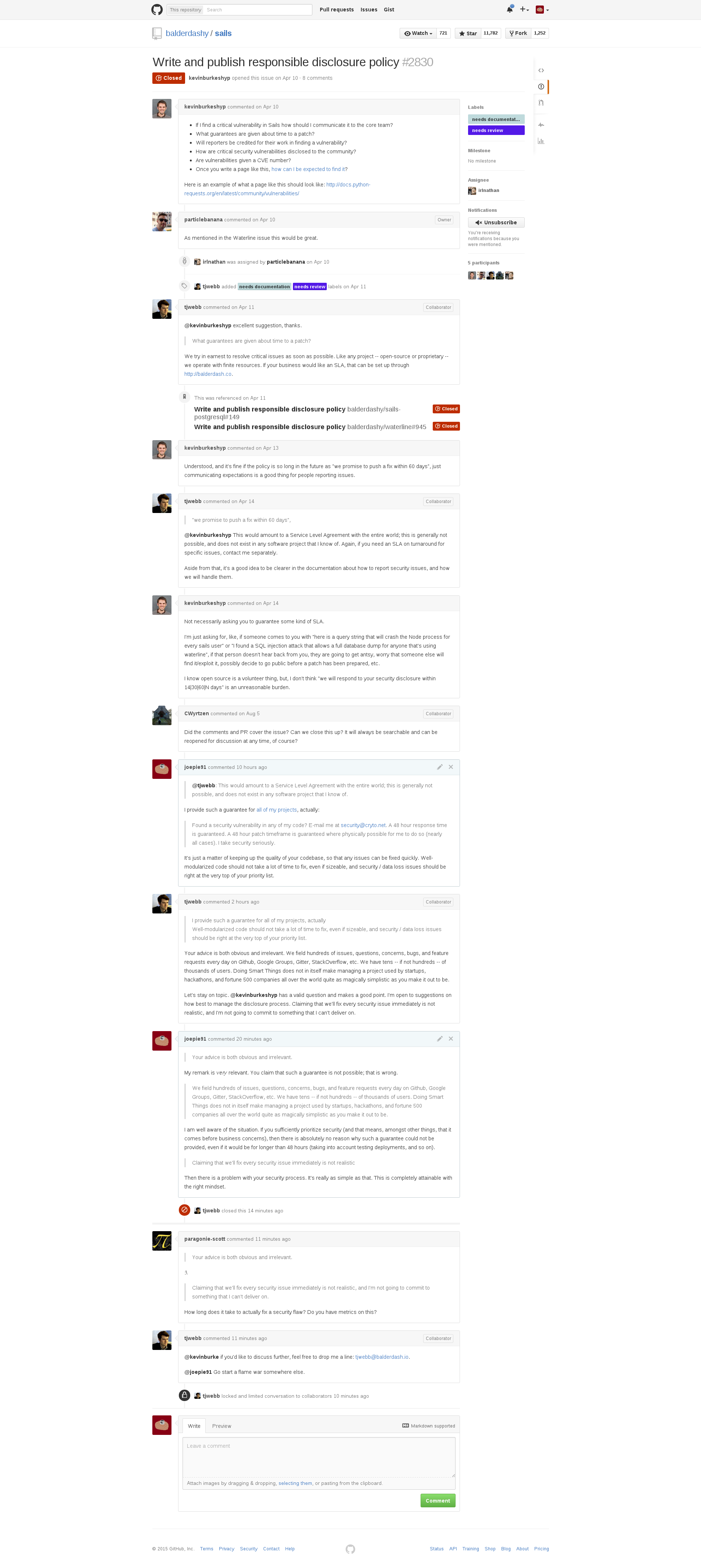](https://wiki.slightly.tech/uploads/images/gallery/2024-12/ByRFQt3LL5tDIoVf-image.png) # Building desktop applications with Node.js ### Option 1: Electron This is the most popular and well-supported option. Electron is a combination of Node.js and Chromium Embedded Framework, and so it will give you access to the feature sets of both. The main tradeoff is that it doesn't give you much direct control over the window or the system integration. #### Benefits - Cross-platform - Well-supported, with a large developer base and a lot of (third-party) documentation - Works pretty much out of the box, and lets you use HTML and CSS - Can use native Node.js modules #### Drawbacks - Relatively high baseline memory usage; expect 50-100MB of RAM before running any application code. This is fine for most applications, but probably not for tiny utilities. - Somewhat restrictive; does not give you much control over the system integration, instead has a default setup that's okay for most purposes and abstracts away platform-specific things for the most part. - Limited OpenGL support; only WebGL is available. ### Option 2: SDL Using [https://www.npmjs.com/package/@kmamal/sdl](https://www.npmjs.com/package/@kmamal/sdl) and [https://www.npmjs.com/package/@kmamal/gl](https://www.npmjs.com/package/@kmamal/gl), you can use SDL and OpenGL directly from Node.js. This will take care of window creation, input handling, and so on - but you will have to do all the drawing yourself using shaders. A full (low-level) example is available [here](https://github.com/kmamal/node-sdl/blob/master/examples/07-webgl-drawing/index.js), and you can also [use regl](https://github.com/kmamal/node-sdl/blob/master/examples/08-webgl-regl/index.js) to simplify things a bit. For text rendering, you may wish to use Pango or Harfbuzz, which can both be used through the [node-gtk](https://github.com/romgrk/node-gtk) library (which, despite the name, is a generic GObject Introspection library rather than anything specific to the GTK UI toolkit). #### Benefits - Direct OpenGL access - Does not enforce any particular structure on your project - Good selection of [examples](https://github.com/kmamal/node-sdl/tree/master/examples) #### Drawbacks - You have to do all of the drawing yourself; there are no widgets, there is no CSS, and so on. You will be writing OpenGL shaders. There is support for canvas-style drawing, but it is not fast. - More research required to understand how to use it; not a lot of people use these libraries, and there are not very many tutorials. ### Option 3: FFI bindings You can also use an existing UI library that's written in C, C++ or Rust, by using a generic FFI library that lets you call the necessary functions from Javascript code in Node.js directly. For C, a good option is [Koffi](https://koffi.dev/), which has excellent documentation. For Rust, a good option is [Neon](https://neon-rs.dev/), whose documentation is not quite as extensive as that of Koffi, but still pretty okay. ### Option 4: GTK The aforementioned [node-gtk](https://github.com/romgrk/node-gtk) library can also be used to use GTK directly. Very little documentation is available about this, so you'll likely be stuck reading the GTK documentation (for its C API) and mentally translating to what the equivalent in the bindings would be. # lmdb-js Quick Reference Abbreviated documentation for [https://www.npmjs.com/package/lmdb](https://www.npmjs.com/package/lmdb), for easier reference once you already understand how the library works. ```javascript "use strict"; const lmdb = require("lmdb"); // recommended write strategy: conditional writes // if path contains . it's a file, otherwise it's a directory, or if null it's in-memory let db = lmdb.open({ path: "/path/to/db", ... options, ... rootOptions }); // root database let subDB = db.openDB("sub-db name", ... options); let options = { compression: boolean || { threshold: integer, dictionary: Buffer }, useVersions: boolean, // entries have version numbers sharedStructuresKey: Symbol, // stores values more efficiently by having a central key/structure mapping encoding: "msgpack" (default) || "json" || "cbor" || "string" || "ordered-binary" || "binary", encoder: object_settings || msgpack: { structuredClone, useFloat32 } || { encode: Function, decode: Function }, cache: boolean || object_weakLRUCacheSettings, // if enabled, child transactions and rollbacks will not be available keyEncoding: "uint32" || "binary" || "ordered-binary" (default), keyEncoder: Function, dupSort: boolean, // keys have multiple values; use encoding=ordered-binary and getValues(), ifVersion will not be available strictAsyncOrder: boolean }; let rootOptions = { path: string, maxDbs: integer, // default: 12 maxReaders: integer, overlappingSync: boolean, separateFlushed: boolean, pageSize: integer, // set 4096 (default) for fits-in-memory, 8192 for larger especially for range queries eventTurnBatching: boolean, // default: true txnStartThreshold: integer, // only relevant when eventTurnBatching=false encryptionKey: Buffer || string, // 32 bytes commitDelay: integer, // in ms }; // Existence (always synchronous) let exists = db.doesExist(key); let exists = db.doesExist(key, version); // for single-value let exists = db.doesExist(key, value); // for multi-value // Reads (always synchronous) let value = db.get(key, options); // value = undefined || single value let entry = db.getEntry(key, options); // for single-value; entry = undefined || { value, version } let iterator = db.getValues(key); // for multi-value; iteratorThis *doesn't* work for newer core modules like `node:test`, which are *only* possible to `require` using the prefix; it only works for core modules that allow importing both with and without the prefix.
You can use [browserify-replace](https://www.npmjs.com/package/browserify-replace) to automatically replace every occurrence of the prefix in every module; you need to **ensure that this comes *before* any other transform**, including before things like Babel. For example: ```javascript app.use("/bundle.js", watchifyMiddleware(browserify("src/ui/index.jsx", { basedir: __dirname, debug: true, cache: {}, extensions: [".jsx"], transform: [ ["browserify-replace", { global: true, replace: [ { from: '"node:([a-z_-]+)"', to: '"$1"' }, { from: "'node:([a-z_-]+)'", to: "'$1'" }, ] }], ["babelify", { presets: ["@babel/preset-env", "@babel/preset-react"], }], ] }))); ``` The `browserify-replace` transform is what makes it work; the `global` flag is what makes it work *for everything within `node_modules` too*. The rest of the example is not relevant to make it work, this code is just taken from a project of mine. What it does is do a *string-replace* to strip the prefix off everything that it finds. Because it's a string replace, it doesn't need to go through any (language-aware) processing steps that might stumble over the unsupported import path, so this should work for eg. JSX and Typescript as well. It's still a hack and it'll match *any* string that has this format, so I wouldn't recommend relying on this in the long term, and I'd suggest looking into a better-maintained bundler like Parcel nowadays. But to keep things running in the short term, this should suffice. # NixOS # Setting up Bookstack Turned out to be pretty simple. ``` deployment.secrets.bookstack-app-key = { source = "../private/bookstack/app-key"; destination = "/var/lib/bookstack/app-key"; owner = { user = "bookstack"; group = "bookstack"; }; permissions = "0700"; }; services.bookstack = { enable = true; hostname = "wiki.slightly.tech"; maxUploadSize = "10G"; appKeyFile = "/var/lib/bookstack/app-key"; nginx = { enableACME = true; forceSSL = true; }; database = { createLocally = true; }; }; ``` Server was running an old version of NixOS, 23.05, where MySQL doesn't work in a VPS (anymore). Upgraded the whole thing to 24.11 and then it Just Worked. Afterwards, run: ```bash bookstack bookstack:create-admin ``` ... in a terminal on the server to set up the primary administrator account. Done. # New Page # A *complete* listing of operators in Nix, and their predence.This article was originally published at [https://gist.github.com/joepie91/c3c047f3406aea9ec65eebce2ffd449d](https://gist.github.com/joepie91/c3c047f3406aea9ec65eebce2ffd449d).
The information in this article has since been absorbed into the official Nix manual. It is kept here for posterity. It may be outdated by the time you read this.
Lower precedence means a stronger binding; ie. this list is sorted from strongest to weakest binding, and in the case of equal precedence between two operators, the associativity decides the binding.| Prec | Abbreviation | Example | Assoc | Description |
|---|---|---|---|---|
| 1 | SELECT | `e . attrpath [or def]` | none | Select attribute denoted by the attribute path `attrpath` from set `e`. (An attribute path is a dot-separated list of attribute names.) If the attribute doesn’t exist, return `default` if provided, otherwise abort evaluation. |
| 2 | APP | `e1 e2` | left | Call function `e1` with argument `e2`. |
| 3 | NEG | `-e` | none | Numeric negation. |
| 4 | HAS\_ATTR | `e ? attrpath` | none | Test whether set `e` contains the attribute denoted by `attrpath`; return true or false. |
| 5 | CONCAT | `e1 ++ e2` | right | List concatenation. |
| 6 | MUL | `e1 * e2` | left | Numeric multiplication. |
| 6 | DIV | `e1 / e2` | left | Numeric division. |
| 7 | ADD | `e1 + e2` | left | Numeric addition, or string concatenation. |
| 7 | SUB | `e1 - e2` | left | Numeric subtraction. |
| 8 | NOT | `!e` | left | Boolean negation. |
| 9 | UPDATE | `e1 // e2` | right | Return a set consisting of the attributes in `e1` and `e2` (with the latter taking precedence over the former in case of equally named attributes). |
| 10 | LT | `e1 < e2` | left | Less than. |
| 10 | LTE | `e1 <= e2` | left | Less than or equal. |
| 10 | GT | `e1 > e2` | left | Greater than. |
| 10 | GTE | `e1 >= e2` | left | Greater than or equal. |
| 11 | EQ | `e1 == e2` | none | Equality. |
| 11 | NEQ | `e1 != e2` | none | Inequality. |
| 12 | AND | `e1 && e2` | left | Logical AND. |
| 13 | OR | `e1 || e2` | left | Logical OR. |
| 14 | IMPL | `e1 -> e2` | none | Logical implication (equivalent to `!e1 || e2`). |
This article was originally published at [https://gist.github.com/joepie91/c26f01a787af87a96f967219234a8723](https://gist.github.com/joepie91/c26f01a787af87a96f967219234a8723) in 2017. The NixOS ecosystem constantly changes, and it may not be relevant anymore by the time you read this article.
Just some notes from my attempt at setting up Hydra. ### Setting up on NixOS[](https://gist.github.com/joepie91/c26f01a787af87a96f967219234a8723#setting-up-on-nixos) No need for manual database creation and all that; just ensure that your PostgreSQL service is running (`services.postgresql.enable = true;`), and then enable the Hydra service (`services.hydra.enable`). The Hydra service will need a few more options to be set up, below is my configuration for it: ``` services.hydra = { enable = true; port = 3333; hydraURL = "http://localhost:3333/"; notificationSender = "hydra@cryto.net"; useSubstitutes = true; minimumDiskFree = 20; minimumDiskFreeEvaluator = 20; }; ``` Database and user creation and all that will happen automatically. You'll only need to run `hydra-init` and then `hydra-create-user` to create the first user. Note that you *may* need to run these scripts as root if you get permission or filesystem errors. ### Can't run `hydra-*` utility scripts / access the web interface due to database errors[](https://gist.github.com/joepie91/c26f01a787af87a96f967219234a8723#cant-run-hydra--utility-scripts--access-the-web-interface-due-to-database-errors) If you already have a `services.postgresql.authentication` configuration line from elsewhere (either another service, or your own `configuration.nix`), it may be conflicting with the one specified in the Hydra service. There's an open issue about it [here](https://github.com/NixOS/nixpkgs/issues/32063). ### Can't login[](https://gist.github.com/joepie91/c26f01a787af87a96f967219234a8723#cant-login) After running `hydra-create-user` in your shell, you may be running into the following error in the web interface: "Bad username or password." When this occurs, it's likely because the `hydra-*` utility scripts stored your data in a local SQLite database, rather than the PostgreSQL database you configured. As far as I can tell, this happens because of some missing `HYDRA_*` environment variables that are set through `/etc/profile`, which is only applied on your next login. Simply opening a new shell is not enough. As a workaround until your next login/boot, you can run the following to obtain the command you need to run to apply the new environment variables in your current shell: ```bash cat /etc/profile | grep set-environment ``` ... and then run the resulting command (including the dot at the start, if there is one!) in the shell you intend to run the `hydra-*` scripts in. If you intend to run them as root, make sure you run the `set-environment` script *in the root shell* - using `sudo` will make the environment variables get lost, so you'll be stuck with the same issue as before. # Fixing root filesystem errors with fsck on NixOS If you run into an error like this: ```css An error occurred in stage 1 of the boot process, which must mount the root filesystem on `/mnt-root` and then start stage 2. Press one of the following keys: r) to reboot immediately *) to ignore the error and continue ``` Then you can fix it like this: 1. Boot into a live CD/DVD for NixOS, or some other environment that has `fsck` installed, but *not* your installed copy of NixOS (as that will mount the root filesystem) [(source)](https://discourse.nixos.org/t/how-to-fix-a-slightly-broken-root-filesystem-on-nixos-vm-image/19972/4?u=joepie91) 2. Run `fsck -yf /dev/sda1` where you replace `/dev/sda1` with your root filesystem. [(source)](https://askubuntu.com/questions/885062/root-file-system-requires-manual-fsck) - If you're on a (KVM) VPS, it'll probably be `/dev/vda1`. If you're using LVM (even on a VPS), then you need to specify your logical volume instead (eg. `/dev/vg_main/lv_root`, but it depends on what you've named it).The above command will automatically agree to whatever suggestion fsck makes. **This can technically lead to data loss!**
Many distributions will give you an option to drop down into a shell from the error directly, but NixOS does not do that. In theory you could add the `boot.shell_on_fail` flag to the boot options for your existing installation, but for reasons that I didn't bother debugging any further, the installed `fsck` was unable to fix the issues. # Stepping through builder steps in your custom packagesThis article was originally published at [https://gist.github.com/joepie91/b0041188c043259e6e1059d026eff301](https://gist.github.com/joepie91/b0041188c043259e6e1059d026eff301).
1. Create a temporary building folder in your repository (or elsewhere) and enter it: `mkdir test && cd test` 2. `nix-shell ../main.nix -A packagename` (assuming the entry point for your custom repository is `main.nix` in the parent directory) 3. Run the phases individually by entering their name (for a default phase) or doing something like `eval "$buildPhase"` (for an overridden phase) in the Nix shell - a summary of the common ones: `unpackPhase`, `patchPhase`, `configurePhase`, `buildPhase`, `checkPhase`, `installPhase`, `fixupPhase`, `distPhase` More information about these phases can be found [here](https://nixos.org/releases/nixpkgs/nixpkgs-0.12/manual/#ssec-stdenv-phases). If you use a different builder, you may have a different set of phases. Don't forget to clear out your `test` folder after every attempt! # Using dependencies in your build phasesThis article was originally published at [https://gist.github.com/joepie91/b0041188c043259e6e1059d026eff301](https://gist.github.com/joepie91/b0041188c043259e6e1059d026eff301).
You can just use string interpolation to add a dependency path to your script. For example: ``` { # ... preBuildPhase = '' ${grunt-cli}/bin/grunt prepare ''; # ... } ``` # Source roots that need to be renamed before they can be usedThis article was originally published at [https://gist.github.com/joepie91/b0041188c043259e6e1059d026eff301](https://gist.github.com/joepie91/b0041188c043259e6e1059d026eff301).
Some applications ([such as Brackets](https://github.com/adobe/brackets-shell/wiki/Building-brackets-shell#general-prerequisites)) are very picky about the directory name(s) of your unpacked source(s). In this case, you might need to rename one or more source roots *before* `cd`ing into them. To accomplish this, do something like the following: ``` { # ... sourceRoot = "."; postUnpack = '' mv brackets-release-${version} brackets mv brackets-shell-${shellBranch} brackets-shell cd brackets-shell; ''; # ... } ``` This keeps Nix from trying to move into the source directories immediately, by explicitly pointing it at the current (ie. top-most) directory of the environment. # Error: `error: cannot coerce a function to a string`This article was originally published at [https://gist.github.com/joepie91/b0041188c043259e6e1059d026eff301](https://gist.github.com/joepie91/b0041188c043259e6e1059d026eff301).
Probably caused by a syntax ambiguity when invoking functions within a list. For example, the following will throw this error: ``` { # ... srcs = [ fetchurl { url = "https://github.com/adobe/brackets-shell/archive/${shellBranch}.tar.gz"; sha256 = shellHash; } fetchurl { url = "https://github.com/adobe/brackets/archive/release-${version}.tar.gz"; sha256 = "00yc81p30yamr86pliwd465ag1lnbx8j01h7a0a63i7hsq4vvvvg"; } ]; # ... } ``` This can be solved by adding parentheses around the invocations: ``` { # ... srcs = [ (fetchurl { url = "https://github.com/adobe/brackets-shell/archive/${shellBranch}.tar.gz"; sha256 = shellHash; }) (fetchurl { url = "https://github.com/adobe/brackets/archive/release-${version}.tar.gz"; sha256 = "00yc81p30yamr86pliwd465ag1lnbx8j01h7a0a63i7hsq4vvvvg"; }) ]; # ... } ``` # `buildInputs` vs. `nativeBuildInputs`?This article was originally published at [https://gist.github.com/joepie91/b0041188c043259e6e1059d026eff301](https://gist.github.com/joepie91/b0041188c043259e6e1059d026eff301).
More can be found [here](https://github.com/NixOS/nixpkgs/issues/4855#issuecomment-61966503). - **buildInputs:** Dependencies for the (target) system that your built package will eventually run on. - **nativeBuildInputs:** Dependencies for the system where the build is being created. The difference only really matters when cross-building - when building for your own system, *both* sets of dependencies will be exposed as `nativeBuildInputs`. # QMake ignores my `PREFIX`/`INSTALL_PREFIX`/etc. variables!This article was originally published at [https://gist.github.com/joepie91/b0041188c043259e6e1059d026eff301](https://gist.github.com/joepie91/b0041188c043259e6e1059d026eff301).
QMake does not have a standardized configuration variable for installation prefixes - `PREFIX` and `INSTALL_PREFIX` only work if the project files for the software you're building specify it explicitly. If the project files have a hardcoded path, there's still a workaround to install it in `$out` anyway, *without* source code or project file patches: ``` { # ... preInstall = "export INSTALL_ROOT=$out"; # ... } ``` This `INSTALL_ROOT` environment variable will be picked up and used by `make install`, *regardless* of the paths specified by QMake. # Useful tools for working with NixOSThis article was originally published at [https://gist.github.com/joepie91/67316a114a860d4ac6a9480a6e1d9c5c](https://gist.github.com/joepie91/67316a114a860d4ac6a9480a6e1d9c5c). Some links have been removed, as they no longer exist, or are no longer updated.
### Online things[](https://gist.github.com/joepie91/67316a114a860d4ac6a9480a6e1d9c5c#online-things) - [Package search](https://nixos.org/nixos/packages.html) - [Options search](https://nixos.org/nixos/options.html) - [A list of channels, and when they were last updated](https://status.nixos.org/) ### Development tooling[](https://gist.github.com/joepie91/67316a114a860d4ac6a9480a6e1d9c5c#development-tooling) - [A `.drv` file parser in JS](https://www.npmjs.com/package/drv) - [rnix](https://gitlab.com/jD91mZM2/rnix), a Nix (language) parser in Rust ### (Reference) documentation[](https://gist.github.com/joepie91/67316a114a860d4ac6a9480a6e1d9c5c#reference-documentation) - [Nix manual](https://nixos.org/nix/manual/) - [A *complete* list of Nix operators](https://wiki.slightly.tech/books/miscellaneous-notes/page/a-complete-listing-of-operators-in-nix-and-their-predence "A *complete* listing of operators in Nix, and their predence.") (the list in the official manual is incomplete) - [nixpkgs manual](https://nixos.org/nixpkgs/manual/) - [NixOS manual](https://nixos.org/nixos/manual/) - [Official NixOS wiki](https://wiki.nixos.org/) ### Tutorials and examples[](https://gist.github.com/joepie91/67316a114a860d4ac6a9480a6e1d9c5c#tutorials-and-examples) - [Step-by-step walkthrough of the Nix language](https://medium.com/@MrJamesFisher/nix-by-example-a0063a1a4c55) - [A shorter primer of the Nix language](http://www.binaryphile.com/nix/2018/07/22/nix-language-primer.html) (probably a better option if you already know another programming language) - [Nix pills](https://lethalman.blogspot.nl/2014/07/nix-pill-1-why-you-should-give-it-try.html) (a series of articles about different aspects of Nix; ongoing work on a compact edition can be found [here](https://github.com/deepfire/nix-pills-compact-edition)) - [Example configurations](https://nixos.wiki/wiki/Configuration_Collection) - [Hardware configurations](https://github.com/NixOS/nixos-hardware) (includes configurations for dealing with quirks on specific hardware and models) ### Community and support[](https://gist.github.com/joepie91/67316a114a860d4ac6a9480a6e1d9c5c#community-and-support) - [The Nix forum](https://discourse.nixos.org/) - [The Matrix space](https://matrix.to/#/#community:nixos.org) ### Miscellaneous notes and troubleshooting[](https://gist.github.com/joepie91/67316a114a860d4ac6a9480a6e1d9c5c#miscellaneous-notes-and-troubleshooting) - My Nix and NixOS notes: see the rest of the articles in this chapter! - My [Hydra setup notes](https://wiki.slightly.tech/books/miscellaneous-notes/page/setting-up-hydra "Setting up Hydra") # Proprietary AMD drivers (fglrx) causing fatal error in i387.hThis article was originally published at [https://gist.github.com/joepie91/ce9267788fdcb37f5941be5a04fcdd0f](https://gist.github.com/joepie91/ce9267788fdcb37f5941be5a04fcdd0f). It should no longer be applicable, but is preserved here in case a similar issue reoccurs in the future.
If you get this error: ``` /tmp/nix-build-ati-drivers-15.7-4.4.18.drv-0/common/lib/modules/fglrx/build_mod/2.6.x/firegl_public.c:194:22: fatal error: asm/i387.h: No such file or directory ``` ... it's because the drivers are not compatible with your current kernel version. I've worked around it by adding this to my `configuration.nix`, to switch to a 4.1 kernel: ``` { # ... boot.kernelPackages = plgs.linuxPackages_4_1; # ... } ``` # Installing a few packages from `master`This article was originally published at [https://gist.github.com/joepie91/ce9267788fdcb37f5941be5a04fcdd0f](https://gist.github.com/joepie91/ce9267788fdcb37f5941be5a04fcdd0f).
You probably want to install from `unstable` instead of `master`, and you probably want to do it differently than described here (eg. importing from URL or specifying it as a Flake). This documentation is kept here for posterity, as it is still helpful to understand how to import a *local* copy of a nixpkgs into your configuration.
1. `git clone https://github.com/NixOS/nixpkgs.git /etc/nixos/nixpkgs-master` 2. Edit your `/etc/nixos/configuration.nix` like this: ``` { config, pkgs, ... }: let nixpkgsMaster = import ./nixpkgs-master {}; stablePackages = with pkgs; [ # This is where your packages from stable nixpkgs go ]; masterPackages = with nixpkgsMaster; [ # This is where your packages from `master` go nodejs-6_x ]; in { # This is where your normal config goes, we've just added a `let` block environment = { # ... systemPackages = stablePackages ++ masterPackages; }; # ... } ``` # GRUB2 on UEFIThis article was originally published at [https://gist.github.com/joepie91/ce9267788fdcb37f5941be5a04fcdd0f](https://gist.github.com/joepie91/ce9267788fdcb37f5941be5a04fcdd0f).
These instructions are most likely outdated. They are kept here for posterity.
This works fine. You need your `boot` section configured like this: ``` { # ... boot = { loader = { gummiboot.enable = false; efi = { canTouchEfiVariables = true; }; grub = { enable = true; device = "nodev"; version = 2; efiSupport = true; }; }; }; # ... } ``` # Unblock ports in the firewall on NixOSThis article was originally published at [https://gist.github.com/joepie91/ce9267788fdcb37f5941be5a04fcdd0f](https://gist.github.com/joepie91/ce9267788fdcb37f5941be5a04fcdd0f).
The firewall is enabled by default. This is how you open a port: ``` { # ... networking = { # ... firewall = { allowedTCPPorts = [ 24800 ]; }; }; # ... } ``` # Guake doesn't start because of a GConf issueThis article was originally published at [https://gist.github.com/joepie91/ce9267788fdcb37f5941be5a04fcdd0f](https://gist.github.com/joepie91/ce9267788fdcb37f5941be5a04fcdd0f). It may or may not still be relevant.
*From nixpkgs:* GNOME's GConf implements a system-wide registry (like on Windows) that applications can use to store and retrieve internal configuration data. That concept is inherently impure, and it's very hard to support on NixOS.
1. Follow the instructions [here](https://web.archive.org/web/20160829175357/https://nixos.org/wiki/Solve_GConf_errors_when_running_GNOME_applications). 2. Run the following to set up the GConf schema for Guake: `gconftool-2 --install-schema-file $(readlink $(which guake) | grep -Eo '\/nix\/store\/[^\/]+\/')"share/gconf/schemas/guake.schemas"`. This will not work if you have changed your Nix store path - in that case, modify the command accordingly. You may need to re-login to make the changes apply. # FFMpeg support in youtube-dlThis article was originally published at [https://gist.github.com/joepie91/ce9267788fdcb37f5941be5a04fcdd0f](https://gist.github.com/joepie91/ce9267788fdcb37f5941be5a04fcdd0f). It may no longer be necessary.
Based on [this post](https://github.com/NixOS/nixpkgs/issues/5236#issuecomment-139865161): ``` { # ... stablePackages = with pkgs; [ # ... (python35Packages.youtube-dl.override { ffmpeg = ffmpeg-full; }) # ... ]; # ... } ``` (To understand what `stablePackages` is here, see [this entry](https://wiki.slightly.tech/books/miscellaneous-notes/page/installing-a-few-packages-from-master "Installing a few packages from `master`").) # An incomplete rant about the state of the documentation for NixOSThis article was originally published at [https://gist.github.com/joepie91/5232c8f1e75a8f54367e5dfcfd573726](https://gist.github.com/joepie91/5232c8f1e75a8f54367e5dfcfd573726).
**Historical note:** I wrote this rant in 2017, originally intended to be posted on the NixOS forums. This never ended up happening, as discussing the (then private) draft already started driving changes to the documentation approach. The documentation has improved since this was written, however some issues remain to this day at the time of writing this remark, in 2024. The rant ends abruptly, because I never ended up finishing it - but it still contains a lot of useful points regarding documentation quality, and so I am preserving it here.
I've now been using NixOS on my main system for a few months, and while I appreciate the technical benefits a lot, I'm constantly running into walls concerning documentation and general problem-solving. After discussing this briefly on IRC in the past, I've decided to post a rant / essay / whatever-you-want-to-call-it here. ### An upfront note[](https://gist.github.com/joepie91/5232c8f1e75a8f54367e5dfcfd573726#an-upfront-note) My frustration about these issues has built up considerably over the past few months, moreso because I know that *from a technical perspective* it all makes a lot of sense, and there's a lot of potential behind NixOS. However, I've found it pretty much impenetrable on a getting-stuff-done level, because the documentation on many things is either poor or non-existent. While my goal here is to *get things fixed* rather than just complaining about them, that frustration might occasionally shine through, and so I might come across as a bit harsh. This is not my intention, and there's no ill will towards any of the maintainers or users. I just want to address the issues head-on, and get them fixed effectively. To address any *"just send in a PR"* comments ahead of time: while I do know how to write good documentation (and I do so [on a regular basis](https://gist.github.com/joepie91/95ed77b71790442b7e61)), I still don't understand much of how NixOS and nixpkgs are structured, exactly *because* the documentation is so poorly accessible. I couldn't fix the documentation myself if I wanted to, simply because I don't have the understanding required to do so, and I'm finding it very hard to obtain that understanding. One last remark: throughout the rant, I'll be posing a number of questions. These are not necessarily all questions that I *still have*, as I've found the answer to several of them after hours of research - they just serve to illustrate the interpretation of the documentation from the point of view of a beginner, so there's no need to try and answer them in this thread. These are just the type of questions that should be anticipated and answered in the documentation. ### Types of documentation[](https://gist.github.com/joepie91/5232c8f1e75a8f54367e5dfcfd573726#types-of-documentation) Roughly speaking, there are three types of documentation for anything programming-related: 1. Reference documentation 2. Conceptual documentation 3. Tutorials In the sections below, "tooling" will refer to any kind of to-be-documented thing - a function, an API call, a command-line tool, and so on. #### Reference documentation[](https://gist.github.com/joepie91/5232c8f1e75a8f54367e5dfcfd573726#reference-documentation) Reference documentation is intended for readers who are *already familiar* with the tooling that is being documented. It typically follows a rigorous format, and defines things such as function names, arguments, return values, error conditions, and so on. Reference documentation is generally considered the "single source of truth" - whatever behaviour is specified there, is what the tooling should actually do. Some examples of reference documentation: - [https://nodejs.org/api/querystring.html](https://nodejs.org/api/querystring.html) - [https://doc.rust-lang.org/std/](https://doc.rust-lang.org/std/) Reference documentation generally assumes all of the following: - The reader understands the purpose of the tooling - The reader understands the concepts that the tooling uses or implements - The reader understands the relation of the tooling to other tooling #### Conceptual documentation[](https://gist.github.com/joepie91/5232c8f1e75a8f54367e5dfcfd573726#conceptual-documentation) Conceptual documentation is intended for readers who do not yet understand the tooling, but are already familiar with the environment (language, shell, etc.) in which it's used. Some examples of conceptual documentation: - [http://cryto.net/~joepie91/blog/2016/05/11/what-is-promise-try-and-why-does-it-matter/](http://cryto.net/~joepie91/blog/2016/05/11/what-is-promise-try-and-why-does-it-matter/) - [https://hughfdjackson.com/javascript/prototypes-the-short(est-possible)-story/](https://hughfdjackson.com/javascript/prototypes-the-short(est-possible)-story/) - [https://doc.rust-lang.org/stable/book/the-stack-and-the-heap.html](https://doc.rust-lang.org/stable/book/the-stack-and-the-heap.html) *Good* conceptual documentation doesn't make any assumptions about the background of the reader or what other tooling they might already know about, and explicitly indicates any prior knowledge that's required to understand the documentation - preferably including a link to documentation about those "dependency topics". #### Tutorials[](https://gist.github.com/joepie91/5232c8f1e75a8f54367e5dfcfd573726#tutorials) Tutorials can be intended for two different groups of readers: 1. Readers who don't yet understand the environment (eg. "Introduction to Bash syntax") 2. Readers who don't *want* to understand the environment (eg. "How to build a full-stack web application") While I would consider tutorials pandering to the second category actively harmful, they're a thing that exists nevertheless. Some examples of tutorials: - [https://developer.mozilla.org/en-US/docs/Web/JavaScript/Guide](https://developer.mozilla.org/en-US/docs/Web/JavaScript/Guide) - [https://zellwk.com/blog/crud-express-mongodb/](https://zellwk.com/blog/crud-express-mongodb/) - [http://www.freewebmasterhelp.com/tutorials/phpmysql](http://www.freewebmasterhelp.com/tutorials/phpmysql) Tutorials don't make *any* assumptions about the background of the reader... but they have to be read from start to end. Starting in the middle of a tutorial is not likely to be useful, as tutorials are more designed to "hand-hold" the reader through the process (without necessarily understanding *why* things work how they work). ### The current state of the Nix(OS) documentation[](https://gist.github.com/joepie91/5232c8f1e75a8f54367e5dfcfd573726#the-current-state-of-the-nixos-documentation) Unfortunately, the NixOS documentation is currently lacking in all three areas. The official Nix, NixOS and nixpkgs manuals attempt to be all three types of documentation - tutorials (like [this one](https://nixos.org/nixos/manual/index.html#ch-installation)), conceptual documentation (like [this](https://nixos.org/nix/manual/#sec-profiles)), and reference documentation (like [this](https://nixos.org/nix/manual/#part-command-ref)). The wiki *sort of* tries to be conceptual documentation (like [here](https://nixos.org/wiki/Anatomy_of_Nix_Package_Management)), and does so a little better than the manual, but... the wiki is being shut down, and it's still far from complete. The most lacking aspect of the NixOS documentation is currently the conceptual documentation. What is a "derivation"? Why does it exist? How does it relate to what I, as a user, want to do? How is the Nix store structured, and what guarantees does this give me? What is the difference between `/etc/nixos/configuration.nix` and `~/.nixpkgs/config.nix`, and can they be used interchangeably? Is `nixpkgs` just a set of packages, or does it also include tooling? Which tooling is provided by Nix the package manager, which is provided by NixOS, and which is provided by nixpkgs? Is this different on non-NixOS, and why? Most of the official documentation - including the wiki - is structured more like a very extensive tutorial. You're told, step by step, *what* to do... but not why any of it matters, what it's for, or how to use these techniques in different situations. [This wiki section](https://nixos.org/wiki/Nix_Modifying_Packages#Overriding_Existing_Packages) is a good example. What does `overrideDerivation` actually *do*? What's the difference with `override`? What's the difference between 'attributes' and 'arguments'? Why is there a random link about the Oracle JDK there? Is the `src` *completely* overridden, or just the attributes that are specified there? What if I want to reevaluate all the other attributes based on the changes that I've made - for example, regenerating the `name` attribute based on a changed `version` attribute? Are any of these tools useful in *other* scenarios that aren't directly addressed here? The ["Nix pills"](https://lethalman.blogspot.com/2014/07/nix-pill-1-why-you-should-give-it-try.html) sort of try to address this lack of conceptual information, and are quite informational, but they have their problems too. They are not clearly structured (where's the index of all the articles?), the text formatting can be hard to read, and it is still half of a tutorial - it can be hard to understand later pills without having read earlier ones, because they're not fully self-contained. On top of that, they're third-party documentation and not part of the official documentation. The official manuals have a number of formatting/structural issues as well. The single-page format is frankly *horrible* for navigating through - finding anything on the page is difficult, and following links to other things gets messy fast. Because it's all a single page, every tab has the exact same title, it's easy to scroll past the section you were reading, and so on. Half the point of the web is to have *hyperlinked content across multiple documents*, but the manuals completely forgo that and create a really poor user experience. It's awful for search engines too, because no matter what you search for, you always end up *on the exact same page*. Another problem is the fact that I have to say "manuals" - there are *multiple manuals*, and the distinction between them is not at all clear. Because it's unclear what functionality is provided by what part of the stack, it usually becomes a hunt of going through all three manuals ctrl+F'ing for some keywords, and hoping that you will run into the thing you're looking for. Then once you (hopefully) do, you have to be careful not to accidentally scroll away from it and lose your reference. There's really no good reason for this separation; it just makes it harder to cross-reference between different parts of the stack, and most users will be using all of them anyway. The manual, as it is, is not a viable format. While I understand that the wiki had issues with outdated information, it's still a far better *structure* than a set of single-page manuals. I'll go into more detail at the end of this rant, but my proposed solution here would be to follow a wiki-like format for the official documentation. ### Missing documentation[](https://gist.github.com/joepie91/5232c8f1e75a8f54367e5dfcfd573726#missing-documentation) Aside from the issues with the documentation *format*, there are also plenty of issues with its *content*. Many things are fully undocumented, especially where `nixpkgs` is concerned. For example, nothing says that I should be using `callPackage_i686` to package something with 32-bits dependencies. Or how to package something that requires the user to manually add a source file from their filesystem using `nix-prefetch-url`, or using `nix-store --add-fixed`. And what's the difference between those two anyway? And why is there a separate `qt5.callPackage`, and when do I need it? There are a *ton* of situations where you need oddball solutions to get something packaged. In fact, I would argue that this is the *majority* of cases - most of the easy pickings have been packaged by now, and the tricky ones are left. But as a new user that just wants to get an application working, I end up spending *several hours* on each of the above questions, and I'm still not convinced that I have the right answer. Had somebody taken 10 minutes to document this, even if just as a rough note, it would have saved me *hours* of work. ### No clear path to solutions[](https://gist.github.com/joepie91/5232c8f1e75a8f54367e5dfcfd573726#no-clear-path-to-solutions) When faced with a given packaging problem, it's not at all obvious how to get tp the solution. There's no obvious process for fixing or debugging issues, and error messages are often cryptic or poorly formatted. What does "cannot coerce a set to a string" mean, and why is it happening? How can I duct-tape-debug something by adding a `print` statement of some variety? Is there an interactive debugger of some sort? It's very difficult to learn enough about NixOS internals to figure out what the *right* way is to package any given thing, and because there's no good feedback on what's *wrong* either, it's too hard to get anything packaged that isn't a standard autotools build. There's no "Frequently Asked Questions" or "Common Packaging Problems" section, nor have I found any useful tooling for analyzing packaging problems in more detail. I've had to write some of this tooling myself! The documentation should anticipate the common problems that new users run into, and give them some hints on where to start looking. It currently completely fails to do so, and assumes that the users will figure out the relation between things themselves. ### Reading code[](https://gist.github.com/joepie91/5232c8f1e75a8f54367e5dfcfd573726#reading-code) Because of the above issues, often the only solution is to read the code of existing packages, and try to infer from their expressions how to approach certain problems - but that comes with its own set of problems. There does not appear to be a consistent way of solving packaging problems in NixOS, and almost every package seems to have invented its own way of solving the same problems that other packages have already solved. After several hours of research, it often turns out that half the solutions are either outdated or just wrong. And then I *still* have no idea what the optimal solution is, out of the remaining options. This is made worse by the serious lack of comments in `nixpkgs`. Barely any packages have comments *at all*, and frequently there are complex multi-level abstractions in place to solve certain problems, but with absolutely no information to explain *why* those abstractions exist. They're not exactly self-evident either. Then there are the packages that *do* have comments, but they're aimed at the *user* rather than the *packager* - one such example is the [Guake package](https://github.com/NixOS/nixpkgs/blob/master/pkgs/applications/misc/guake/default.nix#L1-L11). Essentially, it seems the repository is absolutely full of hacks with no standardized way of solving problems, no doubt helped by the fact that existing solutions simply *aren't documented*. This is a tremendous waste of time for everybody involved, and makes it very hard to package anything unusual, often to the point of just giving up and hacking around the issue in an impure way. Right now we have what seems like a significant amount of people doing the same work over and over and over again, resulting in different implementations every time. If people took the time to *document* their solutions, this problem would pretty much instantly go away. From a technical point of view, there's absolutely no reason for packaging to be this hard to do. ### Tooling[](https://gist.github.com/joepie91/5232c8f1e75a8f54367e5dfcfd573726#tooling) On top of all this, the tooling seems to change *constantly* - abstractions get deprecated, added, renamed, moved, and so on. Many of the `stdenv` abstractions aren't documented, or their documentation is incomplete. There's no clear way to determine which tooling is still in use, and which tooling has been deprecated. The tooling that *is* in use - in particular the command-line tooling - is often poorly designed from a usability perspective. Different tools using different flags for the same purpose, behaving differently in different scenarios for no obvious reason. There's a [UX proposal](https://gist.github.com/edolstra/efcadfd240c2d8906348) that seems to fix many of these problems, but it seems to be more or less dead, and its existence is not widely known. # gparted doesn't let me create a btrfs partition! If the `btrfs` option in GParted's partition type list is grayed out, add `btrfs-progs` to your `system.environmentPackages` and rebuild your system. After restarting GParted, the option should be available. # Dealing with Bookstack breakage in a NixOS 25.11 upgrade In 25.11, the NixOS service module for Bookstack unfortunately saw a number of breaking changes that were never added to the release notes. Here's what you need to fix to get it to work again: - You need to add a `base64:` prefix to the key in your app key file. The old key generation stored it without this prefix, and then inserted it at runtime. This runtime fix has been removed in a recent refactor of the service module, and so old key files no longer work in 25.11. To fix it, prepend the content in your `APP_KEY_FILE` with `base64:` yourself. Don't forget to deploy your secrets again if you're using a deployment tool, and restart `phpfpm-bookstack` to have the change take effect. See also [this thread](https://github.com/BookStackApp/BookStack/issues/5289). - You need to configure MySQL (or more likely, MariaDB) yourself, the module no longer does this for you. This may not be necessary if you're upgrading on the same machine, but it'll probably bite you if you ever move to a different machine, so I'd recommend just adding it to your configuration anyway. See the example below. - You need to specify most of the application settings yourself, as most of the configuration defaults have disappeared. See the example below. ``` services.bookstack = { # ... # database = { createLocally = true; }; # No longer works in NixOS 25.11 settings = { APP_KEY_FILE = "/var/lib/bookstack/app-key"; DB_HOST = "localhost"; DB_PORT = 3306; DB_DATABASE = "bookstack"; DB_USERNAME = "bookstack"; SESSION_SECURE_COOKIE = true; # Only set to true when you're serving over TLS (which I hope you are!) }; # ... }; # For Bookstack services.mysql = let bsConfig = config.services.bookstack.settings; in { enable = true; package = pkgs.mariadb; ensureDatabases = [ bsConfig.DB_DATABASE ]; ensureUsers = [{ name = bsConfig.DB_USERNAME; ensurePermissions = { "${bsConfig.DB_DATABASE}.*" = "ALL PRIVILEGES"; }; }]; }; ``` The above example **does not include** the mail settings, which have *also* been removed from the defaults. Have a look at [the last pre-breakage version of the module](https://github.com/NixOS/nixpkgs/blob/374e6bcc403e02a35e07b650463c01a52b13a7c8/nixos/modules/services/web-apps/bookstack.nix#L315) if you need to replicate these defaults. # Rust # Futures and TokioThis article was originally published at [https://gist.github.com/joepie91/bc2d29fab43b63d16f59e1bd20fd7b6e](https://gist.github.com/joepie91/bc2d29fab43b63d16f59e1bd20fd7b6e). It may be out of date.
### Event loops[](https://gist.github.com/joepie91/bc2d29fab43b63d16f59e1bd20fd7b6e#event-loops) If you're not familiar with the concept of an 'event loop' yet, watch [this video](https://www.youtube.com/watch?v=8aGhZQkoFbQ) first. While this video is about the event loop in JavaScript, most of the concepts apply to event loops in general, and watching it will help you understand Tokio and Futures better as well. ### Concepts[](https://gist.github.com/joepie91/bc2d29fab43b63d16f59e1bd20fd7b6e#concepts) - **Futures:** Think of a [`Future`](https://tokio.rs/docs/getting-started/futures/) like an asynchronous `Result`; it represents some sort of result (a value or an error) that will eventually exist, but doesn't yet. It has many of the same combinators as a `Result` does, the difference being that they are executed at a *later* point in time, not immediately. Aside from representing a future result, a `Future` also contains the logic that is necessary to obtain it. A `Future` will 'complete' (either successfully or with an error) precisely once. - **Streams:** Think of a [`Stream`](https://tokio.rs/docs/getting-started/streams-and-sinks/#streams) like an asynchronous `Iterator`; like a `Future`, it represents some sort of data that will be obtained at a later point in time, but *unlike* a `Future` it can produce *multiple* results over time. It has many of the same combinators as an `Iterator` does. Essentially, a `Stream` is the "multiple results over time instead of one" counterpart to a `Future`. - **Executor:** An `Executor` is a thing that, when you pass a `Future` or `Stream` into it, is responsible for 1) turning the logic stored in the `Future`/`Stream` into an internal task, 2) scheduling the work for that task, and 3) wiring up the Future's state to any underlying resources. You don't usually implement these yourself, but use a pre-made `Executor` from some third-party library. The exact scheduling is left up to the implementation of the `Executor`. - **`.wait()`:** A method on a `Future` that will block the current thread until the `Future` has completed, and that then returns the result of that `Future`. This is an example of an `Executor`, although not a particularly useful one; it won't allow you to do work concurrently. - **Tokio reactor core:** This is also an `Executor`, provided by the [Tokio](https://tokio.rs/) library. It's probably what you'll be using when you use Tokio. The frontpage of the Tokio website provides an example on how to use it. - **[`futures_cpupool`](https://docs.rs/futures-cpupool/0.1.6/futures_cpupool/):** Yet another `Executor`; this one schedules the work across a pool of threads. # Databases and data management # Database characteristicsThis article was originally published at [https://gist.github.com/joepie91/f9df0b96c600b4fb3946e68a3a3344af](https://gist.github.com/joepie91/f9df0b96c600b4fb3946e68a3a3344af).
**NOTE:** This is simplified. However, it's a useful high-level model for determining what kind of database you need for your project.
### Data models[](https://gist.github.com/joepie91/f9df0b96c600b4fb3946e68a3a3344af#data-models) - **Documents:** Single type of thing, no relations - **Relational:** Multiple types of things, relations between different types of things - **Graph:** Single or multiple types of things, relations between different things of the *same* type ### Consistency models[](https://gist.github.com/joepie91/f9df0b96c600b4fb3946e68a3a3344af#consistency-models) - **Strong consistency:** There is a single canonical view of the database, and everything connecting to any node in the database cluster is guaranteed to see the same data at the same moment in time. - **Eventual consistency:** There can be multiple different views of the database (eg. different nodes in the cluster may have a different idea of what the current state of the data is), but once you stop changing stuff, they will eventually converge into a single view. - **No consistency:** There's no guarantee that all nodes in the cluster will ever converge to the same view, whatsoever. ### Schemafulness[](https://gist.github.com/joepie91/f9df0b96c600b4fb3946e68a3a3344af#schemafulness) - **Schemaful:** You know the format (fields, types, etc.) of the data upfront. Fields may be optional, but every field you use is defined in the schema upfront. - **Schemaless:** You have no idea what the format is going to be. This is rarely applicable, and only really applies when dealing with storing data from a source that doesn't produce data in a reliable format. # New Page # Maths and computer science Articles and notes that are more about the conceptual side of maths and computer science, rather than anything specific to a particular programming language. # Prefix codes (explained simply)This article was originally published at [https://gist.github.com/joepie91/26579e2f73ad903144dd5d75e2f03d83](https://gist.github.com/joepie91/26579e2f73ad903144dd5d75e2f03d83).
A "prefix code" is a type of encoding mechanism ("code"). For something to be a prefix code, the entire set of possible encoded values ("codewords") must not contain *any* values that start with any *other* value in the set. For example: `[3, 11, 22]` is a prefix code, because none of the values start with ("have a prefix of") any of the other values. However, `[1, 12, 33]` is *not* a prefix code, because one of the values (12) starts with another of the values (1). Prefix codes are useful because, if you have a complete and accurate sequence of values, you can pick out each value without needing to know where one value starts and ends. For example, let's say we have the following codewords: `[1, 2, 33, 34, 50, 61]`. And let's say that the sequence of numbers we've received looks like this: > 1611333425012 We can simply start from the left, until we have the first value: > **1** 611333425012 It couldn't have been any value other than `1`, because by definition of what a prefix code is, if we have a `1` codeword, none of the other codewords can start with a `1`. Next, we just do the same thing again, with the numbers that are left: > 1 **61** 1333425012 Again, it could *only* have been `61` - because in a prefix code, none of the other codewords would have been allowed to start with `61`. Let's try it again for the next number: > 1 61 **1** 333425012 Same story, it could only have been a `1`. And again: > 1 61 1 **33** 3425012 Remember, our set of possible codewords is `[1, 2, 33, 34, 50, 61]`. In this case, it could only have been a `33`, because again, nothing else in the set of codewords was allowed to start with `33`. It couldn't have been `34` either - even though it *also* starts with a `3` (like `33` does), the lack of a `4` as the second digit excludes it as an option. You can simply keep repeating this until there are no numbers left: > 1 61 1 33 34 2 50 1 2 ... and now we've 'decoded' the sequence of numbers, even though the sequence didn't contain any information on where one number starts and the next number ends. Note how the fact that both `33` and `34` start with a `3` didn't matter; shared prefixes are fine, so long as one value isn't *in its entirety* used as a prefix of another value. So while `[33, 34]` is fine (it only shares the `3`, neither of the numbers in its entirety is a prefix of the other), `[33, 334]` would *not* be fine, since `33` is a prefix of `334` in its entirety (`33` followed by `4`). This only works if you can be certain that you got the *entire* message accurately, though; for example, consider the following sequence of numbers: > 11333425012 (Note how this is just the last part of 16 **11333425012** ) Now, let's look at the first number - it starts with a `1`. However, we don't know what came before, so is it part of a `61`, or is it just a single, independent `1`? There's no way to know for sure, so we can't split up this message. It doesn't work if you violate the "can't start with another value" rule, either; for example, let's say that our codewords are `[1, 3, 12, 23]`, and we want to decode the following sequence: > 12323 Let's start with the first number. It starts with a `1`, so it could be either `1` or `12`. We have no way to know! In this particular example we can't figure it out from the numbers after it, either, as there are two different ways to decode this sequence: > 1 23 23 > 12 3 23 And that's why a prefix code is useful, if you want to distinguish values in a sequence that doesn't have explicit 'markers' of where a value starts and ends.Follow these instructions at your own risk. This is an experimental approach that may or may not cause long-term damage to your keyboard.
This approach was only tested using Kailh Choc switches on a Glove80. It may not work with other switch designs.
A Glove80 is a pain to disassemble for cleaning, so I've figured out a way to deal with sticky spills without doing so. I am not certain that it is entirely safe, but so far (several weeks after the spill) I have not noticed any deterioration of functionality, despite having followed this process on multiple switches. If you \*can\* disassemble your keyboard and clean it properly (with isopropyl alcohol and then relubricating switches), do that instead! This is a guide of last resort. It may damage your keyboard permanently. You have been warned. Required tools: - Alklanet all-purpose cleaner (note: *not* substitutable by any other cleaning agent, it has specific desirable properties!) - Paper towel - Key puller Process: 1. Turn off and disconnect your keyboard 2. Remove keycap carefully with key puller (if you have a Glove80, follow their *specific* instructions for removing caps without damage) 3. Spray some Alklanet on the paper towel - *not* on the switch itself! 4. Press against the front of the switch, where there is a 'rail' indent that guides the stem, causing a droplet of Alklanet to seep into the switch. It should only be a tiny amount, just enough to seep down! 5. Rapidly press and release the switch many times, you should start seeing the liquid slightly spread inside of the switch 6. Blow strongly into the switch for a while, using compressed air of some kind if possible, to accelerate the drying process 7. Verify that if you press the switch, you can no longer see liquid moving or air bubbles forming inside (ie. it is fully dry) 8. Done! The reason this works: Alklanet is good at dissolving organics, including sugary drinks, but quite bad (though not entirely ineffective) at degreasing. This means that it will primarily dissolve and remove the sticky spill, without affecting the lubrication much. Because alklanet dissipates into the air quickly, it leaves very little, if any residue behind, limiting the risk of shorted contacts. If your switch is not registering reliably after this process, it has not been fully cleaned - do it again. If your switch is registering double presses only, then it has not dried sufficiently; immediately unplug and power off, and let it dry for longer. If both happen, it is also not sufficiently cleaned. If Alklanet is not available where you are, you may try to acquire a different cleaning agent that quickly dissolves into the air, leaves behind no residue, and that affects organic substances but not grease. Commercial window cleaners are your best bet, but this is entirely at your own risk, and you should be *certain* that it has these properties - labels are often misleading. # Hacking the Areson L103GThis article was originally published many years ago at [http://cryto.net/~joepie91/areson/](http://cryto.net/~joepie91/areson/), when I just started digging into supply chains more. The contents have not been checked for accuracy since!
 (it's called the Areson G3 according to the USB identification data, though.) Several years ago, I bought a Medion laser gaming mouse, the MD 86079, at the local Aldi. I'd been using it quite happily for years, and was always amazed at the comfort and accuracy of it, especially on glossy surfaces. Recently, I recommended it to somebody else, only to find that Medion had stopped selling it and it wasn't available anywhere else, either. So I started researching, to figure out who actually *made* these things - after all, Medion barely does any manufacturing themselves. I started out by searching for it on Google, but this failed to bring up any useful results. The next step was to check the manual - but that didn't turn up anything useful either. Then I got an idea - what if I looked for clues in the driver software? [](https://wiki.slightly.tech/uploads/images/gallery/2024-12/YeL5aeZhwRwGv64o-image.png) Certainly interesting, but not quite what I was looking for... [](https://wiki.slightly.tech/uploads/images/gallery/2024-12/EVhpsd4HtkP8FsvS-image.png) **Bingo!** The manufacturer turned out to be [Areson](http://www.areson.com.tw/). Some further searching on the manufacturer name led me to believe that the particular model was the [L103G](https://web.archive.org/web/20140809171051/http://www.taiwan-technology.com/areson/?s=sr), since the exterior shape matched that of my mouse. However, when I searched for this model number a bit more... I started running across the [Mtek Gaming Xtreme L103G](https://www.youtube.com/watch?v=0Z4sIQfsBqE) and the [Bross L103G](http://www.gold.com.tr/bross-l103g-usb-lazer-siyah-kirmizi_u). And, more interestingly, an *earlier* version of my mouse from Medion that was branded the "[USB Mouse Areson L103G](http://www.medion.com/gb/service/start/_product.php?msn=20040882&gid=6)"! Apparently it had been staring me in the face for a while, and I failed to notice it. Either way, the various other mice with the exact same build piqued my interest, and I started looking for other Areson L103G variants. And oh man, there were many. It started out with the Cyber Snipa mice, but as it turns out, Areson builds OEM mice for a large array of brands. Even the OCZ Dominatrix is actually just an Areson L103G! I've made a list of L103G variants and some other Areson-manufactured mice [down this page](http://cryto.net/~joepie91/areson/#models). Another thing that I noticed, was that all these L103G variants advertised configurable macro keys and DPI settings, up to sometimes 5000 DPI, while my mouse was advertised as hard-set 1600 DPI with just an auto-fire button, and only came with driver software that let me remap the navigational buttons. Surely if these mice are all the same model, they would have the same chipset and thus the same capabilities? I also wondered why my DPI switching and autofire (macro) buttons didn't work under Linux - if these mice are programmable, then surely this functionality is handled by the mouse chipset and not by the driver? It was time to fire up a Windows XP VM. After some mucking around with VirtualBox to get USB passthrough to work (hey, openSUSE packagers, you should probably *document* that you've [disabled that by default for security reasons](https://bugzilla.novell.com/show_bug.cgi?id=664520)!), I installed the original driver software for my Medion mouse. Apparently it's not even really a kernel driver - it seems to just be a piece of userspace software that sends signals to the device. Sure enough, when I installed the driver, then disabled the USB passthrough, and thereby returned the device to the host (Linux) OS... the DPI switcher and macro button still worked fine, despite there being no driver to talk to anymore. So, what was going on here? My initial guess was that the mouse initially acts as a 'dumb' preconfigured USB/2.0 mouse, in order to have acceptable behaviour and DPI on a driver-less system, and that it would only enable the 'advanced features' (macros, DPI switching) if it got a signal from the driver saying that the configuration software was present. Now of course this makes sense for a highly configurable gaming mouse, but as my mouse didn't come with such software I found it a little odd. So I fired up SnoopyPro, and had a look at the interaction that took place. Compared to a 'regular' 5 euro optical USB mouse - which I always have laying around as a spare - I noticed that two more interactions took place: [](https://wiki.slightly.tech/uploads/images/gallery/2024-12/jPX0v5VXDVRNosFn-image.png) [](https://wiki.slightly.tech/uploads/images/gallery/2024-12/DXAi5BCY7wWpIODq-image.png) I haven't gotten around to looking at this in more detail yet (more to come!), but to me, that looks like it registers an extra non-standard configuration interface. Presumably, that interface is used for configuring the DPI and macros, and I suspect that the registration of it triggers enabling the DPI and macro buttons on the device. USB protocol stuff aside, I wondered - is the hardware in my mouse *really* the same as that in the other models? And could I (ab)use that fact to configure my mouse beyond its advertised DPI? [](https://wiki.slightly.tech/uploads/images/gallery/2024-12/DytgU9tSmOObFJwV-image.png) As it turns out, *yes, I can!* The Trust GXT 33 is another Areson L103G model, advertised as configurable up to 5000 DPI. Its 'driver' software happily lets me configure my mouse up to those 5000 DPI - even though my Medion mouse was only advertised as 1600 DPI! I've changed the configuration (as you can see in the screenshot), and it really *does* take effect. It even keeps working after detaching it from the USB passthrough and thus returning it to Linux. And it doesn't stop there... [](https://wiki.slightly.tech/uploads/images/gallery/2024-12/YSNLFgCMQN8zOouj-image.png) I can even configure macros for it. The interface isn't the most pleasant, but it works. And apparently, I now have some 5.7 KB of free storage space! I wonder if you could store arbitrary data in there... Either way, back to the L103G. There is a quite wide array of variants of it, and I've made a list below for your perusal. Most of these are not sold anymore, but the Trust GXT 33 is - if it's sold near you (or any of the other L103G models are), I'd definitely recommend picking one up :) A sidenote: some places reported particular mice (such as the Mtek L103G) as having a 1600 DPI sensor that can interpolate up to 3200 DPI with accuracy loss. However, even when cranking up mine to 5000 DPI, I did not notice any loss in quality - it is therefore possible that there are *some* differences between the sensors in different models. ## The model list Know of a model not listed here, or have a suggestion / correction / other addition? [E-mail me!](mailto:l103g@cryto.net)| [](https://wiki.slightly.tech/uploads/images/gallery/2024-12/w8gvOIikSFBT86gF-image.png) | ### Medion MD 86079
### Medion X81007
### Medion L103G
|
| [](https://wiki.slightly.tech/uploads/images/gallery/2024-12/m8R67BnNdSgQwxXb-image.png) | ### Bross L103G
|
| [](https://wiki.slightly.tech/uploads/images/gallery/2024-12/qvXS6RHSjeGlzrje-image.png) | ### Cyber Snipa Stinger
|
| [](https://wiki.slightly.tech/uploads/images/gallery/2024-12/eEExDdMcJwrim0qH-image.png) | ### Mtek Gaming Extreme L103G
|
| [](https://wiki.slightly.tech/uploads/images/gallery/2024-12/nHiTRhntLkA521Du-image.png) | ### Trust GXT 33
|
| [](https://wiki.slightly.tech/uploads/images/gallery/2024-12/RnhnDtijHAwnzQ8d-image.png) | ### MSI StarMouse GS501
|
| [](https://wiki.slightly.tech/uploads/images/gallery/2024-12/owHUzbrMdVe7wjtY-image.png) | ### OCZ Dominatrix
|
| [](https://wiki.slightly.tech/uploads/images/gallery/2024-12/xdPkydrSUjKY1Wbl-image.png) | ### Revoltec FightMouse Pro
|
| [](https://wiki.slightly.tech/uploads/images/gallery/2024-12/PXq9eQBj85JdpSpq-image.png) | ### Gigabyte GM-M6800
|
| [](https://wiki.slightly.tech/uploads/images/gallery/2024-12/b7vB0RTgUfbgiICW-image.png) | ### Gigabyte GM-M6880
|
| [](https://wiki.slightly.tech/uploads/images/gallery/2024-12/uKm4IepIJyUqmyQ4-image.png) | ### PureTrak Valor
|
| [](https://wiki.slightly.tech/uploads/images/gallery/2024-12/iFupDrMCWrRxfBxB-image.png) | ### Sentey Whirlwind X
|
| [](https://wiki.slightly.tech/uploads/images/gallery/2024-12/YNEV18f3gA10JptT-image.png) | ### CANYON CNR-MSG01
|
This article was originally published at [https://gist.github.com/joepie91/2ff74545f079352c740a](https://gist.github.com/joepie91/2ff74545f079352c740a).
This article was originally published at [https://gist.github.com/joepie91/1427c8fb172e07251a4bbc1974cdb9cd](https://gist.github.com/joepie91/1427c8fb172e07251a4bbc1974cdb9cd).
This article was written in 2016. Some details may have changed since.
A brief listing of some misconceptions about the purpose of Docker. ### Secure isolation[](https://gist.github.com/joepie91/1427c8fb172e07251a4bbc1974cdb9cd#secure-isolation) Some people try to use Docker as a 'containment system' for either: - Untrusted user-submitted code, or - Compromised applications ... but Docker explicitly [does not provide that kind of functionality](https://news.ycombinator.com/item?id=7910117). You get essentially the same level of security from just running things under a user account. If you want secure isolation, either use a full virtualization technology (Xen HVM, QEMU/KVM, VMWare, ...), or a containerization/paravirtualization technology that's explicitly designed to provide secure isolation (OpenVZ, Xen PV, [*unprivileged* LXC](https://www.stgraber.org/2014/01/17/lxc-1-0-unprivileged-containers/), ...) ### "Runs everywhere"[](https://gist.github.com/joepie91/1427c8fb172e07251a4bbc1974cdb9cd#runs-everywhere) Absolutely false. Docker will not run (well) on: - Old kernels - OpenVZ - Non-\*nix systems (without additional virtualization that you could do yourself anyway) - Many other containerized/paravirtualized environments - Exotic architectures like MIPS Docker is *just* a containerization system. It doesn't do magic. And due to environmental limitations, chances are that using Docker will actually make your application run in *less* environments. ### No dependency conflicts[](https://gist.github.com/joepie91/1427c8fb172e07251a4bbc1974cdb9cd#no-dependency-conflicts) Sort of true, but misleading. There are *many* solutions to this, and in many cases it isn't even a realistic problem. - **Compiled languages:** Just compile your binary statically. Same library overhead as when using Docker, less management overhead. - **Node.js:** Completely unnecessary. Dependencies are *already* local to the project. For different Node.js versions (although you generally shouldn't need this due to LTS schedules and polyfills), [nvm](https://github.com/creationix/nvm/blob/master/README.markdown). - **Python:** [virtualenv](https://virtualenv.pypa.io/en/stable/) and [pyenv](https://github.com/yyuu/pyenv). - **Ruby:** This one might actually be a valid reason to use *some* kind of containerization system. Supposedly tools like `rvm` exist but frankly I've never seen them work well. Even then, Docker is probably not the ideal option (see below). - **External dependencies and other stuff:** Usually, isolation isn't necessary, as these applications tend to have extremely lengthy backwards compatibility, so you can just run a recent version. If you *do* need to isolate something and the above either doesn't suffice or it doesn't integrate with your management flow well enough, you should rather look at something like [Nix/NixOS](https://nixos.org/), which solves the dependency isolation problem in a *much* more robust and efficient way, and also [solves the problem of state](http://gfxmonk.net/2015/01/03/nixos-and-stateless-deployment.html). It does incur management overhead, like Docker would. ### Magic scalability[](https://gist.github.com/joepie91/1427c8fb172e07251a4bbc1974cdb9cd#magic-scalability) First of all: you probably don't *need* any of this. 99.99% of projects will never have to scale beyond a single system, and all you'll be doing is adding management overhead and moving parts that can break, to solve a problem you never had to begin with. If you *do* need to scale beyond a single system, even if that needs to be done rapidly, you probably *still* don't get a big benefit from automated orchestration. You set up each server once, and assuming you run the same OS/distro on each system, the updating process will be basically the same for every system. It'll likely take you more time to set up and manage automated orchestration, than it would to just do it manually when needed. The only usecase where automated orchestration *really* shines, is in cases where you have high *variance* in the amount of infrastructure you need - one day you need a single server, the next day you need ten, and yet another day later it's back down to five. There are extremely few applications that fall into this category, but even if your application does - there have been automated orchestration systems for a long time (Puppet, Chef, Ansible, ...) that don't introduce the kind of limitations or overhead that Docker does. ### No need to rely on a sysadmin[](https://gist.github.com/joepie91/1427c8fb172e07251a4bbc1974cdb9cd#no-need-to-rely-on-a-sysadmin) False. Docker is not your system administrator, and you still need to understand what the moving parts are, and how they interact together. Docker is *just a container system*, and putting an application in a container doesn't somehow magically absolve you from having to have somebody manage your systems. # Blocking LLM scrapers on Alibaba Cloud from your nginx configuration There are currently LLM scrapers running off many Alibaba Cloud IPs, that ignore `robots.txt` and pretend to be desktop browsers. They also generate absurd request rates, to the point of being basically a DDoS attack. One way to deal with them is to simply block *all* of Alibaba Cloud.This will also block legitimate users of Alibaba Cloud!
Here's how you can block them: 1. Generate a deny entry list at [https://www.enjen.net/asn-blocklist/index.php?asn=45102&type=nginx](https://www.enjen.net/asn-blocklist/index.php?asn=45102&type=nginx) 2. Add the entries to your nginx configuration. It goes directly in the `server { ... }` block. ### On NixOS If you're using Nix or NixOS, you can keep the deny list in a separate file, which makes it easier to maintain and won't clutter up your nginx configuration as much. It would look something like this: ``` services.nginx.virtualHosts.Never mount a degraded filesystem as read-write unless you have a very specific reason to need it, and you understand the risks. If applications are allowed to write to it, they can very easily make the data corruption worse, and reduce your chances of data recovery to zero!
# Privacy # Don't use VPN services.This article was originally published at [https://gist.github.com/joepie91/5a9909939e6ce7d09e29](https://gist.github.com/joepie91/5a9909939e6ce7d09e29).
No, seriously, don't. You're probably reading this because you've asked what VPN service to use, and this is the answer.**Note:** The content in this post does not apply to using VPN for their intended purpose; that is, as a virtual private (internal) network. It only applies to using it as a glorified proxy, which is what every third-party "VPN provider" does.
- A Russian translation of this article can be found [here](https://tdemin.github.io/posts/2017-08-13-dont-use-vpn-services_ru), contributed by Timur Demin. - A Turkish translation can be found [here](https://write.as/nwz9t04yfjwlv0yj.md), contributed by agyild. - There's also [this article](https://schub.io/blog/2019/04/08/very-precarious-narrative.html) about VPN services, which is honestly better written (and has more cat pictures!) than my article. ### Why not?[](https://gist.github.com/joepie91/5a9909939e6ce7d09e29#why-not) Because a VPN in this sense is just a glorified proxy. The VPN provider can see all your traffic, and do with it what they want - including logging. ### But my provider doesn't log There is no way for you to verify that, and of course this is what a malicious VPN provider would claim as well. In short: the only safe assumption is that *every* VPN provider logs. And remember that it is in a VPN provider's best interest to log their users - it lets them deflect blame to the customer, if they ever were to get into legal trouble. The $10/month that you're paying for your VPN service doesn't even pay for the lawyer's *coffee*, so expect them to hand you over. ### But a provider would lose business if they did that I'll believe that when HideMyAss goes out of business. They gave up their users years ago, and [this was widely publicized](http://www.theregister.co.uk/2011/09/26/hidemyass_lulzsec_controversy/). The reality is that most of their customers will either not care or not even be aware of it. ### But I pay anonymously, using Bitcoin/PaysafeCard/Cash/drugs Doesn't matter. You're still connecting to their service from your own IP, and they can log that. ### But I want more security VPNs don't provide security. They are just a glorified proxy. ### But I want more privacy VPNs don't provide privacy, with a few exceptions (detailed below). They are just a proxy. If somebody wants to tap your connection, they can still do so - they just have to do so at a different point (ie. when your traffic leaves the VPN server). ### But I want more encryption Use SSL/TLS and HTTPS (for centralized services), or end-to-end encryption (for social or P2P applications). VPNs can't magically encrypt your traffic - it's simply not technically possible. If the endpoint expects plaintext, there is *nothing* you can do about that. When using a VPN, the *only* encrypted part of the connection is from you to the VPN provider. From the VPN provider onwards, it is the same as it would have been without a VPN. And remember, **the VPN provider can see and mess with all your traffic.** ### But I want to confuse trackers by sharing an IP address Your IP address is a largely irrelevant metric in modern tracking systems. Marketers have gotten wise to these kind of tactics, and combined with increased adoption of [CGNAT](https://en.wikipedia.org/wiki/Carrier-grade_NAT) and an ever-increasing amount of devices per household, it just isn't a reliable data point anymore. Marketers will almost always use some kind of other metric to identify and distinguish you. That can be anything from a useragent to a [fingerprinting profile](https://panopticlick.eff.org/). A VPN cannot prevent this. ### So when should I use a VPN?[](https://gist.github.com/joepie91/5a9909939e6ce7d09e29#so-when-should-i-use-a-vpn) There are roughly two usecases where you might want to use a VPN: 1. You are on a known-hostile network (eg. a public airport WiFi access point, or an ISP that is known to use MITM), and you want to work around that. 2. You want to hide your IP from a very specific set of non-government-sanctioned adversaries - for example, circumventing a ban in a chatroom or preventing anti-piracy scareletters. In the second case, you'd probably just want a regular proxy *specifically* for that traffic - sending *all* of your traffic over a VPN provider (like is the default with almost every VPN client) will still result in the provider being able to snoop on and mess with your traffic. However, in practice, **just don't use a VPN provider at all, even for these cases.** ### So, then... what?[](https://gist.github.com/joepie91/5a9909939e6ce7d09e29#so-then-what) If you absolutely need a VPN, and you understand what its limitations are, purchase a VPS and set up your own (either using something like [Streisand](https://github.com/StreisandEffect/streisand) or manually - I recommend using Wireguard). I will not recommend any specific providers (diversity is good!), but there are plenty of cheap ones to be found on [LowEndTalk](https://www.lowendtalk.com/categories/offers). ### But how is that any better than a VPN service?[](https://gist.github.com/joepie91/5a9909939e6ce7d09e29#but-how-is-that-any-better-than-a-vpn-service) A VPN provider *specifically seeks out* those who are looking for privacy, and who may thus have interesting traffic. Statistically speaking, it is more likely that a VPN provider will be malicious or a honeypot, than that an arbitrary generic VPS provider will be. ### So why do VPN services exist? Surely they must serve some purpose?[](https://gist.github.com/joepie91/5a9909939e6ce7d09e29#so-why-do-vpn-services-exist-surely-they-must-serve-some-purpose) Because it's easy money. You just set up OpenVPN on a few servers, and essentially start reselling bandwidth with a markup. You can make every promise in the world, because nobody can verify them. You don't even have to know what you're doing, because again, nobody can verify what you say. It is 100% snake-oil. So yes, VPN services do serve a purpose - it's just one that benefits the provider, not you. --- **This post is licensed under the [WTFPL](http://cryto.net/~joepie91/blog/LICENSE.txt) or [CC0](https://creativecommons.org/publicdomain/zero/1.0/), at your choice.** You may distribute, use, modify, translate, and license it in any way. # Normies just don't care about privacy If you're a privacy enthusiast, you probably clicked a link to this post thinking it's going to vindicate you; that it's going to prove how you've been right all along, and "normies just don't care about privacy", despite your best efforts to make them care. That it's going to show how you're smarter, because you understand the threats to privacy and how to fight them. Unfortunately, **you're not right**. You never were. Let's talk about why, and what you should do next. So, first of all, let's dispense with the "normie" term. It's a pejorative term, a name to call someone when they don't have your exact set of skills and interests, a term to use when you want to imply that someone is clueless or otherwise below you. There's no good reason to use it, and it suggests that you're looking down on them. Just call them "people", like everybody else and like yourself - you don't need to turn them into a group of "others" to begin with. Why does that matter? Well, would *you* take advice from someone who looks down on you? You probably wouldn't. Talking about "normies" pretty much sets the tone for a conversation; it means that you don't care about someone elses interests or circumstances, that you won't treat them like a full human being of equal value to yourself. In other words, you're being an arrogant asshole. And noone likes arrogant assholes. And this is also exactly why you think that they "just don't care about privacy". They might have even explicitly told you that they don't! So then it's clear, right? If they say they don't care about privacy, that must mean that they don't care about privacy, otherwise they wouldn't say that! Unfortunately, that's not how it works. Most likely, the reason they told you that they "don't care" is to **make you go away**. Most likely, you've been quite pushy, telling them what they should be doing or using instead, and responding to every counterpoint with an even stronger recommendation, maybe even trying to make them feel guilty about "not caring enough" just because they're not as enthusiastic about it as you are. And how do you make an enthusiast like that go away? You cut off the conversation. You tell them that **you don't care**. You leave zero space for the enthusiast to wiggle their way back into the conversation, for them to try and continue arguing something that you've grown tired of. If you don't care, then there's nothing to argue *about*, and so that is what they tell you. In reality, almost everybody *does* care about privacy. To different degrees, in different situations, and in different ways - but almost everybody cares. People lock the bathroom door; they use changing stalls; they don't like strangers shouldersurfing their phone screen; they hide letters and other things. Clearly people *do* care. They probably also know that Facebook and the like are pretty shitty, considering that media outlets have been reporting on it for a decade now. You don't need to tell them that. So what *should* you do? It's easy for me to say "don't be pushy", but then how do you help people keep their communications private? How do you help advance the state of private communications in general? The answer is to **understand, not argue**. Don't try to convince people, at least not directly. Don't tell them what to do, or what to use. Don't try to make them feel bad about using closed or privacy-unfriendly systems. Instead, *ask questions*. Try to understand their circumstances - who do they talk to, why do they need to use specific services? Does their employer require it? Are their friends refusing to move over to something without a specific feature? Recognize and accept that **caring about privacy does not mean it needs to be your primary purpose in life**. Someone can simultaneously care about privacy, but also refuse to stop using Facebook because they care *more* about talking to a long-lost friend who is not reachable anywhere else. They can care about privacy, but care *more* about keeping their job which requires using Slack. They're not *enthusiasts*, and they shouldn't *need* to be to have privacy in their life - that's the whole point of the privacy movement, isn't it? Finally, once you have asked enough questions - *without* being judgmental or considering answers 'wrong' in any way - you can build an understanding of someone's motivations and concerns and interests. You now have enough information to understand whether you can help them make their life more private *without* giving up on the things they care about. Maybe they *really* want reactions in their messenger when talking to their friends, and just weren't aware that Matrix can do that, and that's what kept them on Discord. Maybe they've looked at Mastodon, but it looked like a ghost town to them, just because they didn't know about a good instance to join. But these are all things that you *can't know* until you've learned about someone's individual concerns and priorities. Things that you would never learn about to begin with, if they cut you off with "I don't care" because you're being pushy. And maybe, the answer is that you can't do anything for them. Maybe, they just don't have any other options, and there are issues with all your alternative suggestions that would make them unworkable in their situation. Sometimes, the answer is just that something isn't good enough yet; and that you need to accept that, and put in the work to improve the tool instead of trying to convince people to use it as-is. Don't be the insufferable privacy nut. Be the helpful, supportive and understanding friend who happens to know things about privacy. # Security The computer kind, mostly. # Why you probably shouldn't use a wildcard certificateThis article was originally published at [https://gist.github.com/joepie91/7e5cad8c0726fd6a5e90360a754fc568](https://gist.github.com/joepie91/7e5cad8c0726fd6a5e90360a754fc568).
Recently, Let's Encrypt [launched free wildcard certificates](https://community.letsencrypt.org/t/acme-v2-and-wildcard-certificate-support-is-live/55579). While this is good news in and of itself, as it removes one of the last remaining reasons for expensive commercial certificates, I've unfortunately seen a lot of people dangerously misunderstand what wildcard certificates are for. Therefore, in this brief post I'll explain why **you probably shouldn't use a wildcard certificate, as it will put your security at risk.** ### A brief explainer[](https://gist.github.com/joepie91/7e5cad8c0726fd6a5e90360a754fc568#a-brief-explainer) It's generally pretty poorly understood (and documented!) how TLS ("SSL") works, so let's go through a brief explanation of the parts that are important here. The general (simplified) idea behind how real-world TLS deployments work, is that you: 1. Generate a cryptographic keypair (private + public key) 2. Generate a 'certificate' from that (containing the public key + some metadata, such as your hostname and when the certificate will expire) 3. Send the certificate to a Certificate Authority (like Let's Encrypt), who will then validate the metadata - this is where it's ensured that you actually *own* the hostname you've created a certificate for, as the CA will check this. 4. Receive a *signed* certificate - the original certificate, plus a cryptographic signature proving that a given CA validated it 5. Serve up this signed certificate to your users' clients The client will then do the following: 1. Verify that the certificate was signed by a Certificate Authority that it trusts; the keys of all trusted CAs already exist on your system. 2. If it's valid, treat the public key included with the certificate as the legitimate server's public key, and use that key to encrypt the communication with the server This description is somewhat simplified, and I don't want to go into too much detail as to *why* this is secure from many attacks, but the general idea is this: nobody can snoop on your traffic or impersonate your server, so long as 1) no Certificate Authorities have their own keys compromised, and 2) your keypair + signed certificate have not been leaked. ### So, what's a wildcard certificate *really?*[](https://gist.github.com/joepie91/7e5cad8c0726fd6a5e90360a754fc568#so-whats-a-wildcard-certificate-really) A typical TLS certificate will have an explicit hostname in its metadata; for example, Google might have a certificate for `mail.google.com`. That certificate is **only** valid on `https://mail.google.com/` - not on `https://google.com/`, not on `https://images.google.com/`, and not on `https://my.mail.google.com/` either. In other words, the hostname has to be an *exact match*. If you tried to use that certificate on `https://my.mail.google.com/`. you'd get a certificate error from your browser. A wildcard certificate is different; as the name suggests, it uses a *wildcard* match rather than an exact match. You might have a certificate for `*.google.com`, and it would be valid on `https://mail.google.com/` *and* `https://images.google.com/` - but **still not** on `https://google.com/` or `https://my.mail.google.com/`. In other words, the asterisk can match any one single 'segment' of a hostname, but nothing with a full stop in it. There are some situations where this is very useful. Say that I run a website builder from a single server, and every user gets their own subdomain - for example, my website might be at `https://joepie91.somesitebuilder.com/`, whereas your website might be at `https://catdogcat.somesitebuilder.com/`. It would be very impractical to have to request a new certificate for *every single user that signs up*; so, the easier option is to just request one for `*.somesitebuilder.com`, and now that single certificate works for *all* users' subdomains. So far, so good. ### So, why can't I do this for *everything* with subdomains?[](https://gist.github.com/joepie91/7e5cad8c0726fd6a5e90360a754fc568#so-why-cant-i-do-this-for-everything-with-subdomains) And this is where we run into trouble. Note how in the above example, all of the sites are hosted *on a single server*. If you run a larger website or organization with lots of subdomains that host different things - say, for example, Google with their `images.google.com` and `mail.google.com` - then these subdomains will probably be hosted on *multiple servers*. And that's where the security of wildcard certificates breaks down. Remember how one of the two requirements for TLS security is "your keypair + signed certificate have not been leaked". Sometimes certificates *do* leak - servers sometimes get hacked, for example. When this happens, you'd want to *limit the damage* of the compromise - ideally, your certificate will expire pretty rapidly, and it doesn't affect anything other than the server that was compromised anyway. After fixing the issue, you then revoke the old compromised certificate, replace it with a new, non-compromised one, and all your other servers are unaffected. In our single-server website builder example, this is not a problem. We have a single server, it got compromised, the stolen certificate only works for that one single server; we've limited the damage as much as possible. But, consider the "multiple servers" scenario - maybe just the `images.google.com` server got hacked, and `mail.google.com` was unaffected. However, the certificate on `images.google.com` was a wildcard certificate for `*.google.com`, and now the thief can use it to impersonate the `mail.google.com` server and intercept people's e-mail traffic, even though the `mail.google.com` server was never hacked! Even though originally only one server was compromised, we didn't correctly limit the damage, and now the e-mail server is at risk too. If we'd had two certificates, instead - one for `mail.google.com` and one for `images.google.com`, each of the servers only having access to their own certificate - then this would not have happened. ### The moral of the story[](https://gist.github.com/joepie91/7e5cad8c0726fd6a5e90360a754fc568#the-moral-of-the-story) Each certificate should only be used for one server, or one homogeneous cluster of servers. Different services on different servers should have their own, usually non-wildcard certificates. If you have a lot of hostnames pointing at the same service on the same server(s), then it's fine to use a wildcard certificate - so long as that wildcard certificate doesn't *also* cover hostnames pointing at *other* servers; otherwise, each service should have its own certificates. If you have a few hostnames pointing at unique servers and everything else at one single service - eg. `login.mysite.com` and then a bunch of user-created sites - then you may want to put the wildcard-covered hostnames under their own prefix. For example, you might have one certificate for `login.mysite.com`, and one (wildcard) certificate for `*.users.mysite.com`. In practice, you will *almost never* need wildcard certificates. It's nice that the option exists, but unless you're automatically generating subdomains for users, a wildcard certificate is probably an unnecessary and insecure option. (To be clear: this is in no way specific to Let's Encrypt, it applies to wildcard certificates *in general*. But now that they're suddenly not expensive anymore, I think this problem requires a bit more attention.) # The Fediverse and Mastodon # The 5-minute guide to the fediverse and Mastodon This article was originally published at [https://gist.github.com/joepie91/f924e846c24ec7ed82d6d554a7e7c9a8](https://gist.github.com/joepie91/f924e846c24ec7ed82d6d554a7e7c9a8). There are lots of guides explaining Mastodon and the broader fediverse, but they often go into way too much detail. So I've written this guide - it only talks about the basics you need to know to start using it, and you can then gradually learn the rest from other helpful fediverse users. Let's get started! ### The fediverse is not Twitter The fediverse is very different from Twitter, and that is by design. It's made for building close communities, not for building a "global town square" or as a megaphone for celebrities. That means many things will work differently from what you're used to. Give it some time, and ask around on the fediverse if you're not sure why something works how it does! People are usually happy to explain, as long as it's a genuine question. Some of the details are explained in [this article](https://scott.mn/2022/10/29/twitter_features_mastodon_is_better_without/), but it's not required reading. The most important takeaway is the "community" part. Clout-chasing and dunking are strongly frowned upon in the fediverse. People expect you to talk to others like they're real human beings, and they will do the same for you. ### The fediverse is also not just Mastodon[](https://gist.github.com/joepie91/f924e846c24ec7ed82d6d554a7e7c9a8#the-fediverse-is-also-not-just-mastodon) "The fediverse" is a name for the thousands of servers that connect together to form a big "federated" social network. Every server is its own community with its own people and "vibe", but you can talk to people in other communities as well. Different servers also run different software with different features, and Mastodon is the most well-known option - but you can also talk to servers using *different* fediverse software, like Misskey. ### It doesn't matter what server you pick... mostly[](https://gist.github.com/joepie91/f924e846c24ec7ed82d6d554a7e7c9a8#it-doesnt-matter-what-server-you-pick-mostly) Like I said, different servers have different communities. But don't get stuck on picking one - you can always move to a different server later, and your follows will move with you. Just pick the first server from [https://joinmastodon.org/servers](https://joinmastodon.org/servers) that looks good to you. In the long run, you'll probably want to use a smaller server with a closer community, but again it's okay if you start out on a big server first. Other people on your server can help you find a better option later on! Also keep in mind that the fediverse is run by volunteers; if you run into issues with your server, then you can usually just [talk to the admin](https://friendica.keithhacks.cyou/display/d4b33f08-1363-59e3-4238-e93574728878) to get them resolved. It's not like a faceless corporation where you get bounced from department to department! It's a good idea to avoid mastodon.social and mastodon.online - they have long-standing moderation issues, and are frequently overloaded. ### Content warnings and alt texts are important[](https://gist.github.com/joepie91/f924e846c24ec7ed82d6d554a7e7c9a8#content-warnings-and-alt-texts-are-important) There are two important parts of the culture on the fediverse that you might not be used; content warnings, and image alt texts. You should always give images a useful descriptive alt text (though it doesn't have to be detailed!), so that the many blind and vision-impaired users in the fediverse can also understand them. They can also help for people to understand jokes that they otherwise wouldn't get. Many people will never "boost" (basically retweet) images that don't have an alt text. Content warnings are a bit subtler, but also very important. There is a strong culture of using content warnings on the fediverse, and so when in doubt, you should err on the side of using them. Because they are so widespread, people are used to them - you don't need to worry that people won't read things behind a CW. CW rules vary across communities, but you should at least put a CW on posts about violence, politics, sexuality, heavy topics, meta stuff about Twitter or the fediverse, and anything that's currently a "hot topic" that everybody seems to be talking about. This helps people keep control over what they see, and stops people from getting overwhelmed, like you've probably seen (or felt) happen a lot on Twitter. Replies automatically get the same CW, so it's pretty easy to use. ### Take your time[](https://gist.github.com/joepie91/f924e846c24ec7ed82d6d554a7e7c9a8#take-your-time) The fediverse isn't built around algorithmic feeds like Twitter is, so by default you won't really find much happening - what you see is entirely determined by who you follow, and it'll take some time to find people you like. This is normal! Things will get much more lively once you're following and interacting with a few people. Likewise, there's no "one big network" - you'll have a different 'view of the network' from every server, because communities tend to be tight-knit. This also means that it's difficult for unpleasant people to find you. It's a good idea to make an introduction post, tagged with the `#introduction` hashtag, and hashtags for any of the other topics you're interested in. Posts on the fediverse can only be found by their hashtag, so they're important to use if you want people to find you. Likewise, you can search for hashtags to find interesting people. That's pretty much it! You'll find many more useful tips on the fediverse itself, under the `#FediTips` hashtag. Take your time, explore, get used to how everything works, learn about the local culture, and ask for help in a post if you can't figure something out! There are many people who will be happy to help you out. # Cryptocurrency # No, your cryptocurrency cannot workThis article was originally published at [https://gist.github.com/joepie91/daa93b9686f554ac7097158383b97838](https://gist.github.com/joepie91/daa93b9686f554ac7097158383b97838).
Whenever the topic of Bitcoin's energy usage comes up, there's always a flood of hastily-constructed comments by people claiming that *their* favourite cryptocurrency isn't like Bitcoin, that *their* favourite cryptocurrency is energy-efficient and scalable and whatnot. They're wrong, and are quite possibly trying to scam you. Let's look at why. ### What *is* a cryptocurrency anyway?[](https://gist.github.com/joepie91/daa93b9686f554ac7097158383b97838#what-is-a-cryptocurrency-anyway) There are plenty of intricate and complex articles trying to convince you that cryptocurrencies are the future. They usually heavily use jargon and vague terms, make vague promises, and generally give you a sense that there must be *something* there, but you always come away from them more confused than you were before. That's not because you're not smart enough; that's because such articles are *intentionally* written to be confusing and complex, to create the impression of cryptocurrency being some revolutionary technology that you *must* invest in, while trying to obscure that it's all just smoke and mirrors and there's really not much to it. So we're not going to do any of that. Let's look at what cryptocurrency *really is*, the fundamental concept, in simple terms. A cryptocurrency, put simply, is a currency that is not controlled by an appointed organization like a central bank. Instead, it's a system that's built out of *technical rules*, code that can independently decide whether someone holds a certain amount of currency and whether a given transaction is valid. The rules are defined upfront and difficult for anybody to change afterwards, because some amount of 'consensus' (agreement) between the systems of different users is needed for that. You can think of it kind of like an automated voting process. Basically, **a cryptocurrency is a currency that is built *as software***, and that software runs on many people's computers. On paper, this means that "nobody controls it", because everybody has to play by the predefined rules of the system. In practice, it's unfortunately not that simple, and cryptocurrencies end up being heavily centralized, as we'll get to later. ### So why does Bitcoin need so much energy?[](https://gist.github.com/joepie91/daa93b9686f554ac7097158383b97838#so-why-does-bitcoin-need-so-much-energy) The idea of a currency that can be entirely controlled by independent software *sounds* really cool, but there are some problems. For example, how do you prevent one person from convincing the software that they are actually a *million* different people, and misusing that to influence that consensus process? If you have a majority vote system, then you want to make really sure that everybody can only cast one vote, otherwise it would be really easy to tamper with the outcome. Cryptocurrencies try to solve this using a 'proof scheme', and Bitcoin specifically uses what's called "proof of work". The idea is that there is a finite amount of computing power in the world, computing power is expensive, and so you can prevent someone from tampering with the 'vote' by requiring them to do some difficult computations. After all, computations can be automatically and independently checked, and so nobody can pretend to have more computing power than they really do. So that's the problem solved, right? The underlying trick here is to make a 'vote' require the usage of something scarce, something relatively expensive, something that you can't just infinitely wish into existence, like you could do with digital identities. It makes it costly *in the real world* to participate in the network. That's the core concept behind a proof scheme, and it is *crucial* for the functioning of a cryptocurrency - without a proof scheme requiring a scarce resource of some sort, the network cannot protect itself and would be easy to tamper with, making it useless as a currency. To incentivize people to actually *do* this kind of computation - keep in mind, it's expensive! - cryptocurrencies are set up to *reward* those who do it, by essentially giving them first dibs on any newly minted currency. This is all fully automated based on that predefined set of rules, there are no manual decisions from some organization involved here. Unfortunately, we're talking about *currencies*, and where there are currencies, there is money to be made. And many greedy people have jumped at the chance of doing so with Bitcoin. That's why there are entire datacenters filled with "Bitcoin miners" - computers that are built for just a single purpose, doing those computations, to get a claim on that newly minted currency. And *that* is why Bitcoin uses so much energy. As long as the newly minted coins are worth *slightly* more than the cost of the computations, it's economically viable for these large mining organizations to keep building more and more 'miners' and consuming more and more energy to stake their claim. This is also why energy usage will always go up alongside the exchange rate; the more a Bitcoin is 'worth', the more energy miners are willing to put into obtaining one. And that's a fundamental problem, one that simply cannot be solved, because it is so crucial to how Bitcoin works. **Bitcoin will forever continue consuming more energy** as the exchange rate rises, which is currently happening due to speculative bubbles, but which would happen if it gained serious real-world adoption as well. If everybody started using Bitcoin, it would essentially eat the world. There's no way around this. Even renewable energy can't solve this; renewable energy still requires polluting manufacturing processes, it is often difficult to scale, and it is often more expensive than fossil fuels. So in practice, "mining Bitcoins on renewable energy" - insofar that happens *at all* - means that all the renewable energy you are now using could not be distributed to factories or households, and they have to continue running on non-renewable energy instead, so you're just shuffling chairs! And because of the endless growth of Bitcoin's energy consumption, it is pretty much guaranteed that those renewable energy resources won't even be *enough* in the end. ### So there's this proof-of-stake thing, right?[](https://gist.github.com/joepie91/daa93b9686f554ac7097158383b97838#so-theres-this-proof-of-stake-thing-right) You'll often see 'proof of stake' mentioned as an alternative proof scheme in response to this. So what is that, anyway? The exact implementations vary and can get very complex, but every proof-of-stake scheme is basically some variation of "instead of the scarce resource being energy, it's *the currency itself*". In other words: the more of the currency that you own, the more votes you have, the more control you have over how the network (and therefore the currency) works as a whole. You can probably begin to see the problem here already: if the currency is controlled by those who have most of it, how is this any different from government-issued currency, if it's the wealthy controlling the financial system either way? And you'd be completely right. There *isn't* really a difference. But what you might not realize, is that this applies for proof-of-work cryptocurrencies *too*. The frequent claim is that Bitcoin is decentralized and controlled by nobody, but that isn't really true. Because who can afford to invest the most in specialized mining hardware? Exactly, the wealthy. And in practice, almost the entire network is controlled by a small handful of large mining companies and 'mining pools'. Not very decentralized at all. The same is true for basically every other proof scheme, such as Chia's "proof of space and time", where the scarce resource is just "free storage space". Wealthy people can afford to buy more empty harddrives and SSDs and gain an edge. Look at *any* cryptocurrency with *any* proof scheme and you will find the same problem, because it is a fundamental one - if power in your system is handed out based on ownership of a scarce resource of *some* sort, the wealthy will *always* have an edge, because they can afford to buy whatever it is. In other words: it doesn't actually matter what the specific scarce resource is, and **it doesn't matter what the proof scheme is**! Power will always centralize in the hands of the wealthy, either those who already were wealthy, or those who have recently gotten wealthy with cryptocurrency through dubious means. The only redeeming feature of proof-of-stake (and many other proof schemes) over proof-of-work is that it *does* indeed address the energy consumption problem - but that's little comfort when none of these options actually *work* in a practical sense anyway. This is ultimately a socioeconomic problem, not a technical one, and so you can't solve it with technology. And that brings us to the next point... ### Yes, cryptocurrencies are effectively pyramid schemes[](https://gist.github.com/joepie91/daa93b9686f554ac7097158383b97838#yes-cryptocurrencies-are-effectively-pyramid-schemes) While Bitcoin was not *originally* designed to be a pyramid scheme, it is very much one now. Nearly every other cryptocurrency was designed to be one from the start. The trick lies in encouraging people to buy a cryptocurrency. Whoever is telling you that *their* favourite cryptocurrency is the real deal, the solution to all problems, probably is holding quite a bit of that currency, and is waiting for it to appreciate in value so that they can 'cash out' and turn a profit. The way to make that value appreciation happen, is by trying to convince people **like you** to 'invest' or 'get in' on it. If you buy the cryptocurrency, that will drive up the price. If a *lot* of people buy the cryptocurrency, that will drive up the price *a lot*. The more hype you can create for a cryptocurrency, the more profit potential there is in it, because more people will 'buy in' and drive up the price before you cash out. This is why there are flashy websites for cryptocurrencies promising the world and revolutionary technology, this is why people on Twitter follow you around incessantly spamming your replies with their favourite cryptocurrency, this is why people take out billboards to advertise the currency. It's a pump-and-dump stock. This is also the reason why proponents of cryptocurrencies are always so mysterious about how it works, invoking jargon and telling you how much complicated work 'the team' has done on it. The goal is to make you believe that 'there must be something to it' for long enough that you will buy in and they can sell off. By the time you figure out it was all just smoke and mirrors, they're long gone with their profits. And then the only choice to recoup your investment is for *you* to hype it up and try to replicate the rise in value. Like a pyramid scheme. ### The bottom line[](https://gist.github.com/joepie91/daa93b9686f554ac7097158383b97838#the-bottom-line) **Cryptocurrency as we know it today, simply cannot work.** It promises to decentralize power, but proof schemes *necessarily* give an edge to the wealthy. Meanwhile there's every incentive for people to hype up worthless cryptocurrencies to make a quick buck, all the while disrupting supply chains (GPUs, CPUs, hard drives, ...), and boiling the earth through energy usage that far exceeds that of *all of Google*. Maybe some day, a legitimate cryptocurrency *without* Bitcoin's flaws will come to exist. If it does, it will be some boring research paper out of an academic lab in three decades, not a flashy startup promising easy money or revolutionary new tech today. There are no useful cryptocurrencies today, and there will not be any at any time in the near future. The tech just doesn't work. # Is my blockchain a blockchain?This article was originally published at [https://gist.github.com/joepie91/e49d2bdc9dfec4adc9da8a8434fd029b](https://gist.github.com/joepie91/e49d2bdc9dfec4adc9da8a8434fd029b).
Your blockchain must have *all* of the following properties: - It's a merkle tree, or a construct with equivalent properties. - There is no single point of trust or authority; nodes are operated by different parties. - Multiple 'forks' of the blockchain may exist - that is, nodes may disagree on what the full sequence of blocks looks like. - In the case of such a fork, there must exist a deterministic consensus algorithm of some sort to decide what the "real" blockchain looks like (ie. which fork is "correct"). - The consensus algorithm must be executable with *only* the information contained in the blockchain (or its forks), and no external input (eg. no decisionmaking from a centralized 'trust node'). If your blockchain is missing *any* of the above properties, **it is not a blockchain, it is just a ledger.**This article was originally published at [https://gist.github.com/joepie91/a90e21e3d06e1ad924a1bfdfe3c16902](https://gist.github.com/joepie91/a90e21e3d06e1ad924a1bfdfe3c16902).
If you're reading this, you probably suggested to somebody that a particular technical problem could be solved with a blockchain. Blockchains aren't a desirable thing; they're defined by having [trustless consensus](https://gist.github.com/joepie91/e49d2bdc9dfec4adc9da8a8434fd029b), which necessarily has to involve some form of [costly signaling](http://cs.brown.edu/courses/csci2952-a/papers/perspective.pdf) to work; that's what prevents attacks like [sybil attacks](https://en.wikipedia.org/wiki/Sybil_attack). In other words: blockchains *must* be expensive to operate, to work effectively. This makes it a last-resort solution, when you truly have no other options available for solving your problem; in almost every case you want a cheaper and less complex solution than a blockchain. In particular, **if your usecase is commercial, then you do not need or want trustless consensus**. This especially includes usecases like supply chain tracking, ticketing, and so on. The whole *point* of a company is to centralize control; that's what allows a company to operate efficiently. Trustless consensus is the exact opposite of that. Of course, you may still have a problem of trust, so let's look at some common solutions to common trust problems; solutions that are a better option than a blockchain. - **If you just need to provide authenticity for a piece of data:** A cryptographic signature. There's plenty of options for this. Learn more about basic cryptographic concepts [here](https://paragonie.com/blog/2015/08/you-wouldnt-base64-a-password-cryptography-decoded). - **If you need an immutable chain of data:** Something simple that uses a [merkle tree](https://en.wikipedia.org/wiki/Merkle_tree). A well-known example of this application is [Git](https://git-scm.com/), especially in combination with [signed commits](https://git-scm.com/book/en/v2/Git-Tools-Signing-Your-Work). - **If that immutable chain of data needs to be added to by multiple parties (eg. companies) that mutually distrust each other:** A cryptographically signed, append-only, replicated log. [Chronicle](https://github.com/paragonie/chronicle) can do this, and a well-known public deployment of this type of technology is [Certificate Transparency](https://www.certificate-transparency.org/what-is-ct). There are probably other options. These are *not* blockchains. - **If you need to verify that nobody has tampered with physical goods:** This is currently impossible, with or without a blockchain. Nobody has yet figured out a reliable way to feed information about the real-world into a digital system, without allowing the person entering it (or handling the sensors that do so) to tamper with that data. Some people may try to sell you one of the above things as a "blockchain". It's not, and they're lying to you. A blockchain is defined by its trustless consensus; all of the above schemes have existed for way longer than blockchains have, and solve much simpler problems. The above systems also don't provide full decentralization - and that is a *feature*, because decentralization is expensive. If somebody talks to you about a "permissioned blockchain" or a "private blockchain", they are also feeding you bullshit. Those things do not actually exist, and they are just buzzwords to make older concepts sound like a blockchain, when they're really not. It's most likely just a replicated append-only log. There's quite a few derivatives of blockchains, like "tangles" and whatnot. They are all functionally the same as a blockchain, and they suffer from the same tradeoffs. If you do not need a blockchain, then you *also* do not need any of the blockchain derivatives. **In conclusion:** blockchains were an interesting solution to an extremely specific problem, and certainly valuable from a research standpoint. But you probably don't have that extremely specific problem, so you don't need and shouldn't want a blockchain. It'll just cost you crazy amounts of money, and you'll end up with something that either doesn't work, or something that has conceptually existed for 20 years and that you could've just grabbed off GitHub yourself. --- ### Additions I'm going to add some common claims here over time, and address them. #### "But it's useful as a platform to build upon!"[](https://gist.github.com/joepie91/a90e21e3d06e1ad924a1bfdfe3c16902#but-its-useful-as-a-platform-to-build-upon) One of the most important properties of a platform is that it must be *cost-efficient*, or at least as cost-efficient as the requirements allow. When you build on an unnecessarily expensive foundation, you can never build anything competitive - whether commercial or otherwise. Like all decentralized systems, blockchains fail this test for usecases that do not benefit from being decentralized, because decentralized systems are *inherently* more expensive than centralized systems; the lack of a trusted party means that work needs to be duplicated for both availability and verification purposes. It is a flat-out impossibility to do *less* work in an optimal decentralized system than in an equivalent optimal centralized system. *Unlike* most decentralized systems, blockchains add an extra cost factor: costly signaling, as described above. For a blockchain to be *resiliently decentralized*, it *must* introduce some sort of significant participation cost. For proof-of-work, that cost is in the energy and hardware required, but any tangible participation cost will work. Forms of proof-of-stake are *not* resiliently decentralized; the cost factor can be bypassed by malicious adversaries in a number of ways, meaning that PoS-based systems aren't reliably decentralized. In other words: due to blockchains being inherently expensive to operate, they only make sense as a platform for things *that actually need trustless consensus* - and that list pretty much ends at 'digital currency'. For everything else, it is an unnecessary expense and therefore a poor platform choice. # test.js Test please ignore # Dependency management # Transitive dependencies and the commons In this article, I want to explain why I personally only work with programming languages anymore that allow conflicting transitive dependencies, and why this matters for the purpose of building a commons for software. ### Types of dependency structures There are a lot of considerations in designing dependency systems, but there are two axes I've found to be particularly relevant to the topic of a software commons: nested vs. flat dependencies, and system-global vs. project-local dependencies. #### Nested vs. flat dependencies There are roughly two ways to handle transitive dependencies - that is, dependencies of your dependencies: 1. Either you make the whole dependency set a 'flat' one, where every dependency is a top-level one, or 2. You represent the dependency structure as a *tree*, where each dependency in your dependency set has *its own, isolated* dependency set internally. I'm talking about the conceptual structure here, so it doesn't actually matter how these dependencies are stored on disk, but I'll illustrate the two forms below. This is what a nested dependency tree in some project might look like: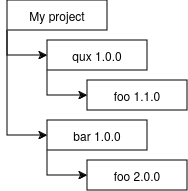
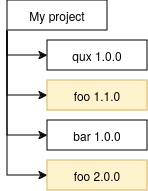
I originally drafted this guide for the (public, semi-open) NixOS governance talks in 2024. It was written for participants in those governance discussions, as a de-escalation guide to steer conversation back to a constructive path. The recommendations in it, however, are more generally applicable to any sort of discussion, especially those in which decisions are to be made.
Governance is a complicated topic that often creates conflicts; some of them small, some of them not so small. Moderators are tasked with ensuring that the governance Zulip remains a constructive space for people to talk these things out, but there is a lot that you can do yourself to keep the discussion constructive; or even as a third party intervening in someone else's escalating discussion. This guide describes some techniques that can be used to prevent and de-escalate conflicts, and help to keep the governance discussion productive for everyone involved. We encourage you to use them! This guide is based in part on [https://libera.chat/guides/catalyst](https://libera.chat/guides/catalyst), although several changes and additions have been made to better fit our specific situation. ### Assume good faith[](https://github.com/NixOS/nix-constitutional-assembly/blob/main/deescalation.md#assume-good-faith) The people who participate in these governance conversations, are most likely here because they want the project governance to be improved, just like you. Try to assume that the other person is doing what they're doing in good faith. There are only very few people who genuinely seek to cause disruption, and if that is the case, it becomes a task for moderators to handle. ### Listen and ask[](https://github.com/NixOS/nix-constitutional-assembly/blob/main/deescalation.md#listen-and-ask) A lot of conflicts can be both prevented and de-escalated by simply asking more questions and listening more, instead of speaking. In general, prefer to ask people *why* they feel a certain way if that is unclear, rather than assuming their intentions - this will provide more space for concerns that would otherwise go overlooked, and avoid creating conflicts due to wrong assumptions. Even when a conflict has already arisen, asking questions can still be effective to de-escalate; asking people why they are doing something will encourage them to reflect on their behaviour, and this can often lead to self-moderation. Most people do not want to be viewed as "the bad guy". Likewise, in a conflict, prefer asking for someone's input rather than admonishing their behaviour; this centers the conversation on them and their thoughts, instead of on yourself. Even if you disagree, you are more likely to gain a useful insight this way, and calming down the situation helps everyone involved. If you need to concretely ask someone to change their behaviour, prefer asking them as a "can you do this?" question, rather than outright demanding it - they will likely be more receptive to your request, and if there is a reason why they cannot, you can look for a solution to that together. ### Compromises and reconciliation[](https://github.com/NixOS/nix-constitutional-assembly/blob/main/deescalation.md#compromises-and-reconciliation) Many disagreements are not really fundamental: often there is just a miscommunication, or some mismatch in assumptions. When it seems like you cannot find agreement, try narrowing down exactly where the disagreement comes from, what the most precise difference between your views is. Often, this will inspire new solutions that work for everyone involved, and that reconcile your differences - eliminating the disagreement entirely. If all else fails, it is often better to find a compromise that everyone can be reasonably happy with, than to leave one side of the conflict entirely unsatisfied. This should be a last resort; too many compromises can easily stack together into a sense of nothing ever being decided, or nothing being changeable. You should always prefer finding reconciliation instead, as described above. True compromise should be very rarely needed. # Health # Treating hair lice in difficult hair ### Theory Hair lice are a relatively innocent parasite that lives in human head hair. Although they are typically not disease carriers, the itching can be extremely frustrating. Hair lice attach themselves by holding onto the hair, typically close to the skin of the head, which they need to do actively, ie. they need to be alive to do so. Dead hair lice will eventually fall out. Typical recommendations revolve around using substances that are in some way deadly to lice; depending on substance, by poisoning them, dehydrating, or both. These substances are used along with a lice comb, which is a comb with very fine teeth (with just enough space between teeth for strands of hair to pass through), and essentially 'pulls' the weakened lice out of the hair. Unfortunately this approach doesn't work for everybody; if you have long or particularly tangle-prone hair, it can be nearly impossible to get down to every bit of skin on your head. Given that the treatment needs to be repeated daily, and missing even one louse can make your efforts futile, this can make it impractical. ### Heat treatment There are experimental heat treatment techniques to remove hair lice; these involve purpose-built devices for removing lice by dehydrating them, causing them to die and lose grip. Heat travels through tangled hair much more easily than a comb, and so can have a higher success rate. Unfortunately, you are unlikely to have such a specialized device at home, and it can be difficult to find someone to do it for you, especially if traveling is difficult or you do not have a lot of money to spend. *Fortunately,* however, this process can be replicated with a simple hairdryer, as long as you are careful. Make sure your hairdryer is set to 'hot' mode, and your hair is dry. Then blow hot air through your hair, close to your head, for at least several minutes daily, for the usual treatment period of two weeks.You need to be very careful when using hot air this close to your head. It's okay for your head to start feeling hot, but as soon as you start getting a burning or scorched feeling on the top of your head, stop the treatment **immediately**, and keep more distance the next day. If you do not have a lot of hair, you may need to keep the hairdryer at quite some distance - thickness of the hair affects what the correct distance is for you.
A method that I've found particularly effective is to blow air *upwards*; that is, instead of blowing onto your hair from the top, point the hairdryer upwards and blow it *under* your mop of hair, as it were - it should feel a bit weird, causing your hair to go in all directions. This maximizes airflow, as the air somewhat gets trapped under your hair, and the only way out is through; this minimizes the deflection of air you would get when blowing from the top down. Note that the upwards technique *can* worsen hair tangling. You may also want to use a lice comb in the places where this is easily possible to do; it is not strictly required for the treatment to work, but it makes it easier to clear out the dead lice in one go, instead of having them fall out by themselves over time.Make sure you continue for the full two weeks, with daily treatment; hair lice have a short breeding cycle, and this treatment only affects the living lice, not their eggs. This means that over the span of two weeks, you will need to gradually dehydrate every new generation of lice. Doing it daily without fail ensures that no generation has a chance to lay new eggs. If you miss a day, you may need to restart the two week timer.
# Matrix # State resolution attacks These are some notes on various different kinds of attacks that might be attempted on state resolution algorithms, such as the one in Matrix. Different kinds of state resolution algorithms are vulnerable to different kinds of attacks; a reliable state algorithm should be vulnerable to none of them.These notes are not complete. More details, graphs, etc. will be added at some later time.
### Frontrunning attack Detect an event that bans or demotes the user, then quickly craft a fake branch full of malicious events (eg. banning other users), but do not submit those events to any other homeserver yet, and then craft an event that parents both the fake branch and the event prior to the detected ban/demote, claiming that the fake branch came earlier and thereby bypassing the ban. Requires a malicious homeserver. ### Dead horse attack Attach crafted event to recent parent and ancient parent, to try and pull in ancient state and confuse the current state; eg. an event from back when a user wasn't banned yet, to try and get the membership state to revert to 'joined' by pulling it into current state. Named this because it involves "beating a dead horse". ### Piggybacking attack A low-powerlevel user places an event in a DAG branch that a high-powerlevel user has also attempted to change state in, as the high-powerlevel state change might cause their branch to become prioritized (ie. sorted in front) in state resolution. ### Fir tree attack Resource exhaustion attack; deliberately constantly creating side branches to trigger state resolution processes. Named after the shape of half a fir tree that it generates in the graph. ### Huge graph attack Resource exhaustion attack; attach crafted event to a wide range of other parent events throughout the history of the room, to pull as many sections of the event graph into state resolution as possible ### Mirror attack Takes advantage of non-deterministic state resolution algorithms to create a split-brain situation that breaks the room, by creating a fake branch containing the exact inverse operations of the real branch, and then resolving the two together; as there is no canonically 'correct' answer under these circumstances, the goal of the attack is to make different servers come to different conclusions. # Protocols and formats # Working with DBusThis article is a work in progress. It'll likely be expanded over time, but for now it's incomplete.
### What is DBus? DBus is a standardized 'message bus' protocol that is mainly used on Linux. It serves to let different applications on the same system talk to each other through a standardized format, with a standardized way of specifying the available API. Additionally, and this is probably the most-used feature, it allows for different applications to 'claim' specific pre-defined ("well-known") namespaces, if they intend to provide the corresponding service. For example, there are many different services that can show desktop notifications to the user, and the user may be using any one of them depending on their desktop environment, but whichever one it is, it will always claim the standard `org.freedesktop.Notifications` name. That way, applications that want to *show* notifications don't need to know which specific notification service is running on the system - they can just send them to whoever claimed that name and implements the corresponding API. ### How do you use DBus as a user? As an end user, you don't really need to care about DBus. As long as a DBus daemon is running on your system (and this will be the case by default on almost every Linux distribution), applications using DBus should just work. If you're curious, though, you can use a DBus introspection tool such as QDBusViewer or D-Spy to have a look at what sort of APIs the programs on your system provide. Just be careful not to send anything through it without researching it first - you can break things this way! ### How do you use DBus as a developer? You'll need a DBus protocol client. There are roughly two options: 1. Bindings to libdbus for the language you are using, or 2. A client implementation that's written directly in the language you are using (eg. `dbus-next` in JS) You could also write your own client, as DBus typically just works over a local socket, but note that the serialization format is a little unusual, so it'll take some time to implement it correctly. Using an existing implementation is usually a better idea. Note that you use a DBus *client* even when you want to *provide* an API over DBus; the 'server' in this arrangement is the DBus daemon, not your application. ### How the protocol works DBus implements a few different kinds of interaction mechanisms: - **Properties:** These are (optionally read-only) values that can be read or written. They're usually used to *check* or *change* something. - **Methods:** These are callable and can produce a result. They're usually used to *do* something. - **Signals:** These are like events, and can be subscribed to. They're usually emitted when something *happens* on the other side. All of these - properties, methods and signals - are addressable by pre-defined names. However, it takes a few steps to get there: - First, you need to select a **bus name** - this is kind of like a process name (or, in the case of a "well-known" API, the standard name), although technically one process can present multiple bus names. Its components are delimited by dots. - Then, on the resulting bus, you select an **object path** - essentially, this is the specific 'object' (or object *type*) within the process that you wish to access. Its components are delimited by slashes. - Finally, on the selected object, you then select an **interface** - you can think of this as the 'service' that you wish to access. Custom DBus APIs often only implement a single interface, in addition to the standard DBus-specified interfaces for introspection (see below). After these steps, you will end up with an interface that you can interact with - it has properties, methods, and/or signals. Don't worry too much about how exactly the hierarchy works here - the division between bus name, object path and interface can be (and in practice, is) implemented in many different ways depending on requirements, and if you merely wish to *use* a DBus API from some other application, you can simply specify whatever its documentation tells you for all of these values. Some more information and context about this division can be found [here](https://pydbus.readthedocs.io/en/latest/dbusaddressing.html), though keep in mind that you'll often encounter exactly one possible value for bus name, object path and interface, for any given application that exposes an API over DBus, so it's not required reading. ### Introspection An additional feature of DBus is that it allows introspection of DBus APIs; that is, you can use the DBus protocol itself to interrogate an API provider about its available API surface, the argument types, and so on. The details of this are currently not covered here. ### Some well-known DBus APIs - **[MPRIS](https://specifications.freedesktop.org/mpris-spec/latest/)** - The 'media player control' API. - **[FreeDesktop Notifications](https://specifications.freedesktop.org/notification-spec/latest/)** - The standard API for displaying desktop notifications. # Problems Things I'm trying to work out. # Subgraph sorting We have a graph: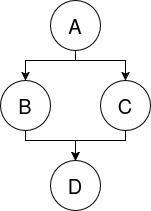
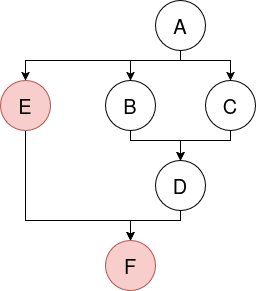
Reformatting will delete any data currently on the disk.
Be careful that you set the **cluster size**, and *not* the sector size. Changing the sector size can brick your card in some cases, and it will not fix the issue.
# Household # Laundry detergent, washing machines, and foam/suds Some notes on washing machines and detergents that I've collected, in no particular order. Foam or suds are actually a *bad* thing in washing machines, not a good thing. The job of the detergent is to get the dirt out of the fibers of your clothes, but in the end it's the water that actually transports the dirt away from your laundry. Suds prevent the dirty water from evacuating your laundry, by creating a sort of 'protective barrier' around it - the dirt may have gotten loose from the fibers, but it's still trapped inside your laundry. The right amount of suds is "few to none, but there's still detergent in the water and the water looks dirty". All the dirt that's in the water is not in your clothes! There are roughly two types of laundry detergent: 1. Machine detergent - in the Netherlands (and probably elsewhere in Europe) this is just the standard type of laundry detergent. In the US, this is labelled "high-efficiency" and specifically sold as being suitable for front-loading washing machines. Machine detergent produces minimal suds, because most of the agitation work is done by the machine, and you'd just get excessive suds. 2. Hand-washing detergent - in the Netherlands this is specifically labelled as such. It produces more suds, and (as I understand it) the agitation is provided by a combination of your manual actions, and the chemical processes that produce the suds. This detergent foams a lot more, and *should not* be used in a washing machine. (Sidenote: this differentiation between "chemical cleaning" and "mechanical cleaning" is something you'll find in *all sorts* of cleaning situations - for example, a dishwasher cleans almost entirely chemically, which is how it can get away with such weak jets. And it even applies when cleaning things by hand; sometimes things require less scrubbing because the cleaning agent is doing the work! It's interesting to pay attention to different cleaning procedures and ask yourself whether it's mechanical cleaning, chemical cleaning, or both - and maybe whether that answer should be different for what you're trying to clean.) If your washing machine seems to spontaneously interrupt its spin/centrifuge cycle, suddenly braking from a high spin speed, then chances are that it detected excessive water in the drum that it couldn't drain in time. There are a few reasons this can happen (including a problem with the pump), but one of the possible reasons is that the outlet got blocked by excessive suds or foam. Some machines will recirculate the foamy water for a while and occasionally add fresh water, in an attempt to remove the suds. But this can take a long time, and doesn't always succeed - in which case the machine will leave your laundry wet because it couldn't finish its spin cycle. A related problem is 'foam lock', where the drum encounters excessive friction against its casing, caused by foam buildup sort of "sticking the two together" like a suction cup. The drum motor will detect this and abort its spin cycle, to prevent damage to the motor from overloading it. The machine may or may not activate a foam removal procedure in this case. This problem is more prominent with high-capacity and especially-energy-efficient machines, as these tend to have less 'buffer space' between the drum and the casing. Excessive foam is often used by using too much detergent, but counterintuitively it can also be caused by too *little* detergent. This apparently happens because the detergent also contains anti-foaming agents, and with a too small amount of detergent, there's not enough of it in the water to effectively prevent suds. It seems that "enough" is not just a matter of ratio (perhaps it's about surface area of the water pool?), so even though the amount of active detergent vs. the amount of included anti-foaming agents stays at the same ratio, the total amount of detergent powder can still make a difference. The right amount of detergent can vary strongly by machine, even for the same laundry load with the same amount of water, so experiment and see what works with your machine. The differences can be bigger than you expect! If your drain pump has clogged with suds, sometimes evacuating water through an emergency drain hose or (if your machine doesn't have one) the filter opening can help to clear the blockage, and allow the machine to drain properly again. Keep in mind that a lot more water can come out of this than you expect and it's low to the ground, so be prepared to catch all of it and to quickly close the outlet again if you can't! Run a self-cleaning cycle on your machine every month. Make sure the drum is empty, toss an all-in-one *dishwasher* tablet (note: *not* tested with liquid packets!) into the drum, and run it on the 90 celsius cleaning cycle - pretty much every machine has one, but sometimes it's hidden behind a button combination or sequence. This cleaning cycle not only deals with biofilms and mold, but also clears out detergent residue buildup, which can be a problem especially if you typically use liquid detergent. The detergent tray itself should also be cleaned regularly; it'll likely have something you can held pressed to 'unlock' it from the machine and slide it out in its entirety. Powder and liquid detergents both have their own upsides and downsides, also for the machine, so it's a good idea to alternate between the two. Your detergent tray should have some sort of divider wall or flippable wall to ensure that the liquid detergent stays in the tray until the (main) washing cycle actually starts - always use it for liquid detergent and *never* use it with powder detergent! If you can only use one of the two (eg. for logistical reasons), use powder detergent and wash the detergent tray more regularly. # Dimensions of Nespresso cups I measured these myself with arbitrary calipers, so don't expect super high precision. But it should be good enough for a project. Rounded to the nearest 0.1mm. Measurement explanation: - The **tip diameter** is the diameter of the tip or spout at the 'bottom' of the cup (when holding the label upwards). It's on the side that the blades go into, and it's the narrowest part of the cup. - The **body diameter** is the diameter of the main cup itself. The 'bottom' here refers to the tip side, and the 'top' refers to the flare side. The bottom diameter is always smaller than the top diameter. - The **flare diameter** is the diameter of the flare or flange that's found at the 'top' of the cup; it's the side that typically has some sort of label printed on it, specifying the coffee variety. - The **total height** is the height of the cup in its entirety, as measured from the tip to the flare, inclusive. This *does not* include any bulging of the cup due to internal air pressure; for measurement purposes, the flare's foil is compressed such that the measurement can be taken based on the *edges* of the flare using calipers. Of this list, the only officially licensed Nespresso cups are the Starbucks cups. Therefore, it's probably reasonable to take those measurements as "what the size of the cup *should* be according to Nestle". - Albert Heijn (Perla): - Tip diameter: 10.6 mm - Body diameter, bottom: 23.9 mm - Body diameter, top: 27.2 mm - Flare diameter: 37.1 mm - Total height: 28.4 mm - Starbucks: - Tip diameter: 8.8 mm - Body diameter, bottom: 24.1 mm - Body diameter, top: 30.0 mm - Flare diameter: 37.0 mm - Total height: 28.9 mm - Lidl (Bellarom), aluminium swirl: - Tip diameter: 11.4 mm - Body diameter, bottom: 23.9 mm - Body diameter, top: 29.4 mm - Flare diameter: 37.0 mm - Total height: 28.3 mm I'll probably expand this list over time, as I get my hands on different cups.